
Yeastar S20 IP PBX
The Yeastar S20 IP PBX is a compact, modular business phone system designed for small offices and branch environments that need dependable SIP calling, traditional telephony connectivity, call routing, IVR, recording, extension management, and centralized administration without moving the entire communications platform to a hosted PBX. It supports up to 20 users and 10 concurrent calls, while its modular design lets organizations combine IP telephony with selected analog, ISDN BRI, and cellular interfaces according to the installed modules and deployment requirement.
Fourteck positions the S20 as a requirement-led small-business PBX option rather than a one-size-fits-all appliance. The correct design depends on extension count, simultaneous call demand, SIP trunk configuration, analog lines or devices, remote-user needs, IP phone compatibility, LAN design, VLAN/QoS, recording expectations, security policy, and future growth.
Who should consider the Yeastar S20?
The S20 is best suited to a small business that expects no more than 20 users and whose real-time call demand remains within the platform’s 10-concurrent-call capacity. Typical fits include professional offices, small retail or service operations, clinics, schools, branch offices, warehouses, property-management teams, reception-led businesses, and organizations replacing a basic legacy PBX with a more flexible SIP-capable system.
It is especially useful where an organization needs to preserve some existing telephony assets while introducing SIP. Depending on the modules selected, the S20 can bridge IP extensions with analog station ports, PSTN lines, ISDN BRI, or a cellular channel. That modularity makes it practical for phased migration, where a business does not want to replace every line, phone, gateway, or workflow on day one.
Verified S20 capacity and telephony design
| Design item | S20 capability | Why it matters |
|---|---|---|
| Users | Up to 20 | Defines the practical ceiling for extensions/users on this model. |
| Concurrent calls | 10 | Important for reception, sales, support, and other call-intensive environments. |
| VoIP trunks | 20 | Supports multiple SIP trunk definitions and flexible routing plans. |
| FXS / FXO / BRI | Up to 4 ports | Allows hybrid analog/ISDN integration when appropriate modules are installed. |
| Cellular | Up to 1 3G/4G channel | Useful where a cellular telephony interface is required and locally supported. |
| Module slots | 2 onboard slots | Enables a configuration to be selected around the site’s actual legacy-interface needs. |
Why modular telephony matters in a small office
Many small businesses are not purely IP-based. A company may have SIP trunks for most calls while still retaining a PSTN line, an analog fax device, an analog phone, a door-phone interface, or an ISDN BRI service. The S20’s modular architecture is designed for these mixed environments. Instead of buying a PBX with a fixed collection of ports that may never be used, the system can be equipped with supported telephony modules according to the deployment requirement.
This is valuable during migration. For example, an office can move employee extensions to SIP phones while retaining a selected analog line for a legacy workflow. Another site might use SIP trunks as the primary external connectivity and keep a local analog path for a specific requirement. The important point is that the exact interface combination must be confirmed before ordering because available ports depend on the modules fitted.
SIP phones, provisioning, and endpoint interoperability
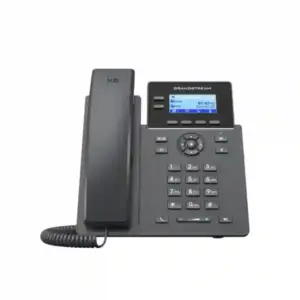
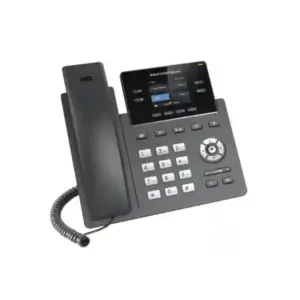
Yeastar’s S-Series platform is designed to work with SIP-compliant endpoints and supports auto provisioning for a range of established IP phone brands. In a real deployment, the selection of endpoint should be based on user role rather than on brand alone. Reception may need more programmable keys and visibility, managers may prefer a higher-end color phone, shared spaces may use simple common-area handsets, and remote users may require a softphone or securely provisioned SIP device.
Before deployment, Fourteck recommends confirming the exact phone model, firmware level, provisioning method, VLAN requirement, PoE budget, codec policy, BLF requirements, and any headset or expansion-module needs. Auto provisioning reduces configuration effort, but it does not remove the need for a sound extension plan and tested network design.
Call handling features that matter to everyday operations
A PBX earns its value through call flow rather than specification count. The S20 platform supports the core business functions expected from a modern small-office PBX, including extension administration, SIP trunking, IVR, routing, conferencing, recording, voice prompts, and general call-control functions. These tools can be arranged around customer experience: direct callers to the correct department, reduce unnecessary transfers, provide after-hours routing, define overflow behavior, and create a consistent reception process.
For a small business, a simple two-level call flow is often more effective than an excessively complex IVR. A typical design might provide a main greeting, options for sales and support, a reception fallback, and a defined out-of-office route. The PBX should also have sensible timeout rules so callers do not become trapped in a menu. Good implementation focuses on the caller journey as much as the technical configuration.
Network planning: LAN, VLAN, QoS, and PoE
An IP PBX is part of the data network, so voice quality depends heavily on switching, cabling, internet connectivity, and network policy. The S20 provides Ethernet connectivity for integration into the LAN, while the IP phones normally connect through PoE-capable switches or separate power adapters. For business deployments, Fourteck recommends separating voice logically with a voice VLAN when appropriate, applying QoS consistently, validating DHCP and DNS behavior, and checking firewall rules for SIP/RTP traffic.
QoS should be end-to-end. Marking packets on the phone without configuring switches and the edge firewall may provide little benefit. Similarly, poor internet upload capacity can cause one-way audio, clipping, delay, or jitter even when the PBX itself is functioning correctly. The right design therefore considers call concurrency, codec choice, WAN quality, failover expectations, and whether SIP ALG on the edge device helps or interferes with the chosen provider.
SIP trunk planning for the S20
The S20 supports up to 20 VoIP trunks, but the number of trunk definitions should not be confused with call capacity or the number of channels purchased from a provider. SIP trunk planning should cover DID numbers, incoming route mapping, outbound caller ID, emergency-calling requirements, codec support, DTMF method, registration or IP-authentication method, NAT behavior, failover, and the number of simultaneous sessions expected.
For businesses using multiple providers, routing policies can be built around cost, reliability, geography, or backup requirements. Before commissioning, each route should be tested for inbound calling, outbound calling, transfer behavior, DTMF, voicemail, external forwarding, CLI presentation, and failover logic where configured.
Remote access and system administration
Yeastar provides remote-management options for S-Series systems, supporting remote configuration, monitoring, and alerts. This can simplify support for branch offices where an administrator is not physically present. Remote management should still be governed by strong access controls, administrator-role separation, password policy, firmware management, logging, and restricted exposure of management services.
Directly exposing a PBX administration interface or SIP service to the public internet without a controlled security design can create avoidable risk. The deployment should therefore consider trusted source addresses, VPN access, firewall controls, strong credentials, rate limits, and the security guidance relevant to the installed firmware and SIP provider.
Call recording and storage considerations
Call recording can support training, service quality, dispute resolution, and operational review, but it must be designed around both technical capacity and legal policy. The S20 platform supports recording functions and includes a TF-card slot that can be used for automatic recording storage in supported configurations. The business should decide what is recorded, how long recordings are retained, who can access them, and how they are backed up or deleted.
Recording should never be treated as a purely technical checkbox. Applicable consent, privacy, employment, and sector-specific requirements may differ by country and use case. The PBX administrator should align recording settings with the organization’s policy before enabling broad recording.
Deployment examples
Small professional office
A 10-15 person office can use SIP phones, a primary SIP trunk, IVR, reception routing, voicemail, and selected call recording. The main design question is not user count but peak simultaneous calls.
Branch office
The S20 can serve a local branch with its own extensions and trunk policy while integrating with a wider business communication design through SIP-based connectivity where appropriate.
Hybrid legacy migration
A company can move most users to SIP while preserving selected analog or BRI interfaces through supported modules, reducing the need for an immediate all-at-once replacement.
Reception-led business
Reception can manage the main number, IVR fallback, department transfers, after-hours behavior, and overflow rules. A suitable multi-key phone should be selected separately from the PBX.
When the S20 may be too small
The S20 should not be selected simply because the office currently has fewer than 20 people. A business may need a larger platform if it expects more than 10 simultaneous calls, rapid user growth, larger contact-center requirements, more telephony ports, greater resiliency, or features that are better served by a newer or higher-capacity Yeastar platform. A growth plan should look at expected headcount, branches, call concurrency, integrations, recording volume, and remote-user requirements for the next practical planning period.
If the requirements are close to the S20 limits from day one, choosing a larger model can reduce the likelihood of an early replacement. Fourteck can compare the S20 against other Yeastar on-premises PBX options based on the actual requirement rather than recommending an upgrade solely on model hierarchy.
Yeastar S20 for Dubai and UAE small businesses
For a Dubai or UAE deployment, the practical discussion usually starts with the current telephone service: SIP trunk, existing PSTN/legacy lines, number portability, analog devices, and the type of phones already installed. The network design then needs to account for managed switching, PoE, VLAN/QoS, firewall policy, internet reliability, and remote access. For offices in Dubai, Deira, Bur Dubai, Sharjah, Ajman, or Abu Dhabi, a site-by-site configuration is more useful than a generic PBX bundle because building connectivity, legacy cabling, phone count, and carrier services can differ significantly.
Fourteck can help with model selection, module planning, SIP phone matching, network readiness checks, call-flow design, installation scope, and quotation requirements. Commercial availability, exact module stock, lead time, and service scope should be confirmed at the time of enquiry rather than assumed from the model’s technical capability.
Regional procurement considerations beyond the UAE
The same S20 platform can be evaluated for small offices in markets such as Uganda, Kenya, Kuwait, Ghana, Nigeria, and Tanzania, but the surrounding design should be localized. SIP trunk availability, PSTN/ISDN usage, cellular interface requirements, internet stability, local numbering plans, remote-support access, and endpoint availability vary by country. A deployment that works well in a Dubai office should therefore not be copied unchanged into Kampala, Nairobi, Kuwait City, Accra, Lagos, or Dar es Salaam.
For distributed organizations, standardizing the extension naming convention, dialing plan, device templates, security policy, backup process, and documentation can still make administration easier even when carrier connectivity differs by region.
Implementation checklist
- Confirm total extensions and projected growth.
- Measure expected peak simultaneous calls rather than only employee count.
- Identify SIP trunks, DIDs, analog lines, BRI, cellular, fax, paging, or door-phone requirements.
- Select the required S20 telephony modules before ordering.
- Confirm IP phone models, PoE demand, headsets, sidecars, and provisioning support.
- Prepare voice VLAN, QoS, DHCP, DNS, firewall, NAT, and WAN policies.
- Design inbound IVR, ring groups, queues where applicable, reception fallback, and after-hours routes.
- Define outbound routing, caller ID, permissions, international-dialing controls, and emergency policies.
- Set administrator roles, strong credentials, secure remote access, alerts, and backup procedures.
- Decide recording scope, retention, access, and compliance policy before enabling it broadly.
- Test inbound/outbound calls, transfers, hold, DTMF, voicemail, failover, and mobile/remote use cases.
- Document extensions, trunks, routes, modules, network settings, and recovery steps for handover.
Frequently asked questions
How many users does the Yeastar S20 support?
The Yeastar S20 supports up to 20 users. Organizations close to that limit should also evaluate future growth and simultaneous-call demand before choosing the model.
How many simultaneous calls can the S20 handle?
The S20 supports 10 concurrent calls. This is a key sizing limit for busy sales, support, reception, or customer-service environments.
How many VoIP trunks are supported?
Yeastar specifies support for 20 VoIP trunks on the S20. The number of actual simultaneous external sessions also depends on PBX call capacity and the SIP service purchased from the provider.
Can the S20 connect to analog lines or analog phones?
Yes, when the appropriate supported telephony modules are installed. The S20 supports modular combinations including FXS and FXO interfaces, subject to the platform’s port limits.
Does the S20 support ISDN BRI?
Yes, the S20 modular design supports BRI interfaces with the appropriate supported module configuration.
Can the S20 use a cellular connection?
The platform supports up to one 3G/4G channel with the suitable supported module and where the local mobile network and deployment conditions are compatible.
Can I use third-party SIP phones?
Yes. The S-Series is designed for SIP interoperability and Yeastar supports auto provisioning for many established IP phone brands. Exact model and firmware compatibility should be confirmed before deployment.
Is the S20 suitable for a 20-person office?
Potentially, but user count alone is not enough. If the business frequently needs more than 10 simultaneous calls or expects near-term growth, a larger PBX may be more appropriate.
Can the S20 be used with SIP trunks in Dubai or the UAE?
It is designed to work with SIP trunks, but the exact provider settings, number plan, authentication method, codec policy, and regulatory or carrier requirements should be confirmed for the chosen UAE service.
Does the S20 include call recording?
The S-Series includes recording capabilities, and the S20 hardware includes a TF-card slot used for supported recording-storage scenarios. Recording configuration and retention should be planned carefully.
Should I choose the S20 or a larger Yeastar PBX?
Choose based on users, concurrent calls, interface requirements, future growth, integrations, and service expectations. If the design sits close to S20 limits, comparing a larger model before purchase is sensible.
Plan the S20 around your actual communication requirement
Fourteck can help evaluate whether the Yeastar S20 IP PBX is the right fit for your office, branch, or hybrid analog/IP telephony environment. Share your expected user count, simultaneous-call requirement, current telephone lines, SIP provider, analog devices, preferred IP phones, branch requirements, and network details to build a more accurate configuration and quotation.

Reviews
There are no reviews yet.