GRANDSTREAM UCM6300 AUDIO SERIES • BUSINESS IP PBX
Grandstream UCM6304A Dubai UAE – 1,000-User Audio IP PBX
The Grandstream UCM6304A Dubai UAE is an on-premises audio IP PBX for organisations that need high extension capacity, strong simultaneous-call performance, built-in analog connectivity and modern remote-working tools in one platform. Grandstream specifies support for up to 1,000 users, 150 concurrent G.711 calls, 120 concurrent SRTP G.711 calls, 4 FXS and 4 FXO RJ11 ports, plus up to 120 simultaneous meeting participants across as many as seven public rooms. It also supports Wave, UCM RemoteConnect, GDMS, Zero Config provisioning of compatible Grandstream endpoints, instant messaging, audio conferencing, web meetings, call queues, IVR and API integration.
For Dubai, Abu Dhabi, Sharjah and wider UAE deployments, the most useful sizing question is not simply how many extensions can register. A dependable design also checks busy-hour calls, encrypted-call requirements, SIP trunks, PSTN lines, analog devices, remote users, network quality, recording, branch connectivity, provisioning, migration timing and growth. Fourteck can use those requirements to define the PBX, endpoint, switching and service scope without assuming stock, pricing, carrier compatibility or delivery until the project is verified.
Published maximum registered-user capacity.
Published maximum concurrent call figure.
Published maximum concurrent encrypted calls.
Built-in analog endpoint and PSTN connectivity.
Across up to seven simultaneous public rooms.
What is the Grandstream UCM6304A?
The UCM6304A is an audio-focused unified communications appliance in Grandstream’s UCM6300 Audio Series. It can serve as the central business voice platform while providing extension management, auto attendants, queues, voicemail, call routing, call recording functions, paging/intercom support, Wave application access, web meetings, instant messaging and remote-user connectivity. It is especially relevant when an organisation wants the control of an on-premises PBX but still needs mobile and hybrid users to work as part of the same communications environment.
The 1,000-user limit should be treated as one boundary, not the complete sizing answer. A business with 250 extensions can still generate high call traffic if it runs a reservations desk, service centre or sales team. Another organisation with 700 registered users may have modest peak traffic. Practical design therefore combines extension count, busiest-hour calls, SRTP requirements, queues, recording, meetings, remote workers and growth. Where the expected workload approaches a published maximum, compare the next model or another architecture rather than designing a system with no headroom.
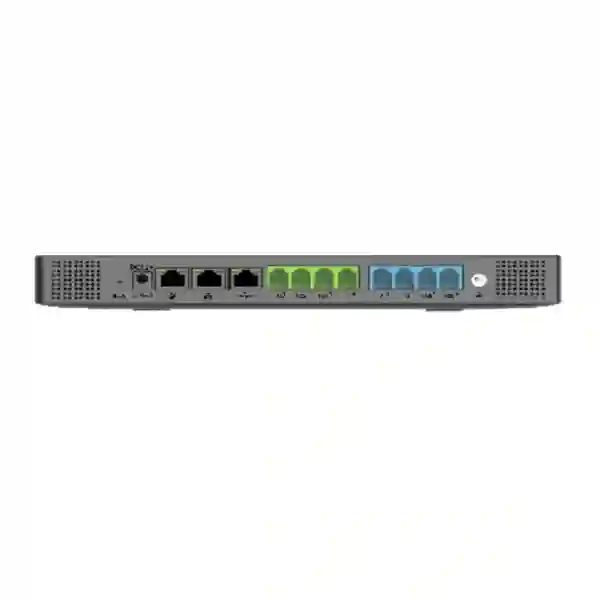
The four FXS and four FXO ports provide additional migration flexibility. FXS ports can connect suitable analog endpoints, while FXO ports can connect suitable traditional analog lines. That can help offices retain a limited number of legacy devices or PSTN lines while the main user base moves to SIP. Exact compatibility must still be checked; an RJ11 connector alone does not confirm that a fax device, alarm interface, paging unit, lift phone, modem or local carrier service will work as intended.
Verified UCM6304A technical profile
| Area | Verified specification | Project meaning |
|---|---|---|
| Users | Up to 1,000 | Plan current extensions and future growth. |
| Calls | Up to 150 concurrent G.711 calls | Compare with busiest-hour traffic, not headcount. |
| SRTP | Up to 120 concurrent G.711 SRTP calls | Encrypted-call demand can change model sizing. |
| FXS | 4 RJ11 ports | For suitable analog endpoints. |
| FXO | 4 RJ11 ports | For suitable analog PSTN lines. |
| Network | 3 self-adaptive Gigabit ports with PoE+ | Supports switched, routed or dual modes; endpoint switching still needs separate design. |
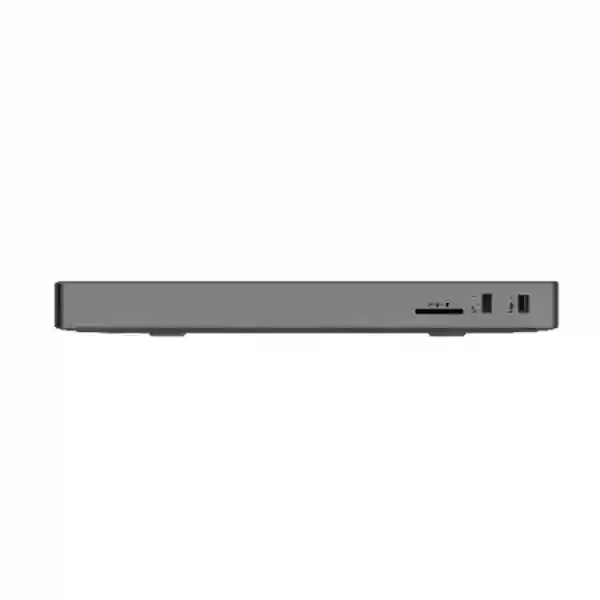
| Peripheral | 2 USB 3.0 and 1 SD-card interface | Useful for supported storage and operational functions. |
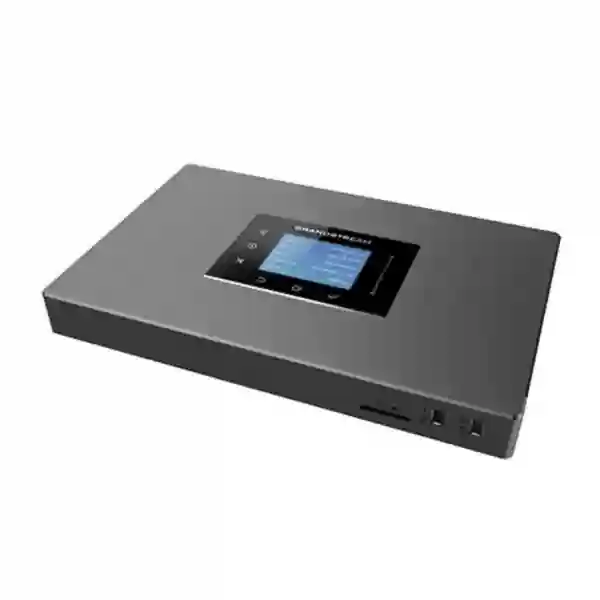
| Display | 320 × 240 colour touchscreen | Local status and appliance interaction. |
| Meetings | Up to 7 simultaneous public rooms / 120 participants combined | Check collaboration demand and network conditions. |
| Provisioning | Zero Config and GDMS support | Can simplify compatible Grandstream endpoint deployment and management. |
| Security | Secure boot, unique certificate, random default password; SRTP/TLS/HTTPS/SSH/802.1X support | Security still requires correct configuration and operations. |
| Platform | Asterisk version 16 based | Provides a broad SIP telephony foundation and API integration capability. |
Values follow Grandstream’s current UCM6300 Audio Series documentation. Verify current firmware, services and compatibility before final implementation.
UCM6304A versus UCM6304: do not mix the specifications
UCM6304A and UCM6304 are not interchangeable model names. The A-suffix model belongs to the UCM6300 Audio Series. When UCM6304A is being quoted, use its specific published limits: 1,000 users, 150 concurrent G.711 calls, 120 concurrent SRTP G.711 calls, four FXS ports and four FXO ports. Third-party listings sometimes combine figures from different UCM6300 models, so the exact manufacturer model code should appear on the bill of materials and quotation.
This is especially important when sizing SIP trunks, encrypted calling, queues, recording, conferencing and branch traffic. A capacity error at PBX level can affect the complete project. Ask suppliers to state the full model, hardware quantity, endpoint models, required subscriptions, configuration scope and assumptions. If a proposal only says “UCM6304 series,” request clarification before approval.
How to size the UCM6304A for real call traffic
Begin with active extensions today, planned extensions in the next two to three years, shared-area phones, meeting rooms, reception positions, remote workers, intercoms and branch extensions. Then estimate the busiest period of the day. Include internal traffic that passes through the PBX, external SIP calls, queue activity and conferences. If SRTP is mandatory, compare the design against 120 encrypted simultaneous calls rather than assuming the full 150-call headline can be used with encryption.
For example, a 430-user organisation might peak at 70 simultaneous calls and have comfortable call headroom, subject to the feature mix. A 280-user reservations or service operation could peak at 120 calls and therefore be much closer to the model boundary. Growth margin should be deliberate, but oversizing the PBX alone does not create a scalable solution. Carrier channels, WAN bandwidth, switching, PoE capacity, storage, UPS runtime and remote connectivity must scale as well.
For a direct family comparison, use Fourteck’s verified UCM6300 Audio IP PBX Series guide, which compares UCM6300A, UCM6302A, UCM6304A and UCM6308A by user count, concurrent calls, SRTP calls and analog ports.
Using the 4 FXS and 4 FXO ports during migration
The built-in analog interfaces are valuable when a business cannot move from legacy telephony to pure SIP in a single cutover. Suitable analog phones, fax devices or specialist endpoints may use FXS ports, while analog PSTN lines may use FXO ports. A staged migration can keep selected legacy services operating while the majority of users move to SIP phones or Wave clients.
Compatibility must be tested. Fax performance can depend on codec handling, T.38 support and the complete carrier path. Alarms, lift phones, payment terminals, modems and building systems may have requirements unlike ordinary voice. Lifeline capability on analog ports should not be confused with a full continuity plan. If calling during power loss is important, include UPS coverage, switch and firewall power, carrier behaviour, endpoint power and failover routing in the test plan.
Wave, UCM RemoteConnect and hybrid staff
The Wave application lets supported desktop, web and mobile users communicate through SIP accounts registered to the UCM. That can help mobile employees, travelling managers and hybrid teams retain a business extension without relying on a desk phone at every location. Define which queues and ring groups should reach remote users, what caller ID should be presented, how users authenticate and how support handles lost or replaced devices.
UCM RemoteConnect can facilitate secure remote connectivity and management, but it should be planned as a service dependency rather than treated as a generic feature. Verify the current plan, capacity, service terms and endpoint support for the intended deployment. Voice quality also depends on the user’s internet and Wi-Fi connection. A PBX cannot eliminate severe packet loss, poor roaming or inadequate upstream bandwidth.
Security should include strong admin credentials, controlled management access, appropriate VLAN and firewall policy, outbound-dial permissions, fraud monitoring, firmware maintenance and TLS/SRTP where supported by the endpoints and service provider.
Call queues, IVR and reception workflows
The platform supports configurable call queues, automatic call distribution, in-queue announcements, IVR, ring groups, call forwarding, transfer, park, voicemail, paging/intercom, schedules, pickup groups and other business telephony functions. The useful design starts with a customer journey rather than a long feature list.
For reception, define opening-hours greeting, language options, departments, overflow sequence, unanswered-call behaviour and after-hours destinations. For customer service, define agent membership, queue priority, maximum waiting time, announcements and overflow. For sales, decide whether missed calls move to another representative, a shared queue or voicemail. For hotels, clinics and schools, separate routine calls from urgent operational paths.
The system supports deep IVR structures, but more layers are not automatically better. Keep the menu easy to understand, then test it with calls from real mobile and fixed networks. Verify each route, transfer, voicemail, caller ID and fallback path before acceptance.
Network, VLAN, QoS and PoE design
Voice quality depends on the wider network. The UCM6304A provides three Gigabit interfaces and supports Layer 2 and Layer 3 QoS mechanisms, but switches, routers, firewalls and WAN links must also be configured appropriately. Where suitable, create a voice VLAN, apply consistent QoS, use reliable DNS and NTP, protect core equipment with UPS and monitor packet loss, jitter and latency.
Calculate phone PoE requirements at the switch level. A PBX with PoE-capable interfaces does not power a large fleet of IP phones. A 100- or 300-phone deployment needs enough switch ports, PoE budget, uplink capacity, patching and redundancy. If Wi-Fi phones are planned, assess RF coverage, capacity and roaming rather than assuming ordinary data coverage will deliver reliable real-time voice.
Provisioning, GDMS and API integration
Grandstream Zero Config can reduce repetitive configuration for compatible Grandstream SIP endpoints. For a large rollout, define extension ranges, naming conventions, phone templates, firmware policy, admin access and button layouts before provisioning. Automation is useful when the configuration standard is already clear.
GDMS provides cloud-based setup, management, monitoring and troubleshooting for supported Grandstream products. Decide who owns the GDMS organisation, which administrators have access and how control is transferred if an IT provider changes. Management account ownership should be part of handover.
The UCM platform provides an API for third-party integration. If CRM or PMS connectivity is required, define the workflow precisely. “CRM integration” is not a testable requirement; “show the matching customer record on an inbound call and log call duration after completion” is. Compatibility depends on the target application, authentication, API methods and implementation effort, so validate the integration before promising it.
Recording, backup and retention
Call recording can support training, quality assurance and dispute handling, but it creates storage and governance requirements. Estimate how many calls will be recorded, average duration, codec, retention period and storage destination. The UCM6304A includes USB 3.0 and SD-card interfaces; use storage methods supported by the platform and sized for the actual recording policy.
Define who may listen, export or delete recordings and when old recordings should be removed. Policy and legal decisions belong with the customer’s responsible stakeholders, while the technical configuration can enforce the chosen controls. Configuration backups should also be scheduled, protected and periodically tested. A backup that has never been restored may not satisfy the recovery objective.
High availability and business continuity
Grandstream documents Hot Standby High-Availability and local dual-deployment capabilities for the UCM6300 Audio platform. Resilience still has to cover the complete chain: PBX, power, switching, firewall, internet, SIP trunk, DNS and endpoints. Start with the business requirement. How long can reception be unavailable? Which teams must continue to receive calls? Should the carrier reroute incoming numbers during an outage? Is a second WAN link available? Are selected analog lines retained for fallback?
For critical locations, test failover under controlled conditions and document the result. Verify active and new calls, remote users, queues and carrier routing. Reliability comes from architecture and testing, not from assuming a single HA feature protects every dependency.
Recommended deployment workflow
Discovery: users, sites, numbers, trunks, analog lines, current phones, remote staff, queues, recordings and growth.
Capacity: busiest-hour calls, SRTP requirement and future headroom compared with the UCM6304A limits.
Network readiness: switches, voice VLANs, QoS, PoE, firewall, WAN, UPS, DNS and NTP.
Call-flow design: extension ranges, IVR, DIDs, ring groups, queues, voicemail, office hours and outbound permissions.
Endpoint mapping: desk phones, Wave users, FXS devices, FXO lines and any gateways.
Pilot: test inbound, outbound, transfer, hold, park, queue, voicemail, remote access and recording with a small user group.
Migration: coordinate number porting or trunk activation, phone deployment, user communication, cutover and rollback.
Handover: administrator ownership, backups, documentation, support contacts and acceptance results.
See Fourteck’s verified Grandstream PBX setup and configuration and business phone system migration resources for related planning.
Best-fit business scenarios
Head office migration
Move most users to SIP while retaining a small number of analog devices or PSTN lines, subject to compatibility and carrier validation.
Customer service
Use queues, IVR, recording and time schedules where peak traffic fits the published limits and the network/storage design supports the workload.
Hospitality
Combine front-desk call handling, extensions, analog connectivity, paging and verified PMS-related integration workflows.
Education
Connect administration, reception, paging/intercom, remote staff and branch buildings with clear emergency and after-hours routing.
Healthcare
Organise reception, appointments, laboratories and management while designing recording and privacy controls carefully.
Multi-site organisations
Centralise communication and management while explicitly planning WAN resilience, branch continuity and remote-user connectivity.
Dubai, Deira and Bur Dubai use cases
Dubai PBX projects often follow an office move, growth, carrier migration or replacement of an older analog/hybrid system. A Deira trading company may need reception, sales ring groups, warehouse phones and a few legacy lines. A Bur Dubai professional office may prioritise recording, remote staff and bilingual IVR. A larger enterprise may need many departments, higher call concurrency, CRM integration and stronger security controls. The same hardware can support different workflows, so configuration should be scoped independently from the appliance.
Before installation, verify the PBX location, rack or wall mounting, power, UPS, cabling, switching, VLANs and carrier handoff. If old and new systems need to coexist during number porting, document the temporary routing and rollback plan. A pilot with selected users can reveal training or routing issues before the full cutover.
Abu Dhabi and Sharjah considerations
Abu Dhabi deployments can involve campuses, government-related organisations, healthcare, industrial operations and distributed facilities. These projects may require formal access controls, change management, redundant connectivity and acceptance testing. If branches depend on a central UCM, include branch WAN failures in the continuity plan.
Sharjah offices, warehouses, schools and workshops may prioritise reception overflow, paging, after-hours routing and practical coverage across operational spaces. If Wi-Fi handsets are planned, assess roaming and RF quality in the real environment. If analog lines remain, map each line and device to an exact FXO or FXS requirement instead of using a generic “analog support” statement.
Regional procurement: Kuwait, Uganda, Kenya, Tanzania, Ghana and Nigeria
Kuwait: confirm destination, quantity, endpoints, remote-access needs and local carrier requirements rather than copying a UAE design. Uganda: include UPS, WAN stability and branch connectivity in the plan, especially where power or internet conditions vary. Kenya: define whether branch offices use central PBX connectivity, local gateways or separate continuity arrangements. Tanzania: account for site distances, carrier handoff and support logistics; pilot remote connectivity before a wide rollout. Ghana: confirm the number of purchased carrier channels because PBX call capacity does not create SIP trunk channels. Nigeria: consider multiple WAN links, power resilience, dial-permission controls and fraud monitoring for larger or multi-office deployments.
For every destination, product availability, commercial terms, lead time, warranty handling, shipping, local carrier compatibility and installation support should be confirmed on the specific quotation rather than assumed from a product page.
UCM6304A quotation checklist
Current users and expected growth over 24–36 months.
Peak simultaneous calls and required concurrent SRTP calls.
SIP trunks, analog lines, DIDs and provider channel limits.
Exact analog devices to connect through FXS ports.
Existing and proposed IP phone models plus Wave users.
IVR, queues, recording, voicemail, paging and meeting requirements.
Remote users, branch offices, WAN links and failover expectations.
CRM/PMS integration workflow and target application.
Switching, PoE, VLAN, QoS, firewall, UPS and cabling readiness.
Migration date, number-porting dependency, training and rollback.
Why Fourteck for UCM6304A planning?
Fourteck treats the UCM6304A as one component of a complete communications project. Depending on requirements, the solution can include the PBX, Grandstream IP phones, cordless endpoints, PoE switching, SIP trunk coordination, gateways, network readiness, configuration, call-flow design, migration, user guidance and support. The goal is to connect verified model capabilities to the real customer environment rather than selling a capacity figure in isolation.
For multi-site projects, requirements can be structured by location and department. A head office may need reception, queues, recording and remote managers, while a branch may need only local phones and secure connectivity to the central platform. This avoids copying the same design to every site.
Fourteck does not assume fixed stock, delivery time, universal carrier compatibility, authorisation status or guaranteed integration when those details have not been verified. Availability, pricing and implementation scope should be confirmed for the exact project and date.
Frequently asked questions
How many users does the UCM6304A support?
Grandstream specifies up to 1,000 users. User capacity and simultaneous-call capacity are different, so busy-hour traffic should be sized separately.
How many concurrent calls can it handle?
The current Grandstream UCM6300 Audio Series datasheet lists up to 150 concurrent G.711 calls and up to 120 concurrent SRTP G.711 calls for UCM6304A.
Does UCM6304A have FXS and FXO ports?
Yes. It has four FXS RJ11 ports and four FXO RJ11 ports. Verify the exact analog endpoint or carrier service before deployment.
Is UCM6304A the same as UCM6304?
No. They are different model designations. Use UCM6304A-specific manufacturer documentation when buying or designing around this appliance.
Can it support remote workers?
Yes. The UCM6300 Audio platform supports the Wave app and UCM RemoteConnect. Confirm current plan, service and endpoint requirements.
How many meeting participants are supported?
Grandstream publishes up to 120 simultaneous participants combined, with up to seven simultaneous public rooms for UCM6304A.
Can it integrate with CRM or PMS?
The platform provides an API for third-party integrations. The target application and exact workflow must be verified before committing to integration work.
Can existing SIP phones be reused?
Potentially. Verify SIP compatibility, firmware, required features and provisioning method for every endpoint model.
Does the UCM6304A include a SIP trunk?
No. Carrier accounts, numbers, channels and commercial terms are separate from the PBX appliance and must be arranged with a compatible service provider.
How do I request a Dubai quotation?
Provide the site, user count, peak calls, carrier details, analog requirements, phone models, remote users, call-flow requirements, network readiness and installation scope so the project can be sized accurately.
Plan your Grandstream UCM6304A Dubai UAE deployment
For a new phone system, PBX upgrade, office move, hybrid-work rollout or multi-site migration, send Fourteck the user count, expected peak calls, analog requirements, carrier details and locations. Fourteck can help compare the UCM6304A with other UCM6300 Audio models, identify the surrounding phones and network components, and define the configuration and migration scope.
Reviews
There are no reviews yet.