GRANDSTREAM • ON-PREMISES BUSINESS CALLING
UCM6300 Audio IP PBX Series
Choose a business phone-system appliance around the calls your organisation needs to handle. Grandstream’s UCM6300 Audio series brings voice, messaging and audio collaboration into an on-site platform, with four models to compare by users, simultaneous calls and analog connections.
Start with the model matrix below, then check carrier services, remote working and migration requirements with Fourteck. A configuration-specific quotation helps connect the appliance choice to the complete deployment cost.
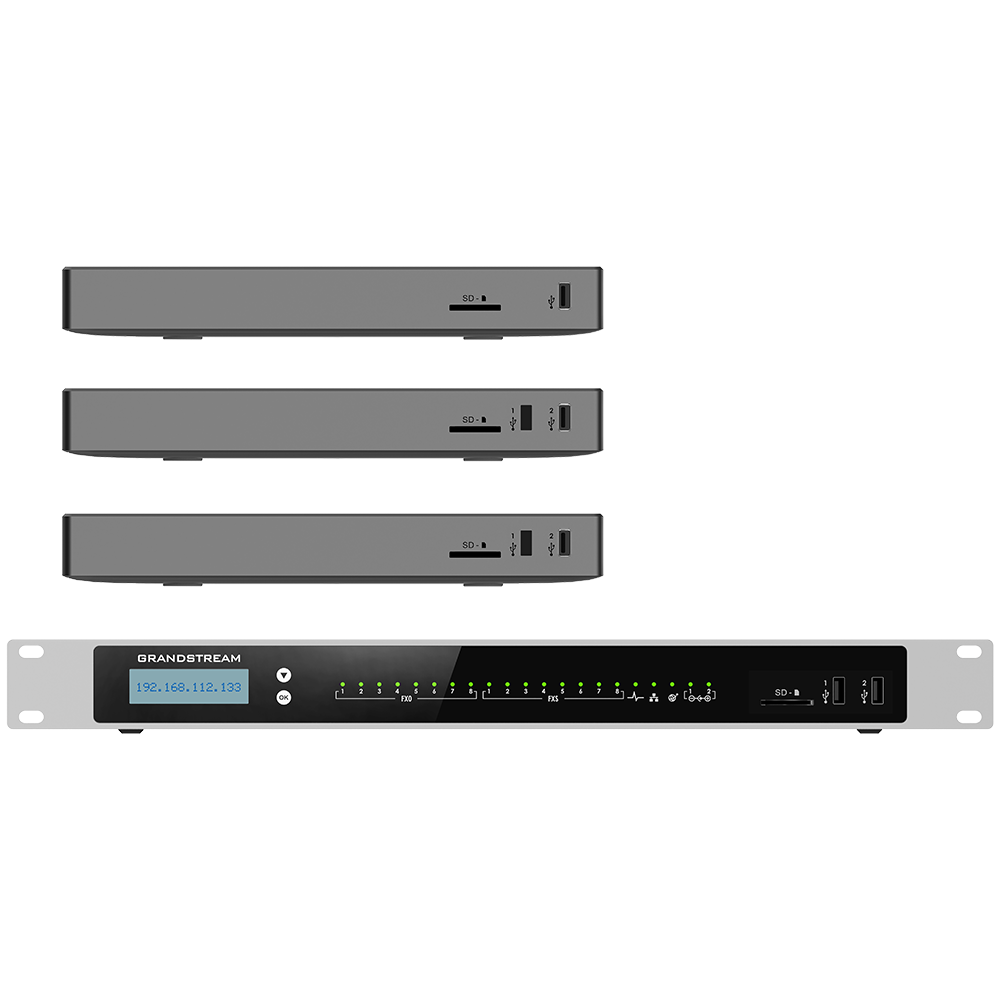
Four models, five sizing checks
The table records Grandstream’s published maximum capacities. G.711 is the codec basis for the call figures; SRTP identifies encrypted media. Treat these figures as selection boundaries and validate the intended feature mix rather than assuming every maximum is simultaneously available.
| Model | Users | G.711 calls | G.711 SRTP calls | FXS / FXO ports |
|---|---|---|---|---|
| UCM6300A | 250 | 50 | 50 | 0 / 0 |
| UCM6302A | 500 | 75 | 75 | 2 / 2 |
| UCM6304A | 1,000 | 150 | 120 | 4 / 4 |
| UCM6308A | 1,500 | 200 | 150 | 8 / 8 |
Source: Grandstream Audio-series datasheet. FXS connects suitable analog endpoints; FXO connects suitable analog telephone lines.
Size for the busy hour, then allow room to grow
A staff directory does not describe the load on a PBX. Before choosing a model, estimate the busiest period across reception, sales, support, internal calls and remote users. Include planned recruitment and new departments. Ask the system designer to explain how queues, meetings, recording and the selected codecs affect the proposed configuration.
For example, a hypothetical office with 180 extensions and a requirement for 60 simultaneous G.711 calls should not choose the UCM6300A solely because its user allowance is sufficient. Its published 50-call limit would already be below that requirement. The next model deserves evaluation, alongside headroom and any other workload constraints.
An organisation that requires 130 simultaneous encrypted G.711 calls should also notice the difference between the UCM6304A’s 150-call headline and its 120-call SRTP limit. This is why the encryption requirement belongs in the initial brief, before the hardware quotation is finalised.
Which model belongs on your shortlist?
UCM6300A: assess a SIP-led deployment
Start here when no built-in analog ports are needed and the user and call requirements fit. If an existing fax, analog handset or telephone line must remain, include its connection method in the cost comparison.
UCM6302A: consider modest analog retention
Evaluate this model when a small number of suitable analog endpoints and lines must coexist with SIP calling. Count endpoint ports and line ports separately; spare capacity in one category cannot replace the other.
UCM6304A: evaluate higher call demand
Use the larger call allowance as a starting point for departments with heavier traffic. Check encrypted-call requirements carefully and define storage, recording retention and meeting use before approval.
UCM6308A: assess the largest Audio-series configuration
Consider this model for the highest user and call requirements within this family. A larger appliance still needs an agreed recovery plan, appropriate carrier capacity and network infrastructure sized for the actual workload.
Turn call-handling features into a working call flow
The family provides IVR, queues, ring groups, voicemail, recording and time-based routing. Wave, UCM RemoteConnect compatibility, GDMS management and Grandstream endpoint provisioning extend the deployment options. APIs support integration work, subject to the target application and implementation.
For reception, document what should happen during opening hours, after hours and when nobody answers. For a support team, specify queue membership, overflow destinations and supervisor requirements. For managers, decide which missed calls should go to voicemail and which should reach another colleague. These decisions determine whether the configuration helps callers reach the right person.
Treat an integration request as a separate acceptance item. Name the exact CRM or hotel application, its version, the data exchanged and the expected user action. A requirement such as opening the correct customer record on an incoming call is more testable than a general request for CRM compatibility.
Keep remote working and recurring costs in the same conversation
An on-site PBX can form part of a hybrid working design, but remote access needs its own capacity and service review. Identify how many people work away from the office, which clients or phones they use and how many simultaneous remote calls are expected. Confirm the current RemoteConnect plan and service terms for that design.
Separate appliance hardware from carrier rental, call charges, remote-access subscriptions, endpoint costs, network changes and ongoing support. A free client application does not remove the other costs of operating business telephony. Ask who owns the management accounts and who is responsible for renewals, configuration changes and incident response.
For a broader architecture decision, review Grandstream cloud and hybrid PBX options. If the organisation prefers to avoid maintaining an on-site appliance, compare the operational responsibilities before committing to this family.
Deployment checks before hardware approval
Carrier handoff: record the provider, service type, number range, simultaneous external-call allowance and number-porting requirements. Obtain confirmation of the provider’s connection and authentication requirements.
Existing equipment: list exact desk-phone models, analog devices, gateways, paging systems and specialist interfaces. Do not assume an RJ11 connector establishes electrical or functional compatibility.
Network and power: review switching, endpoint power, voice VLANs, QoS, cabling and UPS coverage. The PBX’s PoE+ capability does not mean it provides power to the office phones.
Access and security: agree administrator ownership, restricted management access, extension permissions, outbound dialling rules, update procedures and backup handling. Test encryption with the intended endpoints and service provider.
Recovery: define acceptable downtime and restoration procedures. If high availability is required, verify the supported model, firmware, topology and additional equipment rather than assuming a single appliance provides automatic continuity.
Cutover: prepare a pilot group, migration window and rollback decision. Test incoming and outgoing calls, caller ID, transfers, queue overflow, voicemail, remote access and required emergency-call routing with the appropriate provider.
For implementation planning, use the related PBX setup and configuration guide and business phone-system migration guide.
Regional project briefs: make location useful
Dubai and the wider UAE: for an office relocating between premises or consolidating departments, identify the new carrier handoff, number arrangements, building cabling and reception call flow first. A single-site headcount can hide separate support queues and branch calling requirements. Include Arabic and English prompt requirements where relevant, and ask for confirmation of installation scope and site access arrangements.
Uganda, Kenya and Tanzania: for a head office supporting remote branches, document the internet path and power arrangements at each location. Test the remote-user experience on the actual branch connection. Specify which incoming-call destinations should remain reachable if a branch connection fails, and include spare equipment and restoration responsibilities in the project discussion.
Kuwait, Ghana and Nigeria: where procurement covers several offices, request a site-by-site bill of materials with model, endpoint quantity, carrier connection and deployment responsibility. Confirm destination-specific commercial terms, delivery arrangements and support coverage for the quoted project. These are quotation inputs rather than assumed stock or service commitments.
Prepare a quotation that can be compared
Send Fourteck your location, preferred appliance, current and future users, busiest-hour call estimate, encryption needs, FXS and FXO counts, remote-user requirements and current carrier details. Include the existing phone inventory, recording policy, meeting requirements and any application integration.
Ask the proposal to identify the exact PBX model, phones and gateways, required subscriptions, network work, installation, migration, training and support. For each service line, request a defined deliverable and acceptance test. Confirm availability, warranty terms, lead time and commercial conditions on the quotation.
Questions buyers ask before choosing
What is the UCM6300 Audio IP PBX Series?
It is Grandstream’s family of on-premises PBX appliances for business voice communications, messaging and audio collaboration. The four models are UCM6300A, UCM6302A, UCM6304A and UCM6308A.
Does the UCM6300A have analog ports?
No. The UCM6300A has no built-in FXS or FXO ports. If analog devices or lines must remain, assess another Audio-series model or a compatible external gateway.
Can 1,500 users make calls at the same time?
No. User capacity and concurrent-call capacity are different. The UCM6308A supports up to 1,500 users, with published G.711 limits of 200 concurrent calls or 150 concurrent SRTP calls.
Is remote access included without any ongoing cost?
The Wave app is free, but that does not establish that every remote-access service or capacity level is free. Confirm the current UCM RemoteConnect plan, remote concurrency and applicable subscription terms.
Can existing phones be reused?
Potentially. Check the exact phone model, SIP support, firmware, provisioning method and required call features. Proprietary digital extensions should not be assumed compatible with SIP accounts or analog FXS ports.
Is this the same as the UCM6300 video-capable family?
No. The Audio series is a distinct family identified by the A suffix. If video meetings are a project requirement, compare the appropriate UCM6300 platform and verify its conferencing capabilities before choosing.
How can I obtain a useful quotation?
Provide your site location, model preference, user and peak-call counts, analog requirements, remote users, carrier details and installation scope. Ask for hardware, endpoints, subscriptions, migration and support to be itemised.