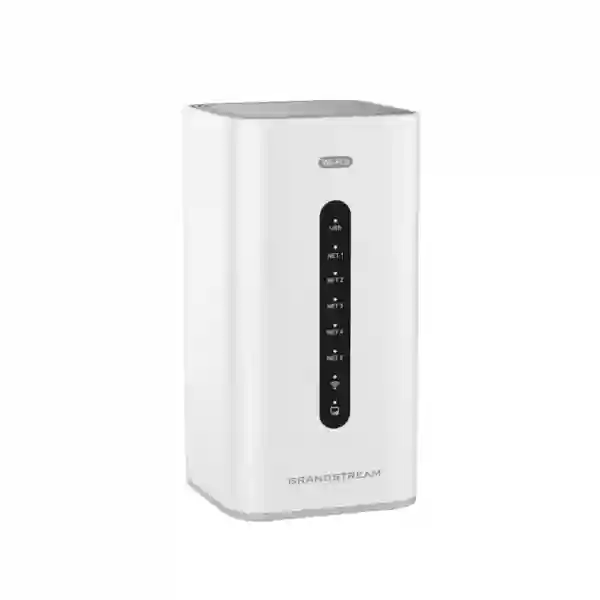
Grandstream GCC6010W Dubai – Wi‑Fi 6 UC, Security and Networking Gateway
The Grandstream GCC6010W is an all-in-one convergence gateway for small and medium organizations that want routing, network security, wireless access and business communications managed as one coordinated platform. Rather than installing a separate VPN router, next-generation firewall, Wi‑Fi access point and IP PBX, the GCC6010W combines these roles in a compact Grandstream device. For Dubai and UAE offices, this can simplify new-site deployments, branch standardization, IP telephony projects and technology refreshes where centralized management is an important operational goal.
Fourteck treats the GCC6010W as a solution component rather than only a product line on a quotation. The correct design depends on user count, simultaneous calls, WAN circuits, VLANs, Wi‑Fi coverage, endpoint count, SIP trunking, VPN requirements, security policies and future expansion. This page focuses on those buying and deployment decisions, using current Grandstream documentation and qualifying capabilities that may vary by firmware, licensing, configuration or region.
GCC6010W at a glance
Why businesses choose a convergence gateway
Many growing offices accumulate technology in layers. The Internet provider installs a router, an IT provider later adds a firewall, another project introduces business Wi‑Fi, and a separate telephone system handles SIP extensions. Each platform may work independently, but troubleshooting and change management become harder as the environment grows. A simple user request such as “make voice calls stable during large cloud uploads” can require changes across several unrelated systems.
The GCC6010W is designed to reduce that fragmentation. Routing, security, Wi‑Fi and UC functions can be designed around the same branch architecture. Voice VLANs can be paired with QoS, guest wireless can be isolated from business resources, remote users can use supported VPN methods, Grandstream endpoints can be managed through the ecosystem, and administrators can maintain a more consistent network policy.
Convergence does not remove the need for good design. Larger offices may still require managed PoE switching, additional wireless access points, redundant Internet, UPS power and specialized security controls. The benefit of GCC6010W is that it can become the coordinated edge and UC platform around which those components are organized.
Verified technical profile
| Processor / memory | Quad-core CA53-class CPU at 2.0 GHz, 2 GB RAM and 32 GB eMMC flash. |
|---|---|
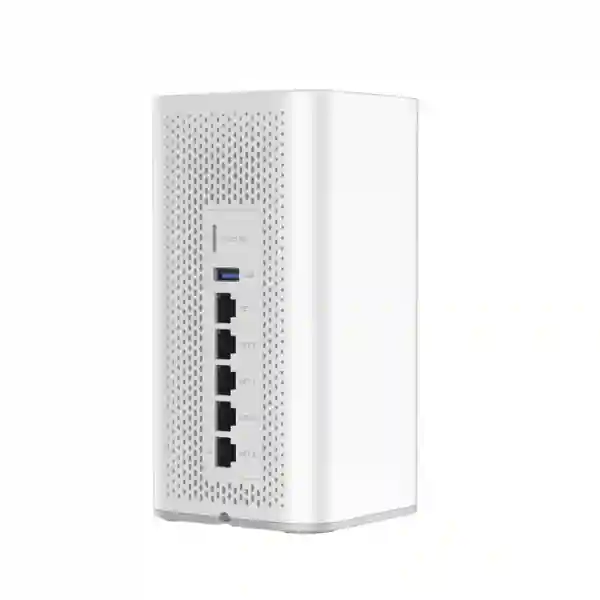
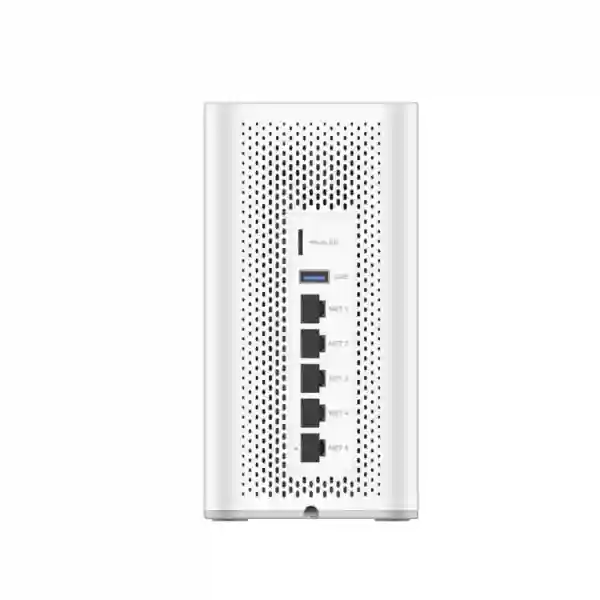
| Network ports | 5 × Gigabit Ethernet; WAN/LAN configurable, maximum 3 WAN according to current Grandstream technical documentation. |
| Router performance | Up to 3 Gbps documented router performance; effective throughput depends on enabled services and traffic mix. |
| IPsec VPN | Up to 1 Gbps documented IPsec VPN throughput, configuration dependent. |
| IDS/IPS | Up to 900 Mbps documented IDS/IPS performance, subject to enabled inspection features. |
| NAT sessions | Up to 160,000 NAT sessions. |
| Wireless standards | IEEE 802.11 a/b/g/n/ac/ax on 2.4 GHz and 5 GHz; 5 GHz supports channel widths up to 160 MHz where regionally permitted. |
| Managed wireless scale | Grandstream documents management of up to 150 GWN APs and up to 500 clients. Practical limits depend on workload and design. |
| PBX | Current 2026 GCC601X firmware documentation lists 24 extensions / 8 concurrent calls by default. Upgrade options are available and should be confirmed against the active license and firmware. |
| PBX expansion | Grandstream documents a 50-user / 12-concurrent-call upgrade and further add-ons that can reach up to 200 users / 24 concurrent calls, subject to current licensing terms. |
| Auxiliary interfaces | MicroSD, USB 3.0 and reset. |
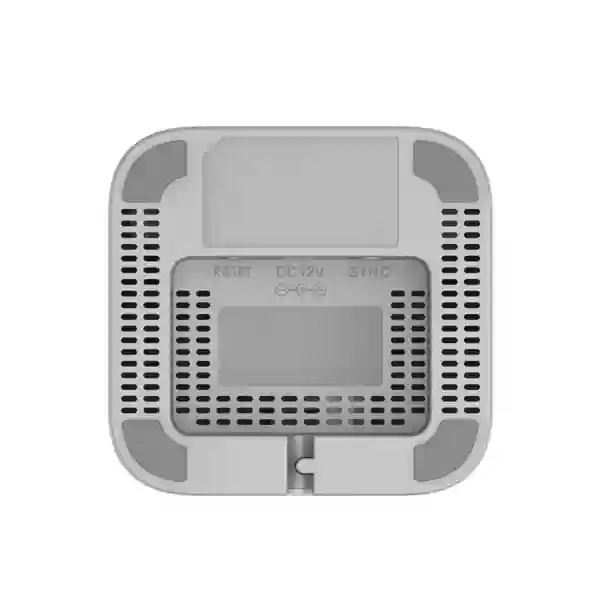
| Power | 12 VDC, 1.5 A power input (18 W adapter specified by Grandstream). |
| Physical | Approx. 95 × 95 × 193 mm, about 565 g, desktop mini-tower format. |
Technical capacities can vary with firmware, licensing, traffic profile and regional configuration. Confirm the active Grandstream documentation before final sizing.
Built-in Wi‑Fi 6: useful, but coverage still needs planning
The GCC6010W is the wireless member of the GCC6010 family. It supports 2.4 GHz and 5 GHz Wi‑Fi with 802.11ax alongside earlier standards, allowing modern laptops, phones and tablets to use Wi‑Fi 6 while retaining compatibility with many older clients. Grandstream documents channel widths of 20/40 MHz on 2.4 GHz and 20/40/80/160 MHz on 5 GHz, subject to regulatory and client support.
Raw Wi‑Fi link rates are not the same as guaranteed user throughput. In a Dubai office, performance can be influenced by neighboring networks, concrete walls, glass partitions, metal, client capability and gateway placement. Voice and video traffic also care about latency, jitter and roaming, not only speed. For this reason, a centrally placed GCC6010W may be ideal for a compact office but insufficient for a long floor, multiple enclosed rooms or a multi-storey site.
When more coverage is needed, additional compatible GWN access points can extend the network while the overall Grandstream environment remains centrally manageable. A useful design starts with the number of wireless users, application type, guest requirements and floor plan, then decides whether the integrated radio is enough or whether extra APs are required.
Fourteck can help map corporate and guest SSIDs, wireless VLANs, security settings, AP placement and expansion options instead of treating the Wi‑Fi range figure as a site-survey substitute.
Multi-WAN routing and branch resilience
Grandstream documents five Gigabit Ethernet ports on GCC6010W with flexible WAN/LAN assignment and support for up to three WAN interfaces. This is useful for offices that require a primary Internet circuit plus a secondary connection for continuity. Load balancing and failover can be used as part of a resilience strategy, but the network must still be designed around the behavior of real applications.
SIP trunks, site-to-site VPNs and cloud applications may react differently when the public address changes during failover. A voice service that works perfectly on the primary link may need additional DNS, NAT or provider-side considerations on the backup path. VPN peers need defined failover logic at both ends. Business continuity should therefore be tested, not assumed.
The documented routing figure of up to 3 Gbps provides strong capability for an SMB gateway, while IPsec throughput is documented up to 1 Gbps. However, a security gateway is rarely used with every inspection feature disabled. IDS/IPS, antivirus, application controls, SSL-related inspection and VPN encryption can all change effective throughput. Proper sizing starts with the traffic and security profile, not just the Internet subscription speed.
A common architecture is to use GCC6010W as the edge and route to a managed PoE switch that powers IP phones and additional access points. GCC6010W is not intended to replace a full access-switch stack when a site has many wired devices.
Next-generation firewall functions
GCC6010W includes a security feature set that goes beyond basic NAT. Grandstream documentation lists firewall rules, port forwarding, DMZ, DoS and spoofing defenses, NAT/ALG functions, deep packet inspection, antivirus, IDS/IPS, SSL-related inspection, DNS filtering, web filtering and application identification/control. This allows the gateway to apply policy across users, networks and applications rather than only hiding private addresses behind one public IP.
The security outcome depends on configuration. Corporate and guest Wi‑Fi should normally be separated. Voice, cameras and IoT devices may benefit from dedicated VLANs. Administrative access should be restricted, strong credentials used, firmware maintained and unnecessary services disabled. A firewall with many features but weak policy is not the same as a well-secured network.
The GCC6010W is attractive for an SMB or branch that wants integrated security and simplified operations. A large enterprise with specialized regulatory controls, very high inspection throughput, redundant security appliances or dedicated SOC tooling may require a separate enterprise firewall architecture. Fourteck can help identify when the integrated security stack is sufficient and when a dedicated firewall should remain part of the design.
For production deployment, rules should be documented by purpose: Internet access, inter-VLAN traffic, VoIP services, management, VPN and exceptions. This makes later troubleshooting and security review much easier.
VPN for remote staff and site-to-site connectivity
Current Grandstream documentation lists IPsec, OpenVPN, WireGuard and additional VPN methods for the GCC6010W platform. These options can support branch-to-head-office connectivity, remote-user access and private connectivity to approved resources. Protocol selection should follow current security requirements, client compatibility and interoperability needs.
For a Dubai head office with branches in Abu Dhabi or Sharjah, site-to-site VPN can provide secure network connectivity for internal applications, management or voice-related resources. Remote employees can use client VPN where appropriate. The design should define address ranges, routes, DNS, authentication, split/full tunneling policy, failover behavior and exactly which networks users may access.
When GCC6010W connects to a third-party firewall, both ends must agree on supported encryption and key-exchange settings. Address overlaps between branches should be resolved before deployment, because identical private subnets can create routing problems. Remote-access users should receive least-privilege access instead of unrestricted access to every internal VLAN.
Businesses planning several branches can benefit from a standardized VPN and addressing template, while still using unique credentials and local network ranges for each site.
Integrated IP PBX and current capacity guidance
The built-in IP PBX is a central part of the GCC6010W value proposition. Businesses can create SIP extensions, connect compatible IP phones and software clients, configure SIP trunks, create inbound and outbound call routes, use ring groups and queues, and manage communication features within the GCC platform. For smaller sites, this can remove the need for a separate PBX appliance.
Capacity requires careful interpretation because Grandstream documentation has changed over time. Current 2026 GCC601X firmware release notes document 24 extensions and 8 concurrent calls as the default specification. Older documents and commercial pages may show 12 extensions and 4 concurrent calls. For that reason, Fourteck recommends confirming the installed firmware and license entitlement before final sizing or quotation.
Grandstream also documents PBX upgrades. A current upgrade path includes a 50-user / 12-concurrent-call tier, with add-on capacity documented up to 200 users and 24 concurrent calls. User count is not the same as simultaneous-call requirement. A 40-person office may use only a few external calls at once, while a sales or customer-service team of the same size may need much higher concurrency.
GCC PBX uses SIP trunks; the GCC platform does not include analog FXO trunk ports. Sites with analog PSTN lines, legacy fax devices or special analog interfaces may need a compatible gateway or a different PBX architecture. Existing DID ranges, SIP provider details, codecs, call recording, queues, remote extensions and emergency-calling arrangements should be reviewed during design.
When the requirements fit, integrating voice and networking can simplify QoS, provisioning and troubleshooting because the gateway has visibility into both traffic and UC services.
Grandstream endpoint provisioning and management
Grandstream provides fast-provisioning workflows for supported GCC deployments. Administrators can create extension profiles and provision compatible phones with less manual configuration than programming each endpoint independently. The UC Endpoints interface can provide device-registration visibility and management functions, helping branch deployments become more repeatable.
This is particularly useful for businesses standardizing on Grandstream GRP, GXP, GXV, WP, GHP and other supported endpoint families. Networking devices such as GWN access points can also be managed within the broader Grandstream ecosystem. Third-party SIP endpoints may work, but provisioning depth and management features can differ, so compatibility should be checked rather than assumed.
A strong deployment establishes an extension numbering plan, device names, VLAN assignment, firmware policy and user templates before installing phones. The same discipline should be applied to APs and switches. Standardization helps support teams recognize a branch configuration quickly instead of reverse-engineering every site.
Fourteck can assist with endpoint selection, templates, firmware alignment and handover documentation so moves, additions and changes can be handled more consistently.
VLANs and QoS for voice, guest and business traffic
Business networks should separate traffic according to role and risk. A typical GCC6010W deployment might use one VLAN for corporate users, one for IP phones, one for guest Wi‑Fi and another for cameras or IoT devices. Firewall rules can then control exactly which networks may communicate. Guest devices, for example, usually need Internet access but not access to phones, printers or administration interfaces.
QoS can prioritize latency-sensitive voice traffic, but it must be applied consistently. Switches and access points should support the same design, and bandwidth must still be adequate. QoS does not repair an overloaded or unreliable WAN connection; it helps decide which traffic receives preference during contention.
The project documentation should include VLAN IDs, subnets, DHCP ranges, SSID mappings, DNS, management networks and port assignments. This becomes especially important when the GCC6010W is part of a multi-site environment because consistent numbering and naming simplify support.
Fourteck can design the segmentation around business roles instead of copying a generic VLAN template that may not match the customer’s actual applications.
Best-fit customer scenarios
New office
A new Dubai office can start with one coordinated platform for WAN, security, Wi‑Fi and telephony, then add managed switching and endpoints according to scale.
Branch rollout
Organizations with several branches can standardize VPN, VLANs, Wi‑Fi, PBX and endpoint configuration instead of using unrelated products at each location.
Grandstream-first environment
Existing Grandstream customers can benefit from closer management and provisioning integration across phones and GWN networking devices.
Professional practice
Consultancies, legal firms, clinics and other professional offices often need secure Internet, remote access, staff/guest Wi‑Fi and business calls without a large IT stack.
Retail or compact hospitality
Retail and smaller hospitality sites can separate business, guest and IoT traffic while using integrated communications and centralized management.
Remote-work capable branch
Supported VPN methods plus SIP communications can provide a structured platform for remote-user access when security and capacity are properly configured.
When GCC6010W may not be the right choice
The GCC6010W is primarily an SMB and branch convergence platform. A different architecture may be better for large campuses, very high firewall inspection loads, specialized compliance requirements, redundant security clusters, complex dynamic routing, high-density multi-building Wi‑Fi, very high call concurrency or sites with many analog telephony interfaces.
The integrated Wi‑Fi AP is convenient but cannot cover every floor plan. The five Ethernet ports also do not replace access switching for dozens of phones, cameras and APs. If many endpoints need PoE, include an appropriate managed PoE switch. If the primary requirement is a much larger PBX, compare the GCC platform with Grandstream UCM options rather than assuming the integrated PBX is always preferable.
The most useful buying question is therefore not “does GCC6010W have enough features?” but “does its integrated capacity match the workload and operational model of this site?”
GCC6010W vs GCC6010 vs GCC6011
| Decision | GCC6010W | GCC6010 | GCC6011 |
|---|---|---|---|
| Built-in Wi‑Fi | Yes, dual-band Wi‑Fi 6 | No | No |
| Integrated wired profile | 5 × Gigabit Ethernet | 5 × Gigabit Ethernet plus 2 × 2.5G SFP in current documentation | 10 × Gigabit Ethernet plus 2 × 2.5G SFP in current documentation |
| Typical reason to choose | Compact deployment needing integrated wireless | Wired convergence design with separate APs | Larger wired branch with more integrated ports |
| PBX | Integrated GCC PBX | Integrated GCC PBX | Integrated GCC PBX |
Choose GCC6010W when integrated Wi‑Fi meaningfully reduces complexity. Choose a wired GCC model when separate AP placement and additional integrated wired/SFP connectivity are more important than having a radio in the gateway.
Example: a 20–40 user Dubai office
Consider a 30-person professional-services office with desk phones, laptops, two meeting rooms, guest Wi‑Fi, a SIP trunk, printers, a few cameras and several remote users. GCC6010W can operate as the Internet edge and PBX. A managed PoE switch can power phones and any additional APs. Corporate, guest, voice and camera traffic can be placed on separate VLANs, and QoS can prioritize voice where appropriate.
The primary Internet circuit can terminate on one WAN interface and a secondary circuit can be configured for failover. SIP trunk behavior should be tested on both paths. Remote access can use an approved VPN method. PBX sizing should be based on expected simultaneous calls rather than headcount alone. If the default capacity is insufficient, include the appropriate Grandstream license in the project.
If the gateway can be centrally positioned and the office is compact, its integrated Wi‑Fi may be sufficient. If the floor plan is larger or divided by dense walls, additional GWN APs should be planned. The gateway becomes the control point, but the physical radio design still follows normal Wi‑Fi engineering principles.
This type of deployment illustrates the product’s real advantage: fewer independent systems without sacrificing the ability to add dedicated switching and wireless infrastructure when needed.
Dubai and UAE deployment notes
Dubai office layouts can be challenging for Wi‑Fi. High-rise buildings may contain many neighboring SSIDs, while glass meeting rooms and dense partitions can change signal behavior. Offices in Deira or Bur Dubai may have different physical conditions from newer spaces in JLT or Business Bay. Gateway placement and channel planning should therefore be based on the site rather than on a maximum open-area coverage claim.
For Abu Dhabi, Sharjah and Ajman branches, the same GCC6010W design can be standardized while adapting WAN services, floor layout and user capacity. The wireless country/region setting and supported frequencies must comply with the applicable regulatory environment. SIP trunk and emergency-calling arrangements should also be confirmed with the selected service provider because the gateway itself is not a carrier service.
Fourteck can assist with requirement analysis, Grandstream device selection, VLAN and IP planning, PBX configuration, endpoint provisioning, VPN setup, Wi‑Fi expansion, testing and documentation. If the project includes switches, phones, APs or licenses, a complete solution quotation is usually more useful than a device-only price.
For wider UAE IT requirements, visit Fourteck UAE. For related IP telephony and Grandstream content, visit IP Phone Fourteck.
Regional planning beyond the UAE
The same convergence approach can be useful for Fourteck customers planning standardized branches in Kuwait, Kenya, Uganda, Tanzania, Ghana and Nigeria. A common architecture for VPN, VLANs, PBX extensions, endpoint templates and security policy can reduce support complexity across countries, while each site keeps local addressing, credentials and connectivity details.
Local validation remains essential. Internet handoff, SIP services, wireless regulations, power conditions, procurement and support arrangements differ by country. These regional references describe deployment planning, not claims about stock, distribution rights or local approval.
Regional Fourteck resources include Kuwait, Kenya, Uganda, Tanzania, Ghana and Nigeria.
Procurement and sizing checklist
- Users and calls: count extensions, remote users, expected simultaneous calls, queues and growth.
- SIP trunk: identify provider, DIDs, channels, registration method, codecs and number-migration requirements.
- WAN: document primary and backup circuits, static IP needs, failover behavior and bandwidth.
- Wired devices: count phones, PCs, cameras, printers and APs to size managed switching and PoE.
- Wireless: map floor area, client density, guest access, meeting rooms and roaming requirements.
- Segmentation: define corporate, voice, guest, IoT, camera and management networks.
- VPN: list branch peers, remote users, permitted resources and authentication requirements.
- PBX license: confirm current firmware and entitlement before relying on extension/concurrency limits.
- Compatibility: confirm phones, APs, switches and third-party SIP devices against current firmware support.
- Services: decide whether configuration, migration, testing, handover and ongoing support are part of the scope.
Recommended implementation workflow
Planning before installation prevents a common problem: using default networks and ad-hoc phone settings at launch, then trying to redesign the production site later. A documented architecture makes the system easier to secure and support.
Frequently asked questions
What is Grandstream GCC6010W?
It is an SMB convergence gateway combining VPN routing, next-generation firewall, IP PBX and dual-band Wi‑Fi 6 in one Grandstream platform.
How many Ethernet ports does GCC6010W have?
Grandstream documents five Gigabit Ethernet ports. They can be assigned for WAN/LAN use, with support for up to three WAN interfaces.
Does GCC6010W support Wi‑Fi 6?
Yes. It supports dual-band 2.4 GHz and 5 GHz Wi‑Fi with IEEE 802.11 a/b/g/n/ac/ax. Actual performance depends on site conditions and clients.
What is the current default PBX capacity?
Current 2026 GCC601X firmware release documentation lists 24 extensions and 8 concurrent calls as the default specification. Confirm the actual firmware and license entitlement before deployment.
Can GCC6010W PBX capacity be upgraded?
Yes. Grandstream documents upgrade options including 50 users / 12 concurrent calls and additional expansion up to 200 users / 24 concurrent calls, subject to current licensing.
Does GCC6010W support SIP trunks?
Yes. The GCC PBX supports SIP trunks. It does not provide analog FXO trunk ports, so analog requirements may need a compatible gateway or another PBX design.
Can it manage extra Grandstream access points?
Yes. Grandstream documents management for up to 150 GWN APs and up to 500 clients. Practical design limits depend on configuration and workload.
What VPN options are available?
Grandstream documentation lists IPsec, OpenVPN, WireGuard and other VPN methods. Use the protocol that matches current security and interoperability requirements.
Is GCC6010W suitable for large enterprises?
It is primarily positioned for SMB and branch deployments. Large campuses or high-throughput enterprise security and telephony environments may require dedicated platforms.
Can Fourteck help with GCC6010W deployment in Dubai?
Fourteck can assist with requirement analysis, network and PBX design, Grandstream endpoint planning, configuration, VPN setup, testing and project handover.
Request a Grandstream GCC6010W quotation or design review
Share the number of users, expected simultaneous calls, office location, Internet links, existing phones, Wi‑Fi area, VPN needs and any planned Grandstream switches or access points. Fourteck can then assess whether GCC6010W is the right model and identify supporting hardware or licensing needed for the deployment.
For related solutions, visit IP Phone Fourteck or Fourteck UAE.
Reviews
There are no reviews yet.