Grandstream WP820 Dubai – Portable Wi‑Fi IP Phone for Mobile Teams
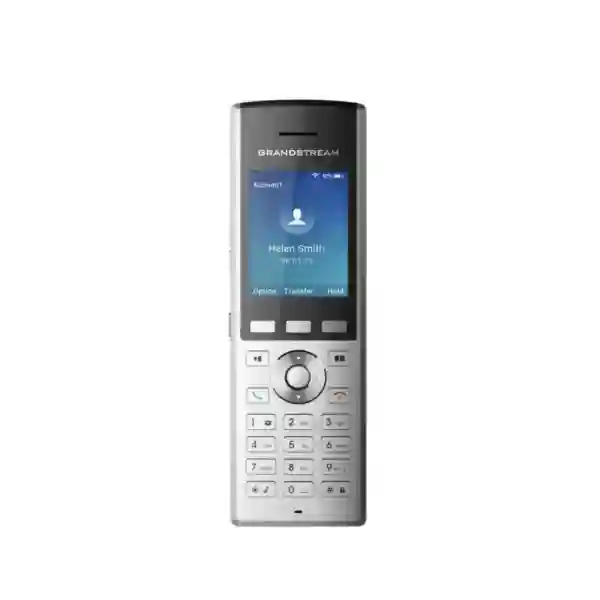
The Grandstream WP820 is a portable SIP phone designed for organizations that need staff to remain reachable while moving around an office, warehouse, retail floor, hotel, clinic, school, security facility or other Wi‑Fi covered site. Instead of depending on a desk Ethernet connection, the handset uses integrated dual-band 802.11a/b/g/n Wi‑Fi and supports roaming between suitable wireless access points. It provides two SIP accounts and two lines, integrated Bluetooth, HD voice, dual microphones, a configurable key for functions such as push-to-talk or panic calling, a 2.4-inch color display and a rechargeable 1500mAh battery rated by Grandstream for up to 7.5 hours of talk time and 150 hours of standby time.
For Dubai and UAE buyers, the main purchasing question is not simply whether the WP820 can make VoIP calls. The important question is whether the existing Wi‑Fi, SIP platform, roaming design, security policy and operational workflow are appropriate for voice mobility. Fourteck can help businesses review those requirements, compare the WP820 with newer Grandstream WP-series alternatives and plan a practical deployment without assuming that one model suits every site.
Dual-band Wi‑Fi 4
Bluetooth
HD voice & dual microphones
1500mAh battery
WP820 decision snapshot: who should consider it?
The WP820 is best considered when users need the familiarity of a dedicated business handset but cannot remain at a fixed desk. Typical examples include store supervisors, warehouse coordinators, hotel operations staff, facility teams, nurses or support staff in suitable healthcare environments, school administrators, security teams and technical personnel who move between work areas. Because the device is SIP-based, it can become an extension on a compatible IP PBX or hosted SIP service, subject to the PBX provider’s supported features and configuration.
A strong fit when
Your users already work inside reliable 2.4GHz/5GHz enterprise Wi‑Fi coverage, you want a dedicated SIP handset instead of a personal smartphone, and the organization can test roaming, QoS and authentication properly before wider rollout.
Review alternatives when
You require Wi‑Fi 5 or Wi‑Fi 6, longer battery life, higher ruggedization, water or dust protection, or a more current wireless platform. In those cases, models such as WP822, WP825 or newer WP8x6 devices may deserve comparison.
Do not buy on range claims alone
Real voice coverage depends on access-point placement, channel planning, RF interference, roaming thresholds, network load, walls, shelving and building construction. A successful voice deployment should be validated on the actual site.
Verified capabilities that matter in real deployments
Grandstream positions the WP820 as an enterprise portable Wi‑Fi phone. The model combines business telephony functions with wireless mobility, but the value of each specification depends on how the handset will be used. The following points focus on practical deployment implications rather than repeating a feature list.
| Capability | WP820 specification | Why a buyer should care |
|---|---|---|
| SIP capacity | 2 SIP accounts, 2 lines | Useful for staff who need one or two SIP identities without the complexity of a high-line-count desk phone. |
| Wireless | Dual-band 802.11a/b/g/n on 2.4GHz and 5GHz | Supports voice mobility on Wi‑Fi, but the model is a Wi‑Fi 4 generation device; network design and compatibility should be checked against current access points. |
| Roaming | Wi‑Fi roaming support | Important for walking between access-point coverage areas, provided the WLAN is engineered for voice handoff rather than only general data coverage. |
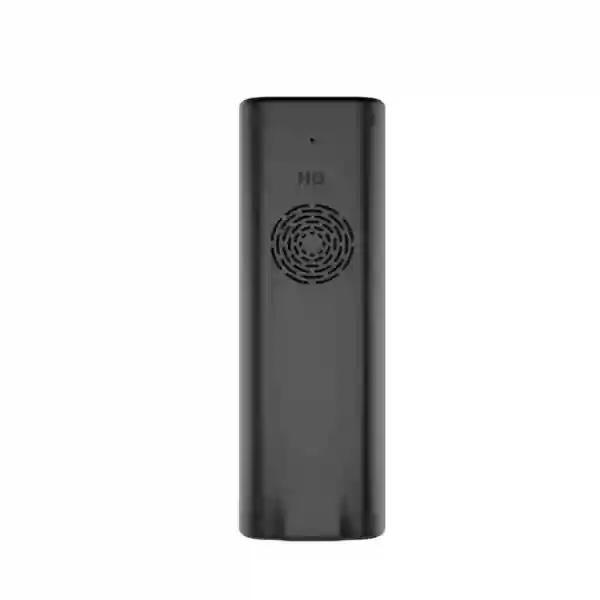
| Audio | HD voice, dual microphones, AEC and Noise Shield Technology | Helps maintain intelligible business conversations in everyday working environments, while acoustic performance still depends on ambient conditions. |
| Battery | 1500mAh rechargeable Li‑ion; up to 7.5 hours talk and 150 hours standby | Suitable for mobile shifts when charging routines are planned. Actual endurance varies with usage, battery age, signal conditions and settings. |
| Bluetooth | Integrated Bluetooth | Supports compatible headsets and mobile-device synchronization functions, subject to compatibility and configuration. |
| Display | 2.4-inch 240×320 TFT color LCD | Provides a dedicated interface for contacts, call handling, settings and status without requiring a separate mobile app. |
| Ports | Micro-USB charging and 3.5mm headset jack | Straightforward wired accessory and charging support, but buyers standardized on USB-C should note the older Micro-USB connector. |
| Durability | Drop-safe from 1.2 metres | Provides a degree of resilience for mobile work, but it is not positioned by Grandstream as a weatherproof handset. |
Why Wi‑Fi design matters more than the handset alone
A Grandstream WP820 Dubai project can fail even when the handset itself is correctly configured if the WLAN was designed only for laptops and general internet access. Voice traffic is sensitive to latency, jitter, packet loss and interrupted roaming. A laptop user may tolerate a brief pause while changing access points; a person on a live call notices that interruption immediately. That is why coverage, capacity and roaming should be reviewed as part of the telephony design rather than treated as a separate Wi‑Fi issue.
Grandstream’s WP8xx roaming guidance distinguishes the WP820 as a Wi‑Fi 4 model using dual-band 802.11a/b/g/n, while WP810, WP822 and WP825 add 802.11ac support and newer WP8x6 models support 802.11ax. This generation difference matters when businesses are modernizing the wireless network. A WP820 can still be appropriate where compatibility, existing fleet consistency or a known application requirement favors it, but it should not automatically be treated as equivalent to newer wireless generations.
For multi-access-point sites, assess signal overlap, channel reuse, transmit power, band steering behavior, SSID security, VLAN segmentation, DHCP, DNS, SIP reachability, firewall rules, PBX location and Quality of Service. Roaming tests should be performed while an actual SIP call is active and while the user walks through the routes staff normally take. This is especially important in warehouses with metal racks, hotels with dense room layouts, hospitals or clinics with complex construction, large villas, schools with multiple floors and retail spaces where shelving or fit-outs may alter RF conditions.
Use cases across Dubai and the UAE
Warehouse and logistics
Supervisors, dispatch coordinators and floor staff may need to receive PBX calls while moving between loading zones, packing areas and storage aisles. The configurable button can support operational workflows such as push-to-talk where the chosen PBX or application supports the required behavior. Wi‑Fi validation around racking and loading areas is critical because metal structures can create challenging RF conditions.
Hotel and hospitality
Engineering, housekeeping coordination, front-office support and operational teams can benefit from a dedicated extension that moves with the employee. Buyers should map staff routes through corridors, back-of-house areas, service lifts and external transitions rather than testing only at reception.
Retail operations
Store managers and floor personnel can remain reachable without depending on personal smartphones. Integration with the store’s existing SIP platform can centralize business calling, while Wi‑Fi coverage should be checked after merchandising layouts and fixtures are finalized.
Facilities and security
Mobile teams often need rapid communication while inspecting plant rooms, entrances, parking areas or shared spaces. The configurable key, vibration alert and portable form factor can be useful, but outdoor or harsh-environment requirements should be reviewed because the WP820 is not advertised as weatherproof.
Education and campus support
Administrative, IT and maintenance staff can carry an extension between classrooms, offices and common areas. Multi-floor handoff and voice VLAN policies should be tested during busy periods, not only when the network is lightly loaded.
Clinics and professional facilities
Teams that move between rooms can benefit from a dedicated business handset where organizational policies permit. Network security, device hygiene procedures, user roles and application compatibility should be reviewed before deployment in sensitive environments.
SIP, audio and call-handling capabilities
The WP820 supports SIP and a broad set of standard VoIP capabilities. Grandstream documents codecs including G.711, G.729A/B, G.722, iLBC and Opus, together with functions such as hold, transfer, forwarding, three-way audio conferencing, call waiting, call history, downloadable XML phonebook support, auto answer, click-to-dial, dial plans, hot desking, server redundancy and failover. Actual behavior depends on the connected PBX, hosted service, provisioning profile and firmware.
For businesses, codec support should be considered alongside bandwidth and interoperability. G.722 and Opus can provide wideband audio when the call path supports them, while G.711 remains widely used for compatibility. The handset’s HD audio, dual microphones, acoustic echo cancellation and Noise Shield capability can improve usability, but no endpoint can compensate for a congested, poorly designed or unstable network.
The two-account/two-line design is usually appropriate for mobile operational users who require straightforward calling rather than a large number of programmable line appearances. If a user needs receptionist-style call handling, many monitored extensions or a large physical key field, a desk phone or attendant-console workflow may be a better choice. The WP820 should be matched to the role, not selected simply because it is portable.
Security and provisioning for managed business fleets
Grandstream documents support for security technologies including TLS, SRTP, 802.1X, user and administrator passwords and encrypted configuration files. These capabilities can support a more controlled deployment when the organization’s PBX, certificate infrastructure, WLAN and provisioning design are configured appropriately. Security should be planned end to end: the handset is only one part of the path that includes wireless authentication, switching, firewalling, SIP services and administrative access.
Provisioning options include HTTP/HTTPS, TFTP, TR-069, encrypted XML configuration and other supported methods. For a fleet, central provisioning is preferable to manually configuring every handset because it helps standardize SIP credentials, Wi‑Fi settings, firmware, dial plans, time settings and feature behavior. Grandstream also lists the WP820 as manageable through GDMS, its centralized device management platform, which can be useful for organizations or service providers managing multiple Grandstream endpoints across branches.
Before mass rollout, define who owns firmware updates, what configuration values can be changed by end users, how devices are reset or reassigned, how lost handsets are handled and whether Wi‑Fi credentials are stored in a way that matches company policy. A technically functional deployment can still create support problems if ownership and lifecycle processes are not agreed in advance.
WP820 vs WP810, WP822 and WP825: choose by requirement
The WP820 remains useful in the Grandstream WP family, but buyers should understand the generational differences before standardizing on it. The most important comparison point is wireless generation and environment. Grandstream identifies WP820 as Wi‑Fi 4, while WP810, WP822 and WP825 support Wi‑Fi 5. The WP825 also has a more ruggedized design and is listed as waterproof, dustproof and drop-safe from a greater height. The WP822 and WP825 use larger 2000mAh batteries with up to 8 hours talk time and 200 hours standby, while the WP820 is rated at 7.5 hours talk and 150 hours standby.
| Model | Wireless position | Battery headline | Best evaluation angle |
|---|---|---|---|
| WP820 | Dual-band Wi‑Fi 4 (802.11a/b/g/n), Bluetooth | 1500mAh; up to 7.5h talk / 150h standby | Established WP platform for mobile SIP users where its wireless generation and durability level fit the site. |
| WP810 | Wi‑Fi 5; Grandstream lists no integrated Bluetooth | 1500mAh; up to 6h talk / 120h standby | Consider when Wi‑Fi 5 is important and Bluetooth is not a requirement. |
| WP822 | Wi‑Fi 5, Bluetooth | 2000mAh; up to 8h talk / 200h standby | A logical comparison for buyers wanting a newer wireless generation and longer quoted endurance. |
| WP825 | Wi‑Fi 5, Bluetooth | 2000mAh; up to 8h talk / 200h standby | Evaluate for tougher environments requiring the model’s ruggedized, waterproof and dustproof positioning. |
A comparison should not be based only on which model has the newest standard. Existing PBX compatibility, fleet standardization, accessory strategy, user workflow, device availability, lifecycle policy and WLAN design can all influence the right choice. Fourteck can help compare a requested model against current alternatives before a quotation is finalized.
A practical WP820 deployment plan
Document where the user works, how far they move, whether they need Bluetooth, push-to-talk, panic-key behavior, speakerphone use, headset use or more than one SIP identity.
Confirm SIP registration, codecs, transfer behavior, voicemail, dial plan, caller ID, extension policy, redundancy and any platform-specific provisioning requirements.
Check 2.4GHz and 5GHz design, channel allocation, coverage overlap, interference, capacity and the routes users actually walk while talking.
Configure a small number of units first with the proposed Wi‑Fi, SIP, security, contacts, time, key and firmware settings before scaling.
Place real calls and walk between access-point zones. Check one-way audio, call drops, delayed handoff, audio clipping and reconnect behavior under expected network load.
Decide charging locations, spare-battery strategy if needed, device naming, user assignment, firmware ownership, replacement process and support escalation.
Network checklist before ordering multiple handsets
A handset quotation is only one part of a voice mobility project. Before ordering a larger quantity, confirm the following points with the network and telephony teams. This reduces the chance that a hardware purchase exposes weaknesses in the WLAN after rollout.
- The intended SSID covers all required work areas on 2.4GHz and/or 5GHz with sufficient signal and capacity for real-time voice.
- Access points, controllers and switch infrastructure are configured consistently and are not creating avoidable roaming or authentication delays.
- Voice VLAN, DHCP, DNS, NTP, routing and firewall policies allow the handset to reach the required SIP and provisioning services.
- QoS policy is defined across the WLAN and wired network rather than only on the phone or PBX.
- The organization knows whether it will use WPA/WPA2, enterprise authentication or another supported security design and has verified interoperability.
- Firmware and configuration templates have been tested with the chosen PBX, SIP trunk or hosted service before broad deployment.
- Charging and battery routines match shift length and usage. Users understand that quoted battery values are maximum vendor figures, not guaranteed operating time in every environment.
- The buyer has compared the WP820 with current WP-series options if Wi‑Fi generation, ruggedization, battery life or connector type are important decision factors.
Battery, charging and day-to-day operations
Grandstream specifies a rechargeable 1500mAh Li-ion battery, up to 7.5 hours of active talk time and up to 150 hours of standby time for the WP820. Those figures are useful for planning, but real operating time varies with call volume, screen usage, Wi‑Fi conditions, Bluetooth use, age of the battery and configuration. A team that spends most of the shift on calls has a different charging requirement from a supervisor who receives only occasional calls.
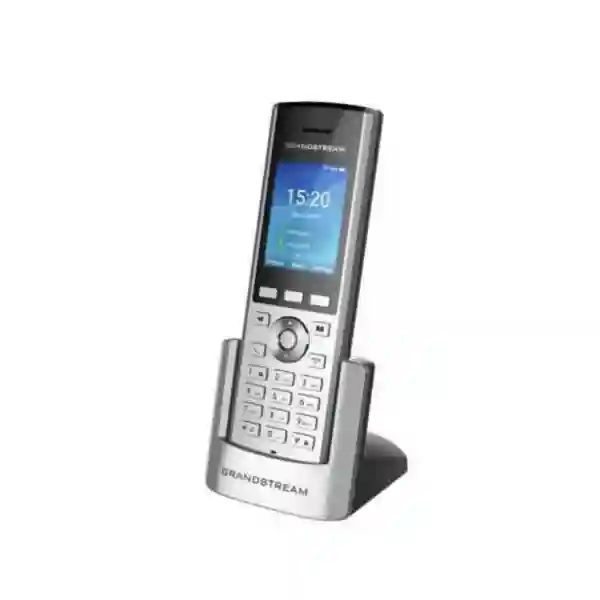
The standard package documented by Grandstream includes the handset, universal power supply, charging cradle, belt clip, rechargeable battery and installation material. For organizations with multiple shifts, charging should be part of the workplace design. Cradles need suitable power locations, handsets should have clear ownership or shared-device rules, and spare battery requirements should be considered based on operational continuity rather than assumed.
Grandstream also lists the GMC08 battery charger as an optional accessory capable of charging multiple batteries. Accessory availability can vary by market and supplier, so it should be confirmed at quotation time rather than assumed. For procurement, it is useful to separate the handset quantity from accessories, spare batteries, headsets, Wi‑Fi work, PBX configuration and ongoing support so the total solution is clear.
Procurement guidance for Dubai buyers
When requesting a quote for the Grandstream WP820 in Dubai, share more than the quantity. A better quotation starts with the intended use case, site type, number of mobile users, existing PBX platform, Wi‑Fi vendor, number of floors or operational zones, expected headset use and whether the deployment is new or an expansion of an existing Grandstream fleet. This information helps determine whether the WP820 is the right model and what other work may be required.
Price can vary with quantity, sourcing, accessory requirements and service scope. Fourteck should therefore quote current pricing and availability at the time of inquiry rather than relying on a static web price. Buyers should also confirm the exact included accessories, warranty terms, regional compliance and any deployment services needed. If a project requires Wi‑Fi survey, PBX integration, VLAN changes, provisioning templates or user handover, these should be scoped separately from the handset hardware.
For a first deployment, a pilot quantity is often more valuable than ordering the full fleet immediately. The pilot can confirm voice quality, roaming, battery behavior, Bluetooth accessory compatibility, user acceptance and PBX features in the actual environment. Once those points are validated, scaling becomes a more controlled engineering decision.
Regional deployment considerations: Dubai, Abu Dhabi, Sharjah and wider UAE
In Dubai, the WP820 may be considered for retail groups, hotels, warehouses, logistics operations, clinics, schools, offices and facilities teams where wireless voice mobility is useful. Large multi-floor premises and warehouse environments require more RF planning than a small office. Access-point density, construction materials, shelving and neighboring Wi‑Fi networks can all influence the result, especially in busy commercial areas.
In Abu Dhabi, enterprise, education, hospitality, facilities and industrial-support environments may involve larger sites or more formal network policies. Device onboarding, 802.1X requirements, network segmentation, SIP security and centralized management may therefore be as important as handset features. If the organization has a standard WLAN platform, confirm how WP820 roaming and authentication behave on that infrastructure before committing to a large fleet.
Sharjah and the Northern Emirates include a wide variety of warehouses, manufacturing support operations, offices, schools, retail sites and hospitality environments. The same principle applies: treat the handset, PBX and Wi‑Fi as one service path. A low-cost endpoint cannot deliver stable voice if the network has coverage holes or unmanaged interference, while a well-designed WLAN can make mobile SIP calling far more practical.
For UAE-wide organizations with several branches, standardization can simplify support. Define one validated firmware baseline, provisioning policy, naming convention, wireless profile and escalation process, then document any site-specific exceptions. A centralized approach is especially useful when Grandstream devices are managed across multiple locations through supported provisioning systems or GDMS.
Integration with PBX platforms and business networks
The WP820 uses SIP, so it can work with many SIP-compatible IP PBX and hosted telephony environments when correctly configured. Compatibility should still be verified for the exact platform and feature set because registration alone does not confirm every function. Test transfer, hold, voicemail access, caller ID, directory behavior, conferencing, DTMF, codec negotiation, failover and provisioning.
If the PBX is on-premises, confirm routing between the voice WLAN and PBX network, firewall policy, DNS and NTP. If the service is hosted, review internet resilience, NAT behavior, SIP transport, security and failover. Where remote or cloud SIP is used, business continuity depends not only on the handset but also on WAN availability and firewall configuration. Dual-WAN or resilient internet may be relevant for critical voice services, depending on the organization’s risk tolerance.
Contact management may use local or downloadable phonebooks, and Grandstream documents LDAP support. Directory integration can be valuable for larger organizations but should be scoped according to the PBX, directory source and privacy requirements. For shared handsets, organizations should also decide whether personal contacts, mobile sync and user-specific settings are permitted.
What to confirm before you request the final quote
A useful quotation request should answer a small set of engineering and commercial questions. This allows the proposed device, accessories and services to match the project rather than treating the phone as an isolated item.
- How many users need mobile voice? Separate full-time mobile users from occasional shared-handset users.
- What PBX or hosted SIP platform is in use? Include version and any provisioning system if known.
- Which Wi‑Fi system covers the site? Note access-point vendor, controller type, number of floors and any known weak areas.
- Is Bluetooth required? If yes, identify the headset model or accessory requirements and test compatibility.
- Is rugged or outdoor use involved? If yes, compare the WP820 with models designed for harsher environments.
- How long are the shifts? Use expected call volume and charging opportunities to plan battery operations.
- Do you need installation or configuration? Distinguish hardware supply from Wi‑Fi survey, PBX setup, provisioning, testing and support.
- Is this a new standard or an extension of an existing fleet? Existing firmware, accessories and support processes can influence the decision.
Frequently asked questions about Grandstream WP820 Dubai
Is the Grandstream WP820 a DECT phone?
No. The WP820 is a portable SIP phone that uses dual-band Wi‑Fi for network connectivity. It is designed to register to a compatible SIP service or IP PBX over the WLAN rather than using a DECT base station.
How many SIP accounts does the WP820 support?
Grandstream specifies two SIP accounts and two lines for the WP820. It is aimed at mobile business users who need straightforward portable calling rather than a large number of line appearances.
Does the WP820 support 5GHz Wi‑Fi?
Yes. The WP820 supports dual-band 802.11a/b/g/n Wi‑Fi on 2.4GHz and 5GHz. Grandstream’s current WP8xx guidance identifies the WP820 as a Wi‑Fi 4 model, so buyers comparing newer models should note the wireless-generation difference.
Does the WP820 have Bluetooth?
Yes. The WP820 includes integrated Bluetooth for compatible headsets and supported mobile-device synchronization functions. For business rollouts, the exact headset or accessory should be tested before standardization.
What battery life does Grandstream specify for the WP820?
Grandstream specifies a rechargeable 1500mAh battery with up to 7.5 hours of talk time and up to 150 hours of standby time. Actual battery performance varies with call load, Wi‑Fi conditions, settings, Bluetooth use and battery age.
Can the WP820 roam between Wi‑Fi access points during a call?
The WP820 supports Wi‑Fi roaming, but successful call continuity depends on the WLAN design, access-point configuration, RF coverage and network conditions. Voice roaming should be tested on the actual site while a SIP call is active.
Is the WP820 weatherproof or intended for harsh outdoor use?
Grandstream does not list the WP820 as weatherproof. It is documented as drop-safe from 1.2 metres, but buyers needing waterproof, dustproof or more rugged operation should compare models designed for harsher environments, such as the WP825.
Can Fourteck help with WP820 deployment in Dubai?
Fourteck can support requirement review, product selection, quotation planning and deployment scoping for Dubai and UAE businesses. Depending on the project, the scope may include handset supply, PBX compatibility checks, Wi‑Fi review, provisioning, configuration guidance and rollout planning.
Why engage Fourteck for a WP820 requirement?
A portable Wi‑Fi phone should be selected as part of a complete communication environment. Fourteck’s role can extend beyond supplying a handset by helping the buyer identify whether the model matches the user role, wireless environment and PBX design. This is particularly useful when a customer is choosing between several WP-series models or extending an existing Grandstream deployment.
For a business that already knows the WP820 is required, the quotation can focus on quantity, accessories and service scope. For a customer still comparing models, the evaluation can include Wi‑Fi generation, ruggedization, battery expectations, Bluetooth requirements, charging strategy, PBX compatibility and lifecycle considerations. That approach reduces the risk of selecting a handset based only on a short specification list.
Explore more business communication solutions through Fourteck IP Phone and broader UAE technology services at Fourteck UAE.
Request a Grandstream WP820 Dubai quotation
Share the required quantity, PBX platform, site type and whether you need hardware supply only or assistance with Wi‑Fi, SIP configuration and rollout planning. Fourteck can help confirm whether the WP820 fits the requirement and compare suitable Grandstream WP alternatives when needed.
Reviews
There are no reviews yet.