Grandstream GCC6020 Dubai – Unified Communications, Security, Routing and PoE Networking
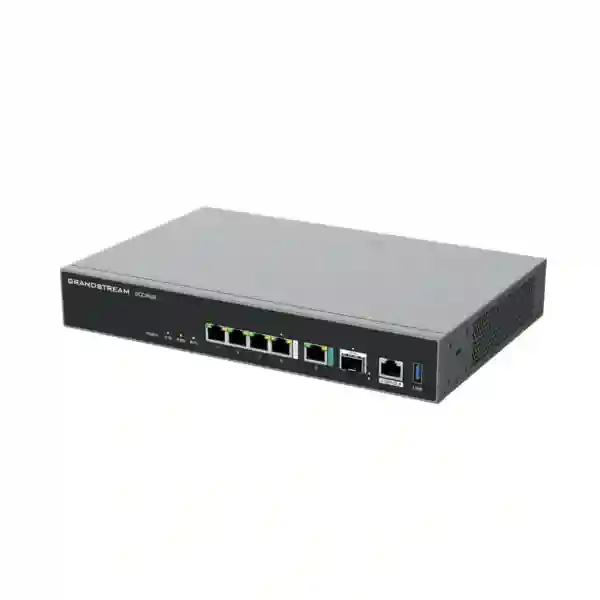
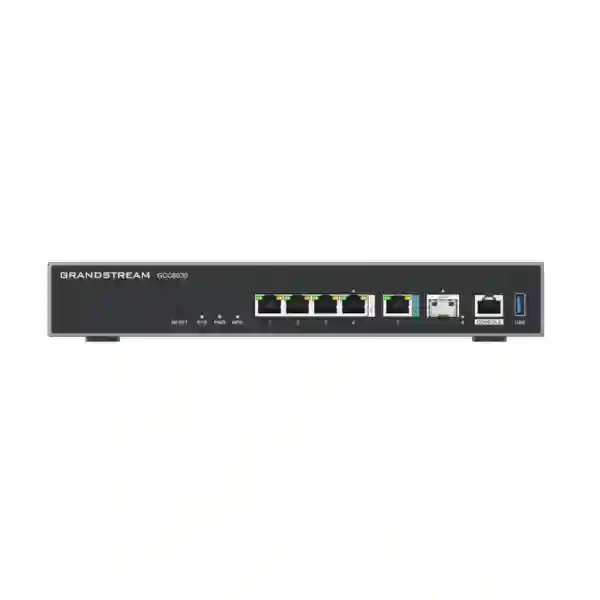
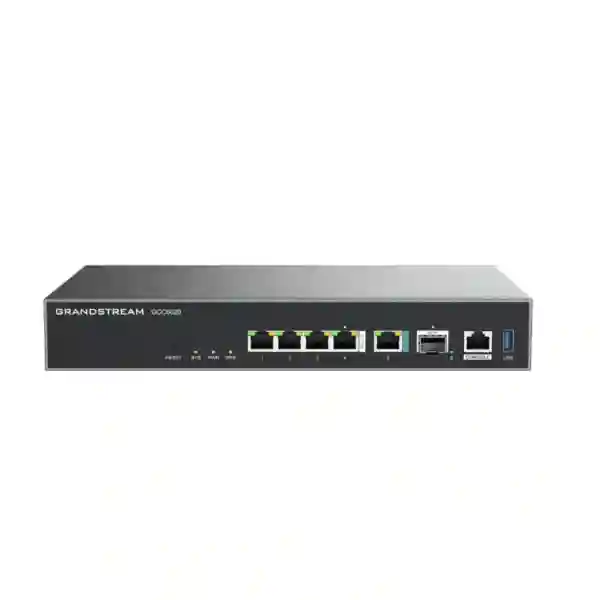
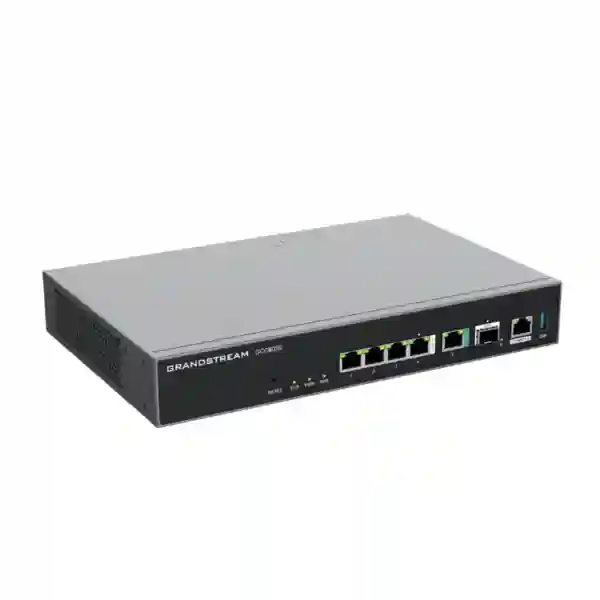
Grandstream GCC6020 is a business convergence appliance designed to bring voice communications, secure routing, next-generation firewall functions and managed PoE networking into one coordinated platform. Instead of treating the IP PBX, edge router, security gateway and access switch as unrelated systems, GCC6020 lets organisations build these functions inside the same Grandstream ecosystem. For a Dubai office, UAE branch, professional practice, hospitality property, education site, retail location or distributed business, this can reduce platform sprawl when the appliance is sized correctly for the real workload.
The useful buying question is not whether GCC6020 has a long feature list. The useful question is whether its routing, security, PBX, PoE, wireless-management and multi-WAN capabilities match the number of people, busy-hour calls, internet links, access points, wired devices and security policies in your project. Fourteck approaches GCC6020 as an infrastructure design decision rather than a stand-alone product purchase, helping customers review capacity, topology, voice requirements and expansion before quotation.
Grandstream’s current published routing figure for GCC6020.
Published DPI plus IPS throughput for GCC6020.
Default IP PBX capacity; Grandstream offers upgrade options.
Five IEEE 802.3af/at PoE-out ports within the published total budget.
The GCC6020 decision in one minute
GCC6020 is a strong candidate when a business wants a converged Grandstream architecture and its project can be served by the appliance’s port density, PoE budget, routing and security performance, and default PBX capacity or an appropriate PBX upgrade. It is especially relevant where a smaller equipment footprint, centralized administration, coordinated QoS and direct integration with Grandstream phones, access points and switches are more valuable than maintaining separate management systems for every network function.
It should not be selected only because one appliance can replace several device categories. A project with dense wired access, large PoE demand, many 10-gigabit uplinks, unusually high call concurrency, specialist security controls or a strict preference for physically separate platforms may require additional switching, a GCC6021, or a different architecture. Fourteck therefore sizes the system around workload and operational policy, not around a feature checklist.
Why GCC6020 changes the usual branch-office architecture
A conventional small or medium business network often begins with a service-provider router, then adds a firewall, managed switch, separate IP PBX, wireless management platform and another administration layer for IP phones. Each component can be a valid choice, but the operating model becomes fragmented. Administrators must understand multiple interfaces, credentials, backups, firmware policies, logs and support paths. GCC6020 is based on a different approach: make routing, security, switching and unified communications cooperate inside one Grandstream environment while allowing the network to expand with additional GWN access points, managed switches and UC endpoints.
That approach is useful for organisations that have an internal IT administrator or managed service provider but do not want unnecessary platform sprawl. GCC6020 can sit at the centre of a branch design, terminate WAN services, apply network and security policy, segment traffic with VLANs, prioritize voice, power a limited group of PoE devices, host the IP PBX function and provide visibility across compatible Grandstream infrastructure. VPN technologies and centralized administration can then extend that operating model to branch sites and remote teams.
Convergence does not mean eliminating every other device. Five integrated PoE-out ports may be enough for a compact site, while a larger office can use GCC6020 as the convergence core and add a GWN managed switch for access density. The built-in PBX can support the default user and concurrency level, while customers with higher telephony demand should review the applicable Grandstream PBX upgrade or an alternative design. A modular deployment uses integrated capabilities where they provide real value and expands only where the workload requires it.
Verified GCC6020 technical profile
| Area | Published capability | Planning relevance |
|---|---|---|
| CPU | Quad-core Cortex-A73, 1.8 GHz | Runs the appliance’s combined networking, security and UC roles. |
| Interfaces | 1 × 10G SFP+, 1 × 2.5G Ethernet, 4 × Gigabit Ethernet; WAN/LAN configurable, up to 3 WAN ports | Allows flexible uplink, LAN and multi-WAN design. |
| Routing | 6.5 Gbps | Useful when matching the platform to internet and inter-VLAN traffic. |
| IPsec VPN | 1.3 Gbps published throughput | Reference for remote-access and site-to-site planning. |
| NGFW | 6 Gbps DPI + IPS throughput | Reference for inspected traffic and security sizing. |
| PBX | 50 users and 16 concurrent calls by default; upgrades available | Links telephony capacity directly to real busy-hour demand. |
| PoE | 5 PoE-out ports, IEEE 802.3af/at, 120 W total budget | Can directly power a small set of phones, APs or other supported endpoints. |
| GWN scale | Up to 300 GWN APs and up to 500 clients | Allows centralized management beyond the physical ports of the appliance. |
| Administration | GDMS, GWN App, local web GUI, SSH, SNMP v1/v2c/v3 and CLI | Supports local, cloud, monitoring and command-line operating models. |
Technical values are based on current Grandstream GCC6020/GCC6021 product material. Real-world performance depends on firmware, enabled services, traffic profile and topology. Capacity-sensitive designs should be checked against the latest vendor documentation before ordering.
Start with requirements, not appliance features
A reliable GCC6020 specification starts with a workload map. How many people need extensions? How many calls can occur simultaneously during the busiest period? How many internet circuits are available? Are those links used for backup only or active traffic distribution? How many VLANs are needed for staff, voice, guest Wi-Fi, CCTV, access control, servers, IoT or management? How many devices require PoE? Are there remote staff, branch VPNs or cloud services with strict latency expectations? These answers determine whether GCC6020 should be the branch core, one component in a larger design, or replaced by a different architecture.
Professional office
A clinic, consultancy, legal practice or financial-services office may need secure internet, segmented Wi-Fi, a few dozen voice users and controlled remote access. Convergence can reduce appliance count while keeping policy, telephony and network administration coordinated.
Retail or service branch
A branch can combine point-of-sale or business systems, staff Wi-Fi, guest access, phones, CCTV uplinks and a VPN to headquarters. GCC6020 can provide the branch edge while external switching is used where device density exceeds the built-in ports.
Growing SME headquarters
The appliance can coordinate WAN, security and communications while larger managed switches and multiple GWN access points provide scale. This preserves a centralized operating model without pretending that every endpoint must connect directly to GCC6020.
Multi-site organisation
VPN support, multiple WAN options and centralized management make GCC6020 relevant to distributed operations. The project still needs an addressing plan, route ownership, traffic policy, remote-extension design, monitoring and documented failover procedures.
Routing and multi-WAN: design for application continuity
GCC6020 provides routing performance published at 6.5 Gbps and allows its interfaces to be assigned flexibly, with up to three WAN ports listed for the model. The practical advantage is not simply the number of WAN connections. The advantage is the ability to design connectivity around the business. One office may use a primary fibre link and secondary broadband service. Another may maintain an alternate carrier for operational resilience. Grandstream supports multi-WAN monitoring, load balancing and failover, enabling traffic policy to consider link state and application priority.
A good design avoids assuming that every application should use every WAN in the same way. Voice, cloud collaboration, bulk backup, guest internet and administrative traffic have different sensitivity to delay and interruption. The deployment should specify which services prefer which link, how DNS behaves during failover, how VPN tunnels recover, and whether inbound services depend on public addresses that change between carriers. These details determine whether multi-WAN delivers useful resilience or remains an unused dashboard feature.
The model also includes one 2.5 Gigabit interface and one 10 Gigabit SFP+ interface alongside four Gigabit Ethernet ports. That opens useful options for a higher-speed uplink to a compatible switch or distribution layer. The final topology should consider transceiver compatibility, switch capability, cabling, traffic direction and how much inter-VLAN or internet throughput the site genuinely needs.
Next-generation firewall capabilities with policy discipline
Grandstream lists firewall functions that include traffic rules, NAT, port forwarding, DMZ, DoS and spoofing defenses, application identification and control, DNS and web filtering, Geo-IP controls, anti-virus, DPI, IDS/IPS and SSL-related inspection functions. These capabilities give GCC6020 a meaningful security role, but a firewall should never be considered complete simply because advanced controls appear in a specification sheet.
Before rules are written, users and systems should be divided into trust zones. Voice endpoints normally need different access from guest users. Servers should have narrower exposure than ordinary clients. Management interfaces should be restricted to administrators. CCTV, access-control and IoT traffic should only reach services it genuinely requires. Remote administration should use secure access paths. Logging should make blocked or suspicious activity visible to whoever is responsible for response.
Some advanced security functions may be connected to vendor plans or update services. The project should confirm what is included by default, what requires an applicable subscription or security update service, and what the organisation’s own security policy mandates. Fourteck does not assume licensing silently because a design is only complete when the required inspection and update capabilities are actually available.
Grandstream’s published 6 Gbps NGFW throughput with DPI and IPS is a valuable reference, but production performance varies with traffic and enabled services. Encrypted inspection, VPN, reporting and simultaneous security functions can affect workload. Performance-sensitive projects should document the WAN speed and traffic mix, decide which controls must be active, and preserve capacity headroom instead of sizing exactly to a headline figure.
VPN architecture for branches, administrators and remote users
GCC6020 supports multiple VPN technologies documented by Grandstream, including IPsec, OpenVPN, WireGuard, L2TP and PPTP. That range can help when an organisation inherits different remote-access methods across old and new sites. For a new build, however, protocol selection should follow current security policy, endpoint support, identity requirements and operating simplicity rather than the fact that many protocols are available.
Site-to-site VPN is relevant when a Dubai headquarters needs secure connectivity to a Sharjah office, Abu Dhabi branch, warehouse or overseas site. The design should decide which subnets are reachable in each direction, whether voice crosses the tunnel, how DNS works between locations, whether private addressing overlaps and what happens if either site’s primary internet link fails. A disciplined addressing and routing plan prevents the common situation where a tunnel reports as connected but business applications remain unreliable.
Remote-access VPN should distinguish administrators from ordinary employees. Administrators may need tightly controlled access to infrastructure networks while staff may require only selected business applications. Authentication, certificate handling, split-tunnel policy, endpoint security and logging should be documented. The published 1.3 Gbps IPsec VPN figure offers a capacity reference, but expected simultaneous users and application traffic should still guide sizing.
Built-in IP PBX: make telephony part of the network design
GCC6020 includes an IP PBX rather than merely providing network access to a separate phone system. Grandstream currently lists 50 users and 16 concurrent calls by default, with paid upgrade options available. This makes the product interesting for businesses that want the data path and voice platform to share a coordinated management environment, particularly when endpoint provisioning, QoS and troubleshooting are important operational concerns.
PBX sizing should start with simultaneous calls rather than employee count alone. A 45-person professional office may remain well within 16 concurrent calls if staff call occasionally. A smaller sales or support operation could create higher concurrency because many agents are continuously active. SIP trunks, reception flows, IVR, ring groups, queues, conferencing, remote extensions, voicemail and after-hours routing also affect the final design. Fourteck therefore asks about roles and busy-hour behaviour instead of assuming one user equals one call.
Grandstream documents common PBX services such as forwarding, transfer, parking, intercom and paging, IVR and conferencing, alongside Wave clients for desktop, web, Android and iOS. The platform supports a broad selection of voice and video codecs and integration options. A particular CRM, PMS, carrier or third-party SIP endpoint should still be checked for the exact deployment; compatibility should never be inferred only because both sides use SIP.
For UAE deployments, SIP trunk design must also consider the selected telecom service, addressing, NAT policy, number presentation, emergency-calling requirements and any provider-specific conditions. Fourteck can map those requirements into the PBX and network architecture, while service eligibility and carrier-side configuration should be confirmed with the applicable provider.
PoE switching: useful integrated capacity, not an excuse to undersize the access layer
GCC6020 provides five PoE-out ports supporting IEEE 802.3af/at and a total published PoE budget of 120 W. In a compact site this can directly power a useful set of phones, access points or other compatible endpoints. The exact combination depends on each device’s maximum and expected power draw. Correct PoE planning adds those requirements and preserves margin rather than assuming five physical ports always mean five devices can be powered in every configuration.
Larger offices should view the integrated PoE as one part of the switching hierarchy. A forty-desk site may still use GCC6020 as its convergence core while a managed GWN PoE switch serves the floor. The external switch provides access density and additional power capacity while GCC6020 continues to handle routing, security, PBX and central management functions.
When IP phones share a physical connection with desktop computers, VLAN and QoS design becomes important. Voice devices should receive the correct network and priority without giving an attached computer unnecessary access to voice-management services. Switch trunks must carry the required tagged VLANs and DHCP scopes should be defined for each segment. These details matter during office migrations because old flat networks are often preserved even when a new platform makes better segmentation possible.
Centralized management across Grandstream infrastructure
Grandstream positions GCC as a control point for compatible wireless access points, switches and UC endpoints. Management options include Grandstream Device Management System, GWN App, local web GUI, SSH, SNMP and CLI. A small business may rely mainly on graphical management, while an MSP or enterprise IT team may also use SNMP, command-line tools and cloud administration across branches.
Centralization delivers value only when combined with operating discipline. Device names should be standardized. VLANs, SSIDs and subnets should be documented. Administrative roles should be separated. Firmware maintenance should follow a controlled schedule. Configuration backups should be available. Alerts should reach people who can act. Network diagrams should match the actual cabling and topology. A platform can provide visibility, but the support process determines whether that visibility remains useful after months of changes.
Grandstream documentation also describes troubleshooting and diagnostic functions such as ping, packet capture, external syslog, ARP information, link tracing and interface status. In a converged environment these tools can reduce troubleshooting time because voice, routing and security are not treated as completely disconnected systems. One-way audio can be investigated across NAT, firewall and media flow; a wireless reachability issue can be traced through VLAN, route and policy decisions.
A practical Dubai office deployment blueprint
Consider a Dubai office with thirty to forty staff, reception, meeting rooms, a small customer-support team, corporate Wi-Fi, guest Wi-Fi, IP phones, printers and secure access to cloud services. GCC6020 can be evaluated as the edge and communications platform. A primary business internet circuit can terminate on one WAN-capable interface while a second service provides resilience. The 10G SFP+ or 2.5G interface can uplink to a managed access switch where the site needs more wired ports than the appliance itself provides.
The network can be segmented into staff, voice, guest, management and device VLANs. Staff devices receive access to approved corporate services. Voice endpoints reach the PBX and SIP-related services required for calls. Guests reach the internet without lateral access to business systems. Infrastructure management is limited to administrators. Cameras, access control or IoT equipment receive only the reachability they require. QoS protects interactive voice traffic when users are transferring large files or using bandwidth-intensive cloud applications.
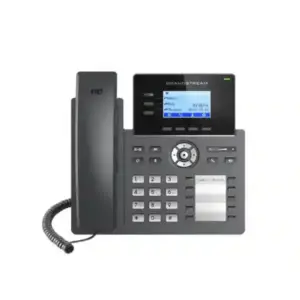
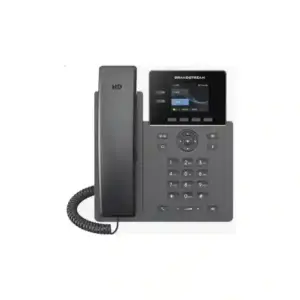
The PBX can serve the required extensions when user count and busy-hour concurrency remain within the selected capacity. Reception can use a Grandstream desk phone selected for key and line requirements, while staff phones can be chosen according to role and feature needs. Wave clients may suit supported mobile or desktop scenarios. GWN access points can provide the wireless layer, with quantity based on floor plan, wall construction, client capacity and RF conditions instead of a generic square-metre estimate.
Commissioning should test internet failover, inbound and outbound calls, IVR, transfer, voicemail, conferencing, VPN reachability, guest isolation, VLAN tagging, PoE stability, wireless roaming, DNS and administrative access. The handover should include addressing, credential ownership, backup procedures, support contacts and a record of functions that depend on optional subscriptions or carrier services. A converged platform is easiest to support when the deployment is documented as carefully as it is configured.
Segmentation and QoS for converged voice and data
The more functions an appliance consolidates, the more important logical separation becomes. Convergence should simplify management without flattening security boundaries. VLANs allow staff, voice, guests, servers, management and device traffic to remain logically distinct while sharing physical infrastructure. GCC6020 supports IEEE 802.1Q environments and traffic-classification features that can help create a disciplined segmentation model.
Voice deserves special attention because users quickly notice delay, jitter and loss. Grandstream lists traffic-class and DSCP-related QoS features along with VoIP prioritization. In a good design, phones obtain the correct VLAN, switching infrastructure preserves relevant markings, the edge applies suitable policy, and WAN links are not allowed to become saturated by low-priority traffic. QoS cannot create bandwidth, but it can protect real-time applications when contention occurs.
Guest traffic should generally be isolated from internal networks. Management interfaces should not be exposed broadly. Printers, cameras and IoT devices should not be trusted automatically simply because they sit inside the office. Server reachability should be explicit. This approach improves security and troubleshooting because every network segment has a clear role, documented gateway and expected communication pattern.
Five numbers to confirm before requesting a quote
- Voice users and busy-hour concurrent calls. Confirm extensions, external trunks, sales or support agents and the highest realistic call count. GCC6020 starts with 50 users and 16 concurrent calls by default, so projects approaching those limits should review upgrade options.
- WAN speed and internet circuits. Record current and planned service speeds, static public IP needs, carrier handoff types and failover expectations so routing and security can be designed around actual services.
- Wired ports and PoE load. Count phones, APs, cameras and other PoE endpoints and calculate the power requirement. Five integrated PoE ports are useful, but many sites will need a separate managed PoE switch.
- Wireless access points and clients. GCC6020 can manage a large GWN wireless environment, but AP quantity should come from coverage and capacity planning. A warehouse, clinic and open-plan office can need very different RF designs.
- Security and VPN workload. Identify required inspection functions, site-to-site tunnels, remote users, filtering policies and compliance needs. Capacity should be evaluated with the intended security services in mind, not only basic routing.
GCC6020 vs GCC6021: choose by density and headroom
GCC6020 and GCC6021 share the same convergence concept, but they are designed for different port density and performance requirements. GCC6021 provides more interfaces, a larger PoE budget and higher published routing and NGFW figures. GCC6020 is the more compact option when the site does not require those resources inside the appliance itself. The decision should consider future headroom, not only today’s minimum configuration.
| Factor | GCC6020 | GCC6021 |
|---|---|---|
| Routing | 6.5 Gbps | 10 Gbps |
| NGFW DPI + IPS | 6 Gbps | 9 Gbps |
| 10G SFP+ | 1 port | 4 ports |
| 2.5G Ethernet | 1 port | 8 ports |
| Gigabit Ethernet | 4 ports | 16 ports |
| PoE-out | 5 ports, 120 W | 24 ports, 370 W |
| Managed clients | Up to 500 | Up to 1000 |
GCC6020 plus an external managed switch can be a sensible design when larger access switching is required anyway. GCC6021 becomes more attractive when high port density, larger PoE capacity, additional multigigabit interfaces and more performance headroom should be concentrated in the convergence platform. Fourteck can compare both designs during quotation instead of treating the larger model as automatically better.
GCC6020 vs separate firewall, PBX, router and switch
There is no universal winner between a converged appliance and a multi-appliance architecture. GCC6020 can reduce hardware count, centralize management and improve coordination between voice and networking. Separate systems can provide stronger fault-domain separation, specialist feature depth or independent upgrade cycles. The correct approach depends on business size, IT skills, security standards, existing investments and the value of vendor consolidation.
Convergence is attractive when
The organisation prefers one Grandstream ecosystem, has moderate branch scale, uses Grandstream endpoints, values coordinated network and voice management, and can fit the required security, routing, PoE and PBX workload inside the planned capacity.
Separation may be preferable when
The organisation has a mandatory enterprise firewall standard, very high switching density, unusually high call capacity, strict vendor separation, specialist security tooling or operational processes built around different best-of-breed platforms.
A hybrid architecture is also possible. GCC6020 can remain the routing, PBX and management platform while external switches expand the access layer. In another environment an existing upstream security platform may remain in place while selected GCC functions are used behind it. Such designs should be reviewed carefully to avoid double NAT, overlapping DHCP services, unclear route ownership and duplicated firewall policy.
Installation and commissioning workflow
A dependable GCC6020 deployment is more than connecting the WAN and creating extensions. The process should translate business requirements into a documented configuration and then test failed states as deliberately as normal operation. Fourteck can scope hardware supply, configuration, migration and on-site assistance separately so the customer understands the deliverables.
1. Discover the current environment
Collect WAN circuits, public addresses, current firewall rules, subnets, VLANs, switching, wireless, extensions, SIP trunks, call flows, VPN peers, remote users and management requirements. Identify what is being migrated and what must remain in place.
2. Build the addressing and policy model
Define VLAN IDs, subnets, gateways, DHCP scopes, DNS, inter-VLAN reachability, management access, guest isolation, port roles, WAN priorities and QoS. This avoids improvisation during the cutover.
3. Configure security and remote access
Apply firewall policy using least privilege, establish required VPNs, restrict management, configure logging and confirm whether the selected advanced security controls depend on service plans or update entitlements.
4. Build PBX services
Create extensions, trunks, inbound and outbound routes, IVR, ring groups or queues, office-hour logic, voicemail and endpoint provisioning. Confirm codec, NAT and media behaviour with the selected carrier and remote-user model.
5. Integrate switching and Wi-Fi
Attach additional GWN switching where required, configure trunks and access ports, verify PoE load, deploy APs, create SSIDs, assign VLANs and test roaming, guest isolation and client reachability.
6. Test normal and failed states
Verify calls, internet, DNS, cloud access, VPNs, printing, internal systems and management. Then disconnect the primary WAN, validate failover and recovery, and confirm that important applications behave as expected.
7. Handover and ownership
Provide the customer with a network summary, administrative ownership, backup procedure, support scope and a list of subscriptions or third-party dependencies. A good handover reduces dependence on undocumented knowledge.
Security hardening checklist
- Replace default administrative credentials and use strong, unique authentication aligned with organisational policy.
- Restrict management interfaces to trusted networks or secure remote-access paths.
- Segment voice, users, guests, servers and unmanaged device classes where appropriate.
- Review every inbound NAT and port-forward rule and document its owner and business purpose.
- Use secure management protocols and avoid legacy access methods when they are not required.
- Plan firmware maintenance and configuration backups under change control rather than applying updates without process.
- Configure monitoring and external logging where the support model needs longer retention or centralized alerts.
- Grant VPN users and sites only the internal networks they require.
- Review SIP credentials, trunk restrictions, remote endpoint exposure and high-cost calling policy.
- Document who owns firewall policy, PBX administration, firmware, telecom coordination and incident response after handover.
Procurement: what a useful GCC6020 quote should include
A quotation request should contain enough information to separate the appliance price from the complete project cost. State the expected quantity, installation location, number of extensions, peak calls, SIP or telecom service, required access points, wired port count, PoE endpoints, internet circuits, VPN sites, remote users and whether installation, configuration or migration assistance is required. That detail allows the quote to include accessories and services that genuinely matter.
Depending on the design, a project may also need SFP+ modules, compatible fibre, external PoE switching, wireless access points, IP phones, rack accessories, UPS capacity, structured cabling, PBX capacity upgrades, security-related service plans or carrier services. Fourteck will not imply that every related item is included merely because GCC6020 supports the associated function. Clear line items make comparison easier.
Price and stock can change with quantity, distribution conditions and project scope, so this page does not publish an invented permanent price or availability claim. Request a current Dubai or UAE quotation and specify whether the requirement is hardware only, hardware plus configuration, or a complete migration and deployment. For export projects, include destination and quantity so logistics and regional requirements can be reviewed separately.
Regional deployment context and Fourteck network
Dubai projects often combine fast internet, cloud applications, IP telephony and multiple locations, making link failover and voice quality important. Abu Dhabi organisations may emphasize branch VPN and formal security policy. Sharjah and Ajman businesses frequently need infrastructure that can expand without immediate replacement. GCC6020 can fit any of these scenarios when the capacity and design match the actual requirement rather than when the city name is simply inserted into generic sales copy.
For organisations operating beyond the UAE, related Fourteck resources include Fourteck UAE, Fourteck global solutions, Fourteck Uganda, Fourteck Kenya, Fourteck Tanzania, Fourteck Ghana, Fourteck Nigeria and Fourteck Kuwait. Supply, support and telecom conditions vary by country and should be validated for each project.
For related communications and infrastructure topics, customers can also review Fourteck IP phone and unified communications solutions, IP PBX solutions in Dubai and Fourteck IT services. These references help buyers navigate adjacent solution areas without implying that every site carries identical GCC6020 terms.
Frequently asked questions
Is GCC6020 an IP PBX or a firewall?
It is both, and more. Grandstream designed GCC6020 as a convergence platform combining IP PBX, VPN routing, next-generation firewall and managed switching. Buyers should decide which of those roles the appliance will perform in the final architecture and confirm that the capacity is suitable for each role.
How many users does the GCC6020 PBX support?
Grandstream currently lists 50 users and 16 concurrent calls by default, with PBX capacity upgrade options available. Concurrent calls should be sized separately from registered extensions because a smaller call-intensive team can generate more simultaneous traffic than a larger office with light calling.
How many PoE devices can connect directly?
GCC6020 provides five IEEE 802.3af/at PoE-out ports and a total published 120 W PoE budget. The safe number of devices depends on individual endpoint power requirements. Sites that need more ports or a larger aggregate budget should add a properly sized managed PoE switch.
Can GCC6020 manage Grandstream access points?
Yes. Grandstream lists management of up to 300 GWN access points and up to 500 clients for GCC6020. Actual AP quantity should be based on RF coverage, client density, walls, interference, applications and roaming rather than simply on the maximum platform figure.
Does GCC6020 support multiple internet links?
Yes. The model’s interfaces are WAN/LAN configurable, with up to three WAN ports listed, and Grandstream describes multi-WAN monitoring, load balancing and failover. A production design should still define link priorities, public IP dependencies, DNS behaviour and recovery of VPN and real-time traffic.
What is the published firewall performance?
Grandstream’s current datasheet lists 6 Gbps NGFW throughput with DPI and IPS for GCC6020. This is a vendor sizing reference. Real application throughput can vary according to traffic characteristics, firmware and the combination of security, VPN and inspection functions enabled.
Can GCC6020 connect UAE branches by VPN?
Yes, it can be evaluated for site-to-site connectivity using supported VPN technologies such as IPsec. The complete solution also requires non-overlapping addressing, routing, firewall policy, DNS planning, appropriate internet services and tested failover behaviour at every site.
Does GCC6020 replace a managed PoE switch?
It can cover a small access requirement, but many business sites will still use an external managed PoE switch because GCC6020 provides five PoE-out ports. The appliance can remain the convergence core while the external switch supplies floor-level port density and additional power budget.
Can GCC6020 work with Grandstream IP phones?
Yes. Grandstream positions GCC for centralized management and provisioning of compatible UC endpoints, and its built-in PBX supports SIP-based communications. The phone model should still be selected according to user role, screen, key count, Wi-Fi or Bluetooth needs and expansion requirements.
Does GCC6020 require cloud management?
No. Grandstream lists GDMS, GWN App, local web GUI, SSH, SNMP and CLI. Organisations can choose the operating model that fits their policy, while access control and administrative ownership should be documented whichever management method is used.
What should I compare before choosing GCC6020 or GCC6021?
Compare routing and security performance, number of 10G and 2.5G interfaces, wired port density, PoE port count and budget, managed client scale, expected expansion and whether external switching is already planned. GCC6021 is more suitable when greater integrated density and headroom are required.
Can I get a fixed GCC6020 price from this page?
This page intentionally avoids an unverified permanent price because stock, quantity, distribution conditions and service scope can change. Request a current Fourteck quotation and specify whether you need hardware only, configuration, installation, PBX migration, VPN setup, switching, Wi-Fi or support.
What information should I send Fourteck for sizing?
Send the number of users and phones, peak calls, SIP provider, internet circuits and speeds, VLAN requirements, wired and PoE devices, access points, remote users, VPN sites, existing firewall or PBX details, expected growth and whether the project is a new installation or migration.
Plan GCC6020 around the real network
The strongest reason to choose Grandstream GCC6020 is not that it combines many functions. It is that those functions can be designed as one coherent communications and network platform. For the right office, convergence can simplify deployment, reduce management fragmentation and create a clear path from the internet edge to firewall policy, VLANs, Wi-Fi, IP phones and PBX services. For the wrong workload, forcing every requirement into one appliance can create avoidable constraints. Capacity planning is therefore the most important part of the purchase.
Contact Fourteck with your user count, busy-hour call estimate, WAN services, PoE requirements, switch and AP needs, VPN locations and support expectations. We can help compare GCC6020 with GCC6021 or a modular Grandstream architecture, identify required accessories and services, and prepare a current quotation for Dubai or other UAE locations.
Recommended next action: request a compatibility and capacity review before ordering, especially if the project includes multiple WAN circuits, more than five PoE endpoints, higher PBX call concurrency, advanced security services or multi-site VPN connectivity.
Reference and verification note
Technical specifications on this page were prepared from current Grandstream GCC6020 Series product information and documentation available during review. Grandstream may change firmware, licensing, service plans or published capabilities over time. Final project specifications should be checked against the latest vendor documentation and the exact hardware and firmware combination before purchase or migration.

Reviews
There are no reviews yet.