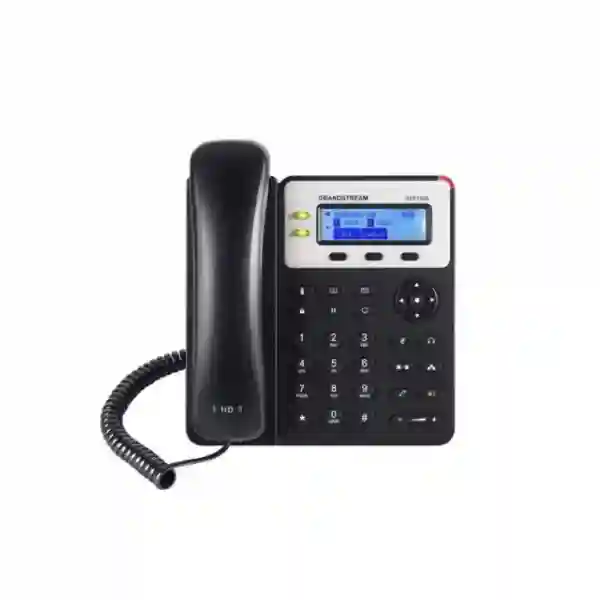
Grandstream GXP1620 IP Phone Dubai UAE
The Grandstream GXP1620 is a two-line, two-SIP-account business IP phone designed for users who need dependable desk calling, HD audio, a backlit display, straightforward call handling and secure SIP communications without the cost or complexity of a higher-end executive handset. For small offices, branch desks, reception support positions, retail counters, service teams and other light-to-medium call-volume roles, it provides the practical features most users need every day: two line keys, three programmable context-sensitive soft keys, three-way audio conferencing, a full-duplex HD speakerphone, an HD handset and support for electronic hook switch headsets.
For buyers in Dubai and across the UAE, one point should be checked before ordering: the GXP1620 itself does not provide integrated Power over Ethernet. If PoE is a project requirement, the closely related GXP1625 is the more appropriate variant. Fourteck can help verify the phone, PBX, SIP account, switching, VLAN, headset and power requirements before a quotation is finalized.
Two SIP accounts with two line keys for everyday business calling.
Backlit graphical LCD for call status, menus and contacts.
Dual switched Fast Ethernet ports for phone and PC connectivity.
GXP1620 uses local power; integrated PoE is available on GXP1625, not GXP1620.
Is the GXP1620 the right phone for your requirement?
The strongest reason to choose the GXP1620 is not that it has the longest feature list. It is that the feature set is appropriately balanced for users who spend part of the day on the phone but do not need large color displays, many programmable BLF keys, Wi-Fi, Bluetooth or multiple physical line appearances. A buyer should start with the work role, not the model number. If the desk needs two registered SIP identities, comfortable HD voice, a speakerphone, simple transfer and hold functions, a shared network connection for a nearby computer and familiar physical buttons, the GXP1620 can be a sensible fit.
Typical examples include small-business employees, branch staff, finance or administration desks, low-volume reception overflow points, service counters, back-office users, classrooms, clinic administration desks and hotel back-office locations. It can also work in a multi-site SIP deployment where the PBX or hosted VoIP platform already provides most advanced functions centrally. However, it is not the best match for a heavy receptionist who needs many one-touch extension keys, for a modern hot-desking project that requires centralized cloud device management as a mandatory standard, or for an installation where every endpoint must be powered through PoE with no local power adapters.
Choose GXP1620 when the requirement is two SIP accounts, essential business call controls and local power. Move to GXP1625 when the same basic experience is wanted with integrated PoE. Consider GXP1628 or suitable GRP models when Gigabit Ethernet, more programmable keys or newer fleet-management requirements matter.
Verified GXP1620 capabilities that matter in real deployments
Grandstream positions the GXP1620/GXP1625 family as a basic desktop IP phone for workers with light-to-medium call volume. The GXP1620 provides two SIP accounts, two line keys and three-way audio conferencing. Three XML-programmable context-sensitive soft keys give administrators and users a degree of workflow flexibility without turning the phone into a complex console. The 132 × 48 backlit graphical LCD is intentionally compact, but it provides clear access to status information, menus, contacts and everyday calling functions.
Audio capability is one of the more important differentiators in this part of the range. The GXP1620 supports HD audio through both the handset and the full-duplex speakerphone. For a user making routine internal and external calls, this is more meaningful than many cosmetic specifications. Wideband voice can improve intelligibility when the PBX, trunk, remote endpoint and network path also support compatible wideband codecs. Actual end-to-end call quality will still depend on the complete communications chain, including LAN design, WAN stability, codec negotiation, SIP trunk quality and QoS policy.
For network attachment, the phone uses two switched 10/100 Mbps Ethernet ports. In a conventional office this allows the phone to connect to the LAN while a desktop PC can connect through the phone’s second network port. That can reduce the number of wall data outlets required at a desk, although the design should still be checked against VLAN, security and bandwidth policies. The GXP1620 does not include integrated PoE, so the supplied or approved local power arrangement must be planned. This distinction is especially important in large floor deployments where centralized PoE from access switches is used to simplify cabling and power resilience.
The phone also supports an RJ9 headset connection and EHS integration for supported Plantronics headsets documented for the platform. This can be valuable for employees who need hands-free mobility around a desk area or who prefer a headset during longer calls. Headset compatibility should be confirmed by exact headset model and required EHS cable rather than assumed from the presence of an RJ9 port alone.
Technical specification summary
The table below focuses on verified buyer-relevant specifications. It intentionally avoids unsupported stock, warranty, price or availability claims because those details can vary by supplier, project and date.
| Model | Grandstream GXP1620 |
|---|---|
| SIP / line capacity | 2 SIP accounts, 2 line keys, up to 2 call appearances |
| Display | 132 × 48 (2.95-inch) backlit graphical LCD |
| Conferencing | 3-way audio conferencing |
| Ethernet | Dual switched auto-sensing 10/100 Mbps Ethernet ports |
| PoE | No integrated PoE on GXP1620. GXP1625 is the PoE variant in this pair. |
| Audio | HD handset and full-duplex HD speakerphone; wideband codec support including G.722 |
| Programmable controls | 3 XML-programmable context-sensitive soft keys plus dedicated call-function keys |
| Directory / history | Phonebook up to 1,000 contacts; call history up to 200 records |
| Headset | RJ9 headset jack; EHS support for supported Plantronics solutions |
| Provisioning | TFTP / HTTP / HTTPS firmware upgrade; TR-069 and encrypted XML configuration options; FTP/FTPS support documented for provisioning workflows |
| Security | TLS, SRTP, HTTPS, 802.1X, administrator/user access control and encrypted configuration support |
| Mounting | Desktop stand with two angles; wall-mountable |
What two SIP accounts mean for a small-business user
Two SIP accounts allow the GXP1620 to register two independent SIP identities, subject to the configuration of the PBX or hosted voice provider. In practical terms, one phone can be prepared for two extensions, two services or two call identities where the system design requires it. Each account can have its own SIP server, authentication and NAT-related settings. The two physical line keys help users select or manage the active line without navigating a complicated interface.
This is useful in offices where an employee supports two departments, where a branch needs an internal company extension plus a secondary SIP service, or where a business separates inbound and outbound call identities. The design should be controlled by the PBX administrator, because simply having two SIP accounts does not automatically mean every business should register the phone to multiple providers. Centralized policy, emergency dialing, outbound caller identification, security and failover should be considered before introducing multiple registrations at the endpoint.
For many UAE SMEs, two accounts are enough for a typical desk worker. If the requirement grows to three or more SIP identities, additional line appearances, multiple BLF keys or more complex supervision, moving to a more capable endpoint is generally cleaner than trying to force a basic phone into a role it was not designed to perform.
HD audio, conferencing and everyday call handling
A business phone earns its value through call clarity and predictable controls. The GXP1620 supports wideband audio and a full-duplex speakerphone with acoustic echo cancellation. This means a properly configured call can sound clearer than narrowband-only telephony, while full-duplex speaker operation allows a more natural conversational flow than a basic half-duplex speakerphone. The endpoint also supports common codecs including G.711, G.722, G.723, G.726, G.729 and iLBC, with actual codec use determined by the PBX, trunk, remote device and network policies.
Core telephony functions include hold, transfer, forward, call waiting, call history, call pickup, call park, auto answer, off-hook auto dial and flexible dial-plan functions as supported by the configured system. Three-way conferencing lets a user combine multiple parties for a simple voice discussion directly from the phone. For larger scheduled meetings, collaboration platforms or dedicated conference services will usually offer a better experience, but the built-in three-way function is convenient for quick internal coordination or bringing a third person into a customer call.
The physical keypad and dedicated function keys make the phone approachable for users moving from conventional office telephony. That simplicity can reduce training effort. In large deployments, consistent provisioning and a standard user guide are still recommended so that transfer methods, voicemail access, call pickup codes and directory behavior remain predictable across all desks.
Important buying difference: GXP1620 vs GXP1625
The GXP1620 and GXP1625 share the same basic user experience, but the power method is a decisive difference. Grandstream documents integrated PoE on the GXP1625, while the GXP1620 does not include it. If a site already uses PoE switches for phones and wants phones to receive power and network through one Ethernet cable, the GXP1625 should normally be evaluated instead. If local adapters are acceptable and the power design is already prepared, the GXP1620 may remain a valid choice.
| Decision point | GXP1620 | GXP1625 |
|---|---|---|
| 2 SIP accounts / 2 line keys | Yes | Yes |
| HD handset and speakerphone | Yes | Yes |
| Dual 10/100 Ethernet | Yes | Yes |
| Integrated PoE | No | Yes |
A procurement team should not treat the two model numbers as interchangeable when preparing a switch-port and power budget. The endpoint choice affects cabling, UPS strategy, desk adapters, rack PoE capacity and how easily phones stay powered during a local mains disruption. Fourteck can review these dependencies before the endpoint list is finalized.
Network planning for Dubai and UAE office deployments
IP phones depend on the network, so endpoint selection should be coordinated with LAN and WAN planning. The GXP1620’s dual 10/100 Ethernet ports are adequate for the voice endpoint and for many ordinary office-PC use cases, but a desk that requires higher wired throughput should be reviewed carefully. If a workstation regularly moves large files, uses high-resolution media workflows or depends on Gigabit access, connecting the PC through a 10/100 phone port may create an unnecessary bottleneck. In such cases, the network can provide separate data cabling or a phone with Gigabit switching can be selected.
Voice VLANs are commonly used to separate telephony traffic from general data traffic. The phone supports Layer 2 QoS mechanisms including 802.1Q and 802.1p, as well as Layer 3 QoS support documented by Grandstream. The right design depends on the switch, router, firewall and PBX. VLAN tagging should be coordinated with LLDP-MED or manual settings, DHCP scope design, DNS, NTP, SIP server reachability and provisioning services. A device can register successfully and still deliver poor calls if packet loss, jitter or asymmetric routing is present, so proper network validation should include real call testing.
For Dubai branch offices using SIP trunks or cloud-hosted voice platforms, firewall policy and NAT behavior also need attention. SIP application-layer gateways can sometimes create problems depending on the firewall and provider. Remote offices may require site-to-site VPN, provider-specific NAT rules or secure public registration. There is no single correct topology for every project, and the endpoint should not be configured in isolation from the rest of the voice design.
PBX compatibility and Grandstream UCM integration
The GXP1620 is a SIP endpoint, so it can be used with suitable standards-based SIP platforms when the required registration, codec, DTMF and feature behavior is supported. Grandstream also documents compatibility with its UCM IP PBX features and Zero Config provisioning. In a Grandstream UCM environment, this can simplify initial provisioning because the PBX can detect and configure supported Grandstream phones through the centralized management workflow.
Compatibility should still be checked at the feature level. Basic registration and calling are not the only requirements in a business deployment. Administrators may also depend on BLF behavior, attended and blind transfer, voicemail indication, call pickup, directory synchronization, paging, intercom, recording keys, hot desking, XML applications, time settings and security profiles. A phone can be technically compatible with a SIP server while particular advanced features behave differently from one vendor to another.
Fourteck can help map the GXP1620 into a broader phone-system design, whether the project involves a Grandstream UCM platform, a compatible third-party IP PBX or a hosted SIP service. For organizations evaluating an on-premises PBX, the Yeastar S50 IP PBX is one example of a related platform category that may be compared according to user count, concurrent calls, trunks, expansion and required interfaces. Exact interoperability and supported features should always be confirmed for the selected firmware and configuration.
Security and provisioning considerations
A desk phone is a network device and should be managed with the same discipline applied to other business endpoints. Grandstream documents TLS and SRTP support on the GXP1620 platform, along with HTTPS, encrypted configuration files, administrator and user access controls and 802.1X media access control. Whether these features are used depends on the capabilities of the PBX, certificate strategy, provisioning system and network policy. Security should be designed end to end rather than enabled on one device in isolation.
Provisioning options include TR-069 and XML configuration files, with firmware upgrade methods through protocols documented by Grandstream. For multiple-phone deployments, centralized templates are preferable to manually configuring every endpoint. Templates help keep SIP server details, codecs, VLAN settings, time configuration, dial plans, feature codes and security settings consistent. A documented change process also reduces the chance that a manual edit on one handset creates a support issue later.
Firmware should be maintained according to vendor guidance and tested before broad rollout. Administrators should avoid power interruption while a phone is booting through an upgrade and should review Grandstream’s current firmware and release notes before updating a production fleet. In managed environments, a small pilot group is often a better first step than upgrading every endpoint at once.
Customer requirement matrix
| Customer requirement | GXP1620 fit | Buying consideration |
|---|---|---|
| Two SIP identities for a desk user | Strong fit | Confirm PBX or hosted SIP provisioning for both accounts. |
| HD handset and speakerphone | Strong fit | End-to-end quality also depends on codec, network and trunk. |
| PoE-only desk deployment | Not ideal | Evaluate GXP1625 or another PoE model. |
| Gigabit pass-through to PC | Not a match | GXP1620 uses 10/100 Ethernet. Consider a Gigabit-capable model or separate data port. |
| Many BLF/one-touch extension keys | Limited | Evaluate GXP1628 or a more suitable GRP phone depending on required keys. |
| Simple three-party call | Supported | Use a conferencing platform for larger or scheduled meetings. |
| Headset use | Supported | Confirm exact headset and EHS accessory compatibility. |
GXP1620 versus newer Grandstream GRP options
The GXP1620 belongs to Grandstream’s basic GXP family. Organizations standardizing a new fleet should also consider whether a newer GRP-series endpoint better matches their lifecycle, management and network requirements. The correct answer depends on the organization’s installed base and operational priorities. A GXP1620 can still be suitable when the requirement is simple and the environment already supports the model, but a new multi-site rollout may place more value on centralized device management, Gigabit Ethernet, integrated PoE or newer calling features.
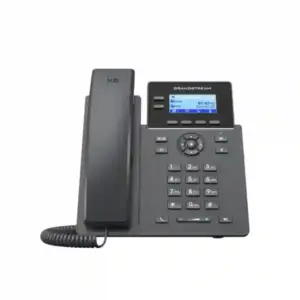
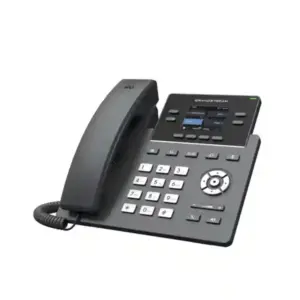
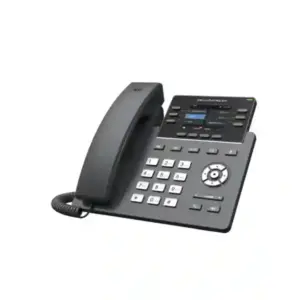
For example, the Grandstream GRP2602P is a PoE-enabled GRP option that can be reviewed when a project needs a different management and feature profile. The Grandstream GRP2602W can be considered where wireless connectivity is part of the requirement, while the Grandstream GRP2603 addresses users who need a different line and network profile.
These are not automatic replacements for every GXP1620 deployment. Migration decisions should account for PBX compatibility, provisioning method, user training, switch infrastructure, accessories, firmware policy and the business case for changing a working standard. Fourteck can help compare current requirements rather than recommending a model based only on age or feature count.
Best-fit roles and deployment scenarios
Small-office desk user
A user who needs one or two SIP identities, clear voice, transfer, hold, voicemail access and occasional speakerphone use can operate comfortably without advanced console-style controls.
Branch administration
For a branch office connected to a central PBX, the phone can serve staff whose calling requirements are predictable and whose advanced functions are provided by the central platform.
Retail or service counter
The physical keys and straightforward interface suit locations where employees need quick access to internal calling, customer calls and transfer functions while performing other tasks.
Hotel back office
Administrative and support desks that do not require a receptionist console can use a basic SIP endpoint, subject to compatibility with the property’s voice platform and dial plan.
Education and clinics
Staff rooms, back-office desks and low-volume coordination points can benefit from a simple phone where reliability and recognizable call controls matter more than advanced UC features.
Remote branch with local adapter power
Where PoE is not available and local power is acceptable, GXP1620 can avoid the need to redesign the switch infrastructure solely to power the phone.
When the GXP1620 is not the best choice
A good product page should explain limitations as clearly as advantages. The GXP1620 is not designed to be a high-density receptionist phone. It does not provide a bank of dedicated BLF keys for monitoring many extensions, and its compact monochrome graphical display is built for essential information rather than rich application interfaces. A receptionist, executive assistant or contact-center supervisor may be better served by a larger model with more programmable keys, a higher-resolution display or an expansion module ecosystem.
It is also not the first choice where PoE is mandatory. In that case, GXP1625 or another PoE-capable endpoint should be evaluated. Likewise, the 10/100 Ethernet interface is not ideal when a connected workstation requires Gigabit throughput through the phone. In wireless-only desk environments, the GXP1620 does not solve Wi-Fi placement requirements. Projects that need modern cloud-based mass management as a primary operational requirement should compare appropriate GRP-series phones and management options.
Recognizing these boundaries helps prevent overspending in one direction and under-specifying in the other. A basic endpoint can be the correct solution when the user requirement is basic. Conversely, choosing a low-cost phone for a complex role often creates more operational cost later through workarounds, extra cabling, adapters or user frustration.
Dubai, Deira and UAE deployment context
Dubai offices: Multi-floor offices frequently standardize voice VLANs and centralized switching. If the network design assumes PoE for all phones, the GXP1620 should be replaced in the bill of materials by a PoE-capable variant rather than supported with ad-hoc power adapters. Smaller offices and serviced-office setups may accept local power, making the GXP1620 more practical.
Deira retail and trading businesses: Desks often combine customer calls with billing, logistics and supplier coordination. A straightforward two-account desk phone can suit these roles when the call volume is moderate. The network port speed should be checked if the same desk PC passes through the phone, particularly where inventory systems or cloud applications require higher wired throughput.
Abu Dhabi organizations: Larger businesses and regulated environments may place more emphasis on formal device standards, access control, network segmentation and tested firmware. The GXP1620’s supported security and provisioning mechanisms can form part of that design, but the endpoint should be reviewed against organization-wide standards rather than deployed as a standalone choice.
Sharjah and Ajman SMEs: Cost-effective branch communications are often the priority. Two SIP accounts, HD voice and simple user controls can meet common office requirements without paying for features employees may never use. The purchasing decision should still include switch capacity, UPS strategy, cabling quality, PBX licenses where applicable and support expectations.
For customers with offices in more than one country, Fourteck’s wider regional network includes resources for Uganda, Kenya, Kuwait, Tanzania and Nigeria. Regional sourcing and implementation should still be confirmed for each project because availability, telecom services, compliance requirements and support logistics can differ by location.
Procurement checklist before requesting a GXP1620 quotation
A quotation is more useful when it is based on the deployment rather than only the number of phones. Before requesting pricing, prepare the following project information where possible:
- Quantity and user roles: identify how many basic desk users, reception users, managers and special-purpose phones are required.
- PBX or hosted voice platform: confirm the current system, SIP service and whether phones must be auto-provisioned.
- PoE requirement: clarify whether local power adapters are acceptable or whether every endpoint must be PoE-powered.
- LAN speed at the desk: determine whether the PC can operate behind a 10/100 phone port or requires separate/Gigabit data connectivity.
- Headset model: specify wired headset and EHS requirements so compatibility can be checked.
- VLAN and QoS: note whether the network already provides voice VLANs, LLDP-MED and QoS policies.
- Directory and feature requirements: list LDAP, XML directory, call pickup, paging, intercom, voicemail and other PBX-dependent functions that must be validated.
- Deployment locations: identify Dubai, Abu Dhabi, Sharjah, Ajman or other UAE sites and whether installation/configuration support is required.
Fourteck can use this information to determine whether GXP1620 remains the right fit or whether a different Grandstream model would reduce implementation risk. This approach is especially useful when a project mixes user profiles, because a single phone model is not always the best choice for every desk.
Installation and configuration approach
Physical installation is straightforward: connect the handset, connect the LAN port to the switch or router, provide the approved power supply and wait for the phone to complete startup. Administrators can then identify the IP address from the phone menu and use the embedded web interface or keypad menus for configuration. In production environments, however, manual setup should be minimized when many phones are being deployed.
A structured rollout normally begins with network preparation, PBX extension creation, provisioning template design and a pilot device. The pilot validates registration, inbound and outbound calls, codec behavior, DTMF, transfer, hold, voicemail, caller ID, time zone, directory access and firmware. Once the baseline configuration is proven, additional phones can be provisioned in a controlled batch.
After installation, users should receive a short role-specific guide rather than a generic manual. A receptionist may need transfer and pickup instructions, while a branch administrator may need conferencing and voicemail. This reduces support calls and helps the organization gain value from the functions already available on the endpoint.
Troubleshooting questions buyers should anticipate
Why does the GXP1620 not power on from my PoE switch?
Because the GXP1620 model does not include integrated PoE. The related GXP1625 provides PoE. If the project is already wired for PoE-only phones, confirm the model number before deployment rather than assuming all units in the pair support the same power method.
Why is my PC link limited when connected through the phone?
The GXP1620 has dual 10/100 Mbps Ethernet ports. If the PC requires Gigabit wired throughput, connect it to a separate Gigabit data outlet or select a phone with Gigabit pass-through.
Why is HD audio not heard on every call?
The phone supports HD audio, but end-to-end wideband quality depends on codec negotiation and the complete call path. The PBX, SIP trunk, remote endpoint, carrier route and network conditions can all affect the final audio experience.
Why does a SIP account register but some PBX features behave differently?
Basic SIP registration confirms only part of interoperability. Feature behavior such as BLF, transfer, pickup, voicemail indication, paging, directories and provisioning can vary by platform and configuration. Validate the required feature list during the pilot stage.
Frequently asked questions about Grandstream GXP1620
Does the Grandstream GXP1620 support PoE?
No. The GXP1620 does not have integrated Power over Ethernet. The closely related GXP1625 is the PoE version. This should be confirmed before purchasing for a PoE-standardized office.
How many SIP accounts does the GXP1620 support?
It supports two SIP accounts and provides two line keys. The exact way those accounts are used depends on the PBX or hosted SIP service configuration.
Does the GXP1620 have HD audio?
Yes. Grandstream documents HD audio on the handset and full-duplex speakerphone, including support for wideband audio. End-to-end quality still depends on the rest of the call path.
Can the GXP1620 connect a PC through the phone?
Yes. It includes dual switched 10/100 Mbps Ethernet ports, so a computer can be connected through the phone. Buyers needing Gigabit desktop throughput should use a separate data connection or consider a Gigabit-capable phone.
Does the GXP1620 support three-way conferencing?
Yes. It supports three-way audio conferencing for quick multi-party calls. Larger meetings are usually better handled through a dedicated conferencing or collaboration platform.
Can the GXP1620 use a headset?
Yes. The phone includes an RJ9 headset interface and Grandstream documents EHS support for supported Plantronics headsets. Exact headset and EHS cable compatibility should be checked before ordering.
Can the GXP1620 work with a Grandstream UCM PBX?
Yes. Grandstream documents compatibility with UCM features and Zero Config provisioning. The final configuration should still be validated against the specific UCM model, firmware and required PBX features.
Is GXP1620 suitable for a receptionist?
It can suit a low-volume reception or overflow position, but a busy receptionist usually benefits from more programmable BLF keys, a larger display and a phone designed for higher call-control density.
Where can I request a GXP1620 quote in Dubai?
Fourteck can review the quantity, PBX platform, PoE requirement, network design, headset requirement and deployment locations before preparing a quotation or recommending a more suitable Grandstream alternative.
Request a Grandstream GXP1620 consultation or quotation
If your requirement is for a simple two-account Grandstream desk phone in Dubai or elsewhere in the UAE, Fourteck can help confirm whether the GXP1620 fits the user role and existing network. Share your phone quantity, PBX or SIP platform, locations, PoE policy, headset needs and any required call features. Where the GXP1620 is not the best match, the recommendation can be adjusted to a PoE, Gigabit, Wi-Fi or more programmable model instead of forcing the wrong endpoint into the project.
For related Grandstream options, review the GRP2602P, GRP2602W and GRP2603, or discuss the requirement with Fourteck before selecting the endpoint standard.

Reviews
There are no reviews yet.