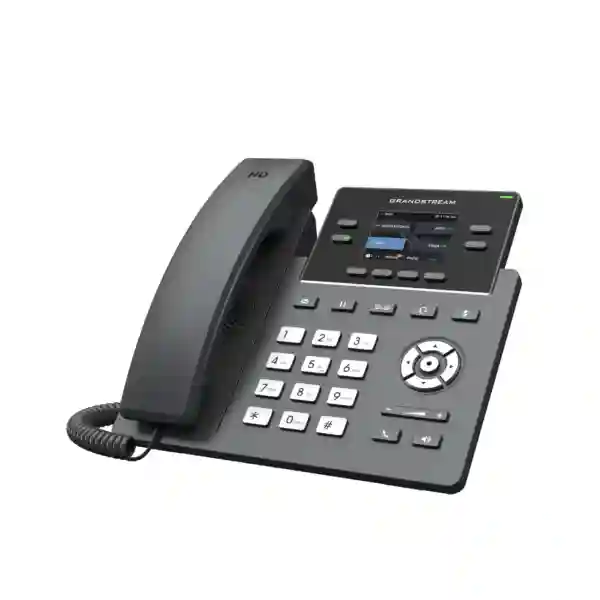
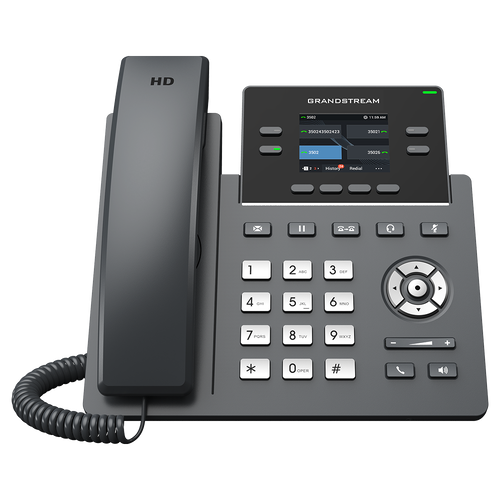
Start with the buying question: is GRP2612 the right desk phone tier?
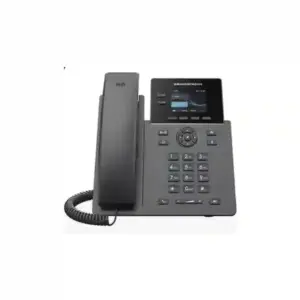
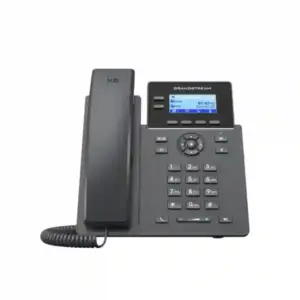
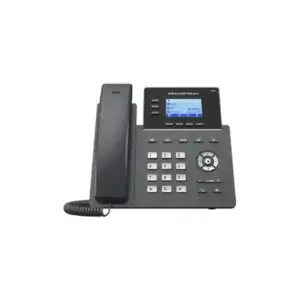
The GRP2612 sits in the part of the Grandstream GRP portfolio intended for professional desktop users who need a color screen, multiple SIP identities, programmable call-handling keys and centralized administration without moving to a larger executive-class handset. That makes it a practical candidate for office standardization projects where IT teams want one repeatable model for general staff, supervisors, back-office users, customer-service desks and selected reception positions. It is also useful when a business wants the visual clarity of a color display and the convenience of BLF/speed-dial keys but does not need an expansion module or a very large physical key bank.
A good procurement process should therefore begin with workload rather than with model name. Ask how many identities each user needs, how many coworkers or queues must be monitored, whether the phone will sit between the wall outlet and a computer, whether the switch provides 802.3af PoE, whether Wi-Fi is required, whether the user needs a headset, and how many phones must be centrally provisioned. The answers often decide the GRP2612 variant automatically. For example, a simple desk with a separate PC network outlet may be fine with the standard GRP2612. A PoE office may point to GRP2612P, a cable-constrained desk may point to GRP2612W, and a one-cable desk carrying both voice and PC traffic may justify GRP2612G.
This requirement-first approach is particularly important for GRP2612 Dubai rollouts because office fit-outs frequently mix old and new switching, structured cabling, desk-sharing and multiple branches. Selecting the wrong suffix can create avoidable power adapters, bandwidth bottlenecks or wireless assumptions later. Fourteck can be asked to review the intended PBX, LAN and user roles before the project quantity is finalized.
Verified quick facts from current Grandstream documentation
| Decision point | Verified GRP2612 family detail | Why it matters to a buyer |
|---|---|---|
| Display | 2.4-inch 320 × 240 TFT color LCD | Gives a compact professional interface for line status, menus, directories and programmable key labels. |
| SIP capacity | Current Grandstream material states up to 4 SIP accounts with 4 multi-purpose line keys | Useful for users handling multiple extensions, departments, lines or SIP identities. |
| Programmable keys | Up to 16 virtual multi-purpose/BLF keys | Supports BLF, speed dial and feature access without requiring a physically large phone. |
| Audio | HD handset and speakerphone; wideband codecs include G.722 and Opus | Supports modern wideband voice when the PBX, network and peer endpoint also negotiate compatible codecs. |
| Conference | 5-way audio conferencing | Useful for small ad-hoc voice conferences without a separate conference device. |
| Management | Supported by Grandstream Device Management System (GDMS) | Helps administrators provision, configure, monitor and maintain many endpoints centrally. |
| Security | Secure boot, dual firmware images, encrypted data storage; SIP security features include TLS/SRTP and 802.1X support | Relevant for controlled enterprise voice deployments and standardized security baselines. |
| Headset | RJ9 headset port; EHS support is documented for compatible headset environments | Important for frequent callers and customer-facing staff; accessory compatibility still needs confirmation. |
| Mounting | Two-position desk stand; wall mounting supported with separate wall mount | Useful where desk space or installation layout requires alternate placement. |
One detail deserves special attention because many online listings are stale: older pages may describe the GRP2612 as a two-account phone, while Grandstream’s current product page and current datasheet state support for up to four SIP accounts. Grandstream’s documentation also notes legacy hardware differences. For a new procurement, the current manufacturer data and the actual hardware revision should take precedence over copied reseller text.
Choose the exact GRP2612 variant before you ask for a quote
The name “GRP2612” is often used loosely for an entire family, but the suffix changes the network behavior of the phone. A project quotation should therefore identify the exact variant on every line item. The differences are not cosmetic; they affect power, Ethernet speed and wireless deployment.
| Variant | Ethernet | PoE | Wireless | Best-fit requirement |
|---|---|---|---|---|
| GRP2612 | Dual auto-sensing 10/100 Mbps | No integrated PoE | No built-in Wi-Fi | Conventional wired desk where power adapter use is acceptable and Fast Ethernet pass-through is sufficient. |
| GRP2612P | Dual auto-sensing 10/100 Mbps | Yes, 802.3af | No built-in Wi-Fi | PoE-enabled office that wants simpler cabling but does not require Gigabit pass-through. |
| GRP2612W | Dual auto-sensing 10/100 Mbps | Yes, 802.3af | Built-in dual-band Wi-Fi; Wi-Fi generation depends on hardware revision | Flexible placement, temporary desks or areas where Ethernet cabling is difficult, while retaining wired connectivity as an option. |
| GRP2612G | Dual auto-sensing 10/100/1000 Mbps | Yes, 802.3af | No built-in Wi-Fi | Desk where the phone and attached PC share one network drop and Gigabit pass-through is important. |
For GRP2612W, hardware revision matters. Older official material lists 802.11a/b/g/n/ac dual-band Wi-Fi, while Grandstream’s current product page states that hardware version 5.0 and above supports Wi-Fi 6 (802.11ax). If Wi-Fi 6 is a formal requirement in the tender or bill of materials, do not assume every GRP2612W in the channel is the same revision. Ask for revision confirmation before ordering.
Similarly, do not buy GRP2612P on the assumption that “P” means Gigabit. The P and W variants use 10/100 Mbps Ethernet according to the current datasheet; Gigabit is the GRP2612G feature. This distinction matters most when a user’s computer is daisy-chained through the phone. If a workstation transfers large files, uses cloud desktops, synchronizes heavy datasets or depends on Gigabit LAN performance, the G variant may be the more appropriate choice.
What four SIP accounts and 16 VPKs mean in daily work
Specifications become useful only when they map to real call-handling requirements. Four SIP accounts can represent different extensions, departmental identities, branch registrations or service profiles depending on the PBX design. A manager might keep a personal extension plus a departmental line. An administrator might monitor a main office identity and an internal team identity. A service desk might need one account for normal calls and another for a specific queue or business unit. The exact configuration is determined by the PBX and provisioning policy, but the capacity gives more flexibility than an entry-level one- or two-account endpoint.
The 16 virtual multi-purpose keys are equally important. They can be used for functions such as BLF monitoring, speed dial, presence-related workflows or feature codes, depending on the PBX and provisioning. Instead of requiring 16 dedicated physical buttons, the GRP2612 uses the color screen and paging logic around its physical line keys. This is a compact design choice: it gives general office users access to a useful number of monitored extensions without turning the desk phone into a large attendant console.
For a receptionist, however, ask how many coworkers must be monitored at the same time and how quickly the user must see their status. If the answer is “a few frequently contacted colleagues,” the GRP2612 can fit well. If the answer is “dozens of extensions visible continuously,” a higher-capacity GRP model or a different attendant workflow may be more efficient. The right endpoint is the one that reduces keystrokes and uncertainty for the role, not necessarily the least expensive phone that can technically register to the PBX.
Color display, call handling and user experience
The 2.4-inch 320 × 240 TFT color LCD is one of the GRP2612’s practical upgrades over basic monochrome desk phones. It provides a clearer interface for account status, soft keys, directories, caller information, settings and programmable labels. The screen is still intentionally compact, so this is not a touchscreen collaboration endpoint; it is a conventional business phone designed to make core voice tasks fast and familiar.
Dedicated keys cover common actions such as message access, transfer, hold, headset, mute, send/redial, speakerphone and volume. Grandstream also documents call hold, transfer, forwarding, call park, pickup, call waiting, server redundancy/failover, shared/bridged line appearance and hot-desking-related capabilities. Whether a particular feature works exactly as expected depends on PBX support and provisioning. For that reason, feature planning should include the PBX platform rather than treating the phone as an isolated appliance.
The swappable faceplate is a distinctive fleet-management feature. Organizations that deploy phones across branches, hotels, service counters or managed customer sites can use customized faceplates for branding or labeling programs, subject to Grandstream’s ordering process. It does not change phone functionality, but it can make large endpoint estates look more standardized and reduce visual inconsistency across desks.
A five-way audio conference is also available for small, immediate meetings. This can be useful when several participants need to join a conversation quickly without scheduling a separate conference bridge. For larger, recorded or policy-controlled meetings, the organization should still use the conferencing features of its PBX or collaboration platform.
HD audio is only one part of call quality
Grandstream lists HD audio on both handset and speakerphone, with codec support that includes G.722 and Opus in addition to common narrowband codecs. Opus is particularly useful in modern IP communications because it can adapt to different bandwidth conditions, while G.722 is widely used for wideband speech. However, the phone cannot create HD quality by itself. End-to-end quality depends on the codec negotiated by the PBX or SIP provider, packet loss, latency, jitter, WAN conditions, switch configuration, headset quality and the far-end endpoint.
Noise Shield technology is designed to reduce background noise, which helps in open offices, shared work areas and customer-service environments. It should be viewed as a useful endpoint feature rather than a substitute for acoustic planning. A very noisy reception, warehouse office or service counter may still need a good headset, sensible microphone placement, acoustic treatment or a different endpoint strategy.
For network teams, voice VLAN and QoS design remain essential. The GRP2612 family supports VLAN/QoS-related capabilities including 802.1Q/802.1P and Layer 3 QoS mechanisms. A well-designed deployment separates or prioritizes voice traffic appropriately, makes DHCP and provisioning predictable, and keeps SIP/RTP flows within the organization’s security policy. Before a large rollout, test a representative phone on the same switch model, VLAN, WAN path and PBX profile that production users will use.
This is especially relevant in branch deployments where voice traverses VPNs, SD-WAN, MPLS or internet links. The handset may be perfectly configured while the user still experiences poor quality because of congested uplinks or asymmetric routing. The endpoint decision should therefore be part of the broader voice network design.
GDMS: the reason GRP2612 makes sense in larger fleets
Grandstream Device Management System (GDMS) is a major reason to choose a GRP phone when the deployment goes beyond a handful of desks. Grandstream describes GDMS as a centralized platform for provisioning, configuration, firmware management, device monitoring, alarm handling and troubleshooting. This changes the operating model from “configure every phone manually” to “apply repeatable policies by site, group or model.”
For an IT department, that can reduce inconsistency. New phones can be introduced with standard account templates, network settings and feature policies. Firmware can be managed more systematically. A branch replacement phone can be brought into the same policy set instead of rebuilding settings from memory. Multi-site organizations can maintain a common baseline while still allowing location-specific values such as extension ranges or VLANs.
Zero-touch or low-touch provisioning is valuable in Dubai head offices with satellite branches, managed customer environments, schools with multiple buildings, hotel back-office deployments, clinics with many consultation rooms, and companies with remote IT support. The real benefit is not merely faster initial installation; it is lower operational friction during moves, adds, changes, firmware updates and replacement cycles.
Centralized management also supports better governance. Administrators can document a known configuration baseline, control when changes are introduced and reduce one-off desk configurations that become difficult to support later. Before production deployment, decide who owns the GDMS tenant, how credentials are protected, who has change authority and how device groups map to departments or sites.
Security features and what an enterprise should still configure
The GRP2612 family includes a stronger endpoint-security baseline than many legacy office phones. Grandstream lists secure boot, dual firmware images and encrypted data storage, plus security mechanisms such as TLS, SRTP, 802.1X and encrypted configuration files. These capabilities support an enterprise deployment, but they still need to be enabled and integrated correctly. A phone with security features left on default settings is not the same as a hardened voice endpoint.
A sensible rollout starts with administrator credential policy, device onboarding, secure provisioning paths and certificate strategy where applicable. SIP signaling and media encryption should be coordinated with the PBX. Network access control and 802.1X should be tested with the switch infrastructure. Management interfaces should be limited to trusted networks. Firmware should come from controlled sources and be updated under change management. Default or shared administrator passwords should be avoided.
The dual-firmware design is useful for resilient updates, but firmware governance still matters. Organizations should test updates on a small pilot group, confirm PBX interoperability and only then roll them to the wider fleet. This is particularly important if the PBX uses custom provisioning templates or if the organization relies on specific BLF, directory, headset or VLAN behavior.
For regulated environments, treat the phone as an IP endpoint subject to the same asset inventory, patch management, access control and lifecycle standards as other network devices. The security value comes from combining device capability with operational discipline.
Network and power planning for Dubai and UAE offices
Office projects in Dubai, Abu Dhabi, Sharjah and Ajman commonly combine structured cabling installed at different times, mixed PoE switch generations, shared desk outlets and separate voice/data VLANs. The GRP2612 family can fit these environments well, but the suffix choice should match the network. If the switch has available 802.3af PoE budget, a P, W or G variant can remove the need for a power adapter at each desk. If PoE capacity is limited, the base phone may still be workable where AC power is available.
For desks where one network cable serves both phone and PC, check the data-speed requirement. The base, P and W models use 10/100 Mbps Ethernet, while the G model provides Gigabit Ethernet. A general office PC used for email and light web applications may not expose a practical limitation at 100 Mbps, but engineering, media, backup, cloud-sync or data-heavy users can. The network design should not accidentally throttle the workstation simply because the phone is being used as a pass-through switch.
For GRP2612W, wireless deployment can reduce cabling constraints in temporary offices, meeting support rooms, converted spaces or desks where pulling new cable is disruptive. Wi-Fi does not remove the need for proper wireless design. Coverage, roaming, interference, authentication, voice VLAN integration and power still have to be planned. For fixed desks, wired Ethernet remains easier to troubleshoot and more deterministic in many enterprise environments.
When requesting a Grandstream GRP2612 Dubai quotation, provide the switch model, PoE requirement, whether PCs share the phone port, the number of desks and whether any locations require Wi-Fi. This lets the quotation identify the correct mix of GRP2612, P, W and G variants instead of assuming one variant for every user.
Role-by-role fit: where GRP2612 works best
General office users
A strong fit when users need a professional color-screen SIP phone, several programmable contacts and centralized management without requiring a large executive console.
Supervisors and team leads
Useful when a supervisor monitors a selected group of colleagues using BLF, handles multiple SIP identities, transfers calls frequently and needs speakerphone conferencing.
Reception and admin
Suitable for moderate call handling where 16 virtual keys are enough. High-volume operators who must see many extensions simultaneously may need a higher-capacity model.
Branch-office staff
A practical standardization option when IT wants one manageable endpoint family across multiple sites and needs repeatable provisioning through GDMS.
Customer-service teams can also use the GRP2612 when call volumes are moderate and agents do not require specialized contact-center software phones. The RJ9 headset interface helps frequent callers, but headset compatibility should be validated. In hot-desking environments, the phone’s provisioning and SIP capabilities can support more flexible user assignment, depending on the PBX and login workflow.
Hotels, clinics, schools and retail back offices often need a mixture of endpoint classes. Public-area or guest-room phones may have different requirements from administrative users, while management offices may need more programmable keys. The GRP2612 can occupy the middle of that endpoint hierarchy: more capable than a simple lobby/room phone, but smaller and more cost-conscious than a high-end executive model.
For warehouses, security rooms or workshops, consider the environment as well as call features. The GRP2612 is a normal indoor desk phone with an operating range documented by Grandstream for standard office conditions. It is not a ruggedized industrial handset. Dust, temperature extremes, moisture and physical risk may require a more suitable endpoint or protected installation location.
PBX compatibility: plan the system, not only the handset
The GRP2612 is based on SIP standards, so it is designed for standards-based IP telephony environments. In practice, a successful deployment still depends on the PBX’s supported provisioning method, registration settings, codec policy, BLF behavior, feature codes, directory integration and security configuration. Grandstream UCM platforms are a natural ecosystem fit, but organizations may also use other SIP PBXs or hosted platforms where interoperability has been validated.
Before a project, define the extension format, authentication method, outbound proxy or SBC requirements, SIP transport, media ports, DTMF method, emergency-call routing, voicemail behavior, time settings and directory source. If the phone will be deployed behind NAT or across branches, confirm how the PBX handles remote registration and media. If the organization uses a Session Border Controller, test registration, TLS certificates and failover behavior.
BLF should be tested with the actual PBX because subscription behavior and lamp states can vary by platform. The same applies to shared line appearance, call pickup, parking and transfer workflows. A datasheet may list a feature, but the end-user experience is produced by the interaction between phone firmware and PBX implementation.
For larger deployments, create a pilot template with a small number of phones representing different roles. Validate inbound/outbound calls, transfers, conferences, voicemail, BLF, directory, headset, VLAN, PoE, QoS, firmware upgrade and reboot recovery. Only after that baseline is stable should the template be scaled through GDMS or the chosen provisioning system.
Headsets, frequent callers and desk ergonomics
A headset can make a bigger productivity difference than an extra phone feature for users who spend hours on calls. The GRP2612 includes an RJ9 headset jack, and Grandstream documents EHS support for compatible headset arrangements. Because EHS cables and headset ecosystems vary, procurement should confirm the exact headset model and required adapter rather than assuming every RJ9 or wireless headset will provide full remote call control.
For occasional callers, the HD handset and speakerphone may be enough. For receptionists, sales teams, support staff and administrators who type while talking, a headset can reduce neck strain and free both hands. Wireless headsets can also help users move around a small office, but range, charging, security and EHS compatibility become part of the design.
Physical placement matters too. The two-position stand allows a choice of desk angle, and wall mounting is possible with a separate wall-mount accessory. The 2.4-inch display should be positioned where line labels are easy to read without glare. If the user relies heavily on VPKs, avoid placing the phone so far away that screen paging becomes inconvenient.
When phones are installed in hot-desking areas, label management can be standardized through the on-screen interface rather than printed paper labels alone. The swappable faceplate feature also supports a more consistent corporate presentation across a large phone fleet.
Procurement checklist before ordering GRP2612
A reliable bill of materials begins with questions that uncover hidden dependencies. Use the following checklist before approving quantity. It prevents the most common mistakes: choosing the wrong suffix, overlooking PoE budget, assuming Wi-Fi hardware revision, or forgetting that a user’s PC shares the phone’s Ethernet connection.
- Exact variant: GRP2612, GRP2612P, GRP2612W or GRP2612G.
- User role: general staff, supervisor, reception, customer service, branch user or hot-desk user.
- SIP accounts: number of identities/extensions required per user and how they map to the PBX.
- BLF/VPK requirement: number of colleagues, queues or speed-dial targets each user needs to monitor.
- PoE: confirm switch support, standard, available power budget and port count.
- PC pass-through: decide whether 100 Mbps is acceptable or Gigabit is needed at the desk.
- Wi-Fi: confirm whether wireless is truly required and, for GRP2612W, whether a specific hardware revision/Wi-Fi generation is mandatory.
- Headset: document headset brand/model and required EHS accessory.
- PBX/provisioning: identify the PBX, hosted SIP service, SBC and provisioning platform.
- Network: voice VLAN, DHCP options, QoS, DNS/NTP, firewall and remote-site connectivity.
- Mounting: desk stand versus wall mount; wall-mount accessory is separate.
- Firmware baseline: define a tested version and update process before mass rollout.
The purchasing team should also ask for part-number clarity on the quotation. Do not accept a generic “GRP2612 series” line if the project depends on PoE, Wi-Fi or Gigabit. The suffix should be explicit, and the receiving team should check cartons against the approved bill of materials.
Common buying mistakes—and how to avoid them
Mistake 1: assuming every GRP2612 has PoE
The base model does not. Use P, W or G when integrated PoE is part of the requirement.
Mistake 2: assuming P means Gigabit
GRP2612P uses 10/100 Mbps Ethernet. GRP2612G is the Gigabit variant.
Mistake 3: copying old ‘2 SIP account’ listings
Current Grandstream documentation states up to 4 SIP accounts. Older online copy may describe legacy hardware.
Mistake 4: assuming all GRP2612W hardware is identical
Wi-Fi capability can vary by hardware revision. Confirm the revision if Wi-Fi 6 is mandatory.
Mistake 5: buying by user count only
Two users can have very different call-handling, BLF, headset and network needs. Size the endpoint to the role.
Mistake 6: skipping a pilot
Mass provisioning magnifies mistakes. Validate one representative group before pushing settings to the fleet.
Another mistake is treating the phone price as the full project cost. Cabling, PoE switching, PBX licensing or subscription rules, SIP trunks, headsets, installation, configuration, user training and ongoing support can matter more than the handset delta between two variants. A more capable variant can sometimes reduce installation complexity; at other times it adds cost without benefit. The correct comparison is total fit for the desk and network.
Do not assume marketplace claims about stock, warranty, authorization or included accessories unless the seller confirms them. Grandstream’s package contents and power-adapter inclusion vary by variant, and commercial terms vary by supplier. For a project quotation, ask for exact included items and warranty/support terms in writing.
How GRP2612 compares with nearby GRP choices
Within the GRP family, the GRP2612 is best understood as a balanced professional endpoint rather than the maximum-feature model. Compared with lower models such as GRP2610/GRP2611 class devices, it offers a color display and a stronger programmable-key profile for users who handle more calls or monitor more colleagues. Compared with higher GRP models, it keeps the footprint and interface simpler but does not offer the same level of physical key capacity or premium feature set.
Choose a lower-tier phone when the user needs only basic extension handling, limited programmable keys and the lowest reasonable endpoint complexity. Choose GRP2612 when color display, four SIP accounts, 16 VPKs and manageable mass deployment align with the role. Move higher when the user needs more always-visible lines/keys, additional connectivity features, larger displays or executive-level call-control convenience.
This is why a mixed fleet often makes more sense than one phone for everyone. A large organization may use simpler phones for low-call-volume desks, GRP2612 for most professional users and higher models for reception, managers or power users. GDMS can still provide centralized management across the family, allowing IT to standardize provisioning and security without forcing identical hardware on every role.
If you are replacing older GXP-series phones, compare workflows rather than model numbers alone. Identify how users currently use BLF, speed dial, transfers, headset control and PC pass-through. A migration plan that preserves familiar call patterns reduces training effort and avoids the perception that a technically newer phone is harder to use.
Deployment blueprint for a multi-office organization
A practical rollout can be organized into five stages. First, inventory the current PBX, extension plan, switches, PoE budget, VLANs, SIP trunks and user roles. Second, select the appropriate GRP2612 variants and create a pilot group representing general staff, reception, supervisors and remote branches. Third, build the provisioning template, including SIP accounts, BLF mappings, time settings, directory, VLAN/QoS, security and firmware policy. Fourth, test normal and failure conditions. Fifth, roll out in controlled batches with user communication and rollback procedures.
Failure testing is often neglected. Reboot the PoE switch, interrupt WAN connectivity, fail over the PBX if redundancy exists, change a user’s extension and replace one physical phone. Confirm that the system returns to service predictably. Test what happens if the phone cannot reach provisioning, if NTP is unavailable or if a firmware update is interrupted. The endpoint’s dual firmware and secure-management capabilities are useful, but operational behavior should be known before hundreds of users depend on it.
For branch offices, document a standard “site pack”: switch configuration, voice VLAN ID, DHCP settings, QoS policy, allowed firewall flows, local power fallback, phone model mix and escalation contact. This makes new-site deployment faster and prevents each branch from becoming a unique configuration.
User acceptance matters too. Provide a short guide covering answer, transfer, hold, conference, voicemail, BLF meaning, headset mode and common feature keys. Most support tickets after a phone migration come from changed workflows rather than device faults. A ten-minute role-specific orientation can save many help-desk calls.
Regional deployment notes: UAE, GCC and Africa
In Dubai and Abu Dhabi, the GRP2612 is most relevant to organizations refreshing traditional desk telephony while keeping structured SIP calling at the center of office communications. New fit-outs should decide PoE and data-speed requirements before handset procurement. Existing offices should audit wall outlets and switch capacity because older cabling may encourage phone-and-PC sharing on a single run. Deira and Bur Dubai trading offices may prioritize compact desks and straightforward PBX integration, while larger business districts may place more emphasis on VLAN, QoS and centralized endpoint governance.
Sharjah and Ajman deployments often include warehouses, industrial administration and mixed office environments. Here, network layout can be less uniform than in a new headquarters. Some desks may have PoE while others rely on local power; some may need long cable runs or Wi-Fi. A mixed GRP2612/P/W/G bill of materials can be more practical than forcing one variant everywhere.
For Kuwait and other GCC projects, procurement may involve multi-branch standardization, project quantities and remote IT administration. The value of the GRP2612 family is the ability to keep a consistent user interface while adapting the network variant by site. Confirm regional power, PBX, SIP and support requirements as part of the project rather than assuming a configuration from another country can be copied unchanged.
For Uganda, Kenya, Ghana, Nigeria and Tanzania, branch connectivity quality and local network design often have a greater impact on call experience than the phone specification. Where centralized PBX services are reached over WAN or internet connections, test latency, packet loss, failover and security before deployment. Use GDMS or another controlled provisioning method to reduce the need for local manual configuration. Fourteck’s regional properties can provide additional context for projects in Uganda, Kenya, Ghana, Nigeria and Tanzania.
When Wi-Fi is useful—and when wired Ethernet is still better
GRP2612W is attractive when desks move frequently, cabling is expensive or a temporary office needs business telephony quickly. It can also help in heritage buildings, converted spaces or small branches where adding a dedicated Ethernet outlet is disruptive. Built-in wireless avoids external bridges and keeps the endpoint inside the same managed product family.
However, Wi-Fi should not be selected simply because it is convenient. Voice traffic is sensitive to packet loss and roaming behavior. In a dense office, the wireless network must have adequate coverage, channel planning, capacity and authentication design. A phone at the edge of coverage may register successfully yet provide inconsistent audio. A wired desk on a managed switch is usually easier to monitor and troubleshoot.
If Wi-Fi 6 is a requirement, confirm GRP2612W hardware version. Grandstream’s current product page notes Wi-Fi 6 for hardware version 5.0 and above, while earlier official documentation lists 802.11ac. This is a good example of why a procurement team should not rely solely on a product name that has existed across hardware revisions.
Power also remains relevant. The W model supports PoE when connected by Ethernet, but a phone operating wirelessly still needs local power. Decide whether the desk has reliable AC, whether a UPS protects that power source and whether the business expects phones to remain available during local power interruptions. A PoE wired deployment backed by a UPS at the switch can sometimes provide better resilience.
GRP2612 for reception, customer service and shared desks
Reception and customer-service teams judge a phone by speed of action. They need to identify callers, see colleague availability, place calls on hold, transfer accurately and reach frequently used destinations with minimal navigation. The GRP2612’s color screen, dedicated call-control keys and 16 virtual keys can support that workflow for moderate call volumes. The deciding question is whether 16 VPK positions and paged access are enough for the user’s monitored set.
If a front desk has to watch many more extensions, hotel departments or queues at once, the workflow may become too dependent on paging. In that situation, a model with more physical or visible programmable keys can be more comfortable. The endpoint should follow the operator’s call map: how many people they transfer to, how often they use pickup, whether they need speed dial to external numbers and whether they manage multiple business identities.
Shared desks and hot-desking add another dimension. The phone should be provisioned so that user changes are controlled and do not leave old credentials or personal directory information behind. PBX capability determines the best hot-desk process. Some organizations may prefer a fixed shared extension per desk; others may allow users to log into a personal profile. In either case, the IT team should document the workflow and test sign-in/out behavior.
For customer service teams using a CRM or softphone-centric workflow, a desk phone may serve as the audio endpoint rather than the main interface. Confirm whether click-to-dial, CTI integration or headset control is required and how the chosen PBX supports it. Do not assume every application integration is provided by the phone itself.
Maintenance, firmware and lifecycle operations
A phone deployment is a multi-year asset, so maintainability matters as much as day-one features. The GRP2612 family supports firmware updates through standard provisioning mechanisms and centralized management through GDMS. Establish a firmware baseline, change window and rollback procedure. Keep a small test group ahead of production so new versions can be validated against the PBX and headsets before broad rollout.
Maintain an asset record that includes model variant, MAC address, assigned user or location, firmware version and provisioning group. This makes troubleshooting and replacement more efficient. If a phone fails, the replacement can be enrolled into the correct group rather than manually reconstructed. If an employee moves desks, the asset history remains clear.
Review configuration periodically. Over time, unused BLF keys, retired extensions, obsolete directory entries and old security settings accumulate. A six- or twelve-month endpoint review can remove stale configuration and confirm that firmware, certificates and administrator policies still meet the organization’s standards.
Lifecycle planning should also consider spares. Multi-site organizations benefit from keeping a small quantity of the correct variants for rapid replacement, but spare quantities and stocking strategy depend on fleet size, failure tolerance and procurement lead times. Confirm current commercial availability before building a long-term spare strategy; do not assume stock based on an old listing.
How to prepare a useful RFQ for Fourteck
A useful request for quotation should contain enough technical detail to produce the right model mix on the first attempt. Instead of sending only “need 50 GRP2612,” state the number of users, location, PBX platform, PoE availability, whether each PC shares the phone port, whether Wi-Fi is needed, headset requirements, installation scope and any deadline. If the deployment spans several branches, include quantities by site and note differences in switching or cabling.
For example, a 60-user office might need 40 GRP2612P phones for standard PoE desks, 10 GRP2612G units for users whose computers share a single Gigabit network drop, 5 GRP2612W units for flexible locations and 5 higher-capacity GRP models for reception and management. The exact mix will vary, but this illustrates why “one model for all users” can hide network and workflow differences.
Ask the quotation to separate hardware, installation, PBX configuration, provisioning, headset accessories and any other service components. This makes comparison easier and prevents assumptions about what is included. If the organization already has a PBX and only needs endpoints, state that clearly. If it is a greenfield telephony project, provide expected user count, concurrent calling, SIP trunk details and branch topology so the endpoint selection can be reviewed in context.
For assistance with wider UAE infrastructure and IT requirements, buyers can also use Fourteck UAE, while IP telephony and PBX project context is available through Fourteck IP PBX Dubai. These links help connect the handset decision to the network and communication system around it.
Technical reference table
| Category | GRP2612 family specification |
|---|---|
| Protocols | SIP RFC3261 and common IP/network protocols including HTTP/HTTPS, DHCP, DNS, NTP, LDAP, TR-069, 802.1X, TLS, SRTP and IPv6 support as documented by Grandstream. |
| Display | 2.4-inch 320 × 240 TFT color LCD. |
| Lines/accounts | 4 multi-purpose line keys with up to 4 SIP accounts on current hardware/documentation. |
| VPK/BLF | Up to 16 digital BLF / virtual multi-purpose keys. |
| Audio codecs | Includes G.711, G.722, G.726, G.729, G.723, iLBC and Opus, subject to firmware/documentation. |
| Conference | 5-way audio conferencing. |
| Directory/log | Downloadable XML/LDAP phonebook and call log support; current datasheet lists up to 1000 entries/records for these functions. |
| QoS | Layer 2 and Layer 3 QoS-related mechanisms, with Wi-Fi QoS relevant to wireless variant. |
| Security | User/admin passwords, encrypted configuration, SRTP, TLS, 802.1X, secure boot; product family also highlights dual firmware images and encrypted data storage. |
| Provisioning | FTP/TFTP/TFTPS/HTTP/HTTPS methods, GDMS mass provisioning, TR-069 and encrypted XML configuration options. |
| Power | Integrated 802.3af PoE is provided on P/W/G variants. Power-adapter inclusion varies by variant; confirm exact package content on quotation. |
| Operating environment | Grandstream documents 0°C to 40°C operating temperature and 10% to 90% non-condensing humidity. |
| Dimensions | 203 mm × 193 mm × 52.1 mm; unit weight listed as 554 g in current datasheet. |
| Headset | RJ9 headset jack with documented EHS support for compatible environments. |
| Stand/mount | Two-angle desk stand; wall mount capability with wall-mount accessory sold separately. |
Specifications can change with hardware and firmware revisions. For a tender or exact bill of materials, use the current Grandstream product page and datasheet for the specific hardware revision being quoted. This is particularly important for GRP2612W wireless capabilities and any listing that still repeats older two-SIP-account information.
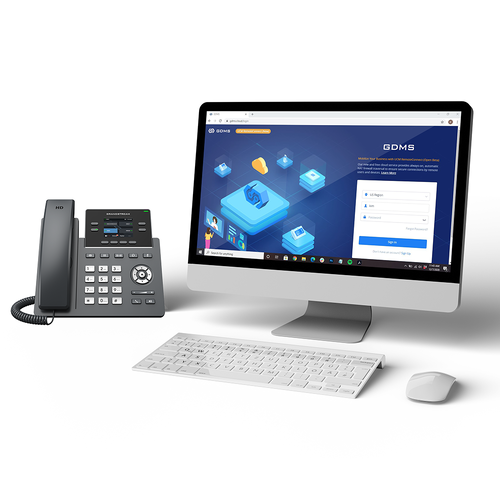
Manufacturer reference: Grandstream GRP2612(P/W/G) product page and current Grandstream datasheet. Use manufacturer data as the primary technical source when other online listings disagree.
Frequently asked questions
How many SIP accounts does the current Grandstream GRP2612 support?
Grandstream’s current product page and current datasheet state that the GRP2612 family supports up to 4 SIP accounts with 4 multi-purpose line keys. Some older reseller pages still show 2 SIP accounts because earlier hardware/document revisions differed, so buyers comparing old listings should use the current Grandstream documentation and confirm the hardware revision when necessary.
Does the standard GRP2612 support Power over Ethernet?
No. The standard GRP2612 uses dual 10/100 Mbps Ethernet ports and is normally powered by its power adapter. If PoE is required, select the GRP2612P, GRP2612W, or GRP2612G variant and confirm the exact model on the quotation.
What is the difference between GRP2612, GRP2612P, GRP2612W, and GRP2612G?
The standard GRP2612 provides dual 10/100 Mbps Ethernet without integrated PoE. GRP2612P adds PoE while keeping 10/100 Mbps Ethernet. GRP2612W adds PoE and built-in dual-band Wi-Fi. GRP2612G provides integrated PoE and dual Gigabit Ethernet. The W model’s Wi-Fi generation can depend on hardware revision, so confirm the revision if Wi-Fi 6 is an important requirement.
Is the GRP2612 suitable for a receptionist?
It can be suitable for reception or administrative roles that need four SIP accounts, BLF visibility, transfer, hold, call pickup and speed-dial functions. For very busy reception desks that need a much larger number of always-visible programmable keys, a higher GRP model may provide a better workflow.
Can the GRP2612 be centrally managed?
Yes. Grandstream supports the GRP2612 family with GDMS, its centralized device management platform for provisioning, configuration, firmware management, monitoring and troubleshooting. This is particularly useful for multi-phone and multi-site deployments.
Does the GRP2612 have a color screen?
Yes. The GRP2612 family uses a 2.4-inch 320 x 240 TFT color LCD. The color display helps with line status, menus, directories and programmable-key information while keeping the phone compact.
Does the GRP2612 support HD audio and Opus?
Yes. Grandstream lists HD audio and wideband codec support including G.722 and Opus. Actual end-to-end voice quality still depends on the PBX, SIP service, network design, codec negotiation and the far-end device.
Can I use the GRP2612 with a headset?
The phone includes an RJ9 headset port, and Grandstream documents electronic hook switch support for compatible headset environments. Headset brand, cable or EHS accessory compatibility should be confirmed before procurement.
Can Fourteck help plan a GRP2612 Dubai deployment?
Fourteck can be asked to review the user roles, PBX platform, SIP accounts, PoE switching, VLAN/QoS design, headset needs and required GRP2612 variant before quotation. This helps avoid choosing the standard, P, W or G version only by price when the network requirement points to a different model.
Is the GRP2612 appropriate for multi-site offices?
Yes, especially when the objective is to standardize a manageable SIP desk phone across branches. Multi-site success depends on PBX architecture, WAN quality, security policy, provisioning design and consistent network settings, not only the phone model itself.
Does the GRP2612W always have Wi-Fi 6?
Not necessarily. Grandstream’s current product page notes Wi-Fi 6 support on GRP2612W hardware version 5.0 and above, while older official material lists 802.11ac. Confirm the hardware revision when Wi-Fi 6 is a mandatory project requirement.
Should I choose GRP2612G just because it has Gigabit Ethernet?
Choose GRP2612G when the desk design benefits from Gigabit pass-through, especially where the user’s computer shares the phone’s network connection. If the workstation has a separate data outlet or 100 Mbps pass-through is sufficient, another variant may be adequate. The correct choice depends on the LAN design.
Plan the GRP2612 deployment around the network and the user role
The GRP2612 is a strong business endpoint when its four SIP accounts, color screen, 16 VPKs and GDMS management match the user’s workflow. The key is selecting the correct network variant and validating the PBX, PoE, VLAN, headset and pass-through requirements before purchase. For a GRP2612 Dubai or wider UAE project, send Fourteck the user count, PBX platform, switch/PoE details, Wi-Fi requirement and role mix so the quotation can distinguish GRP2612, GRP2612P, GRP2612W and GRP2612G correctly.
Reviews
There are no reviews yet.