Grandstream GHP630W Dubai – Wi‑Fi 6 Hotel IP Phone for Modern Guest Rooms
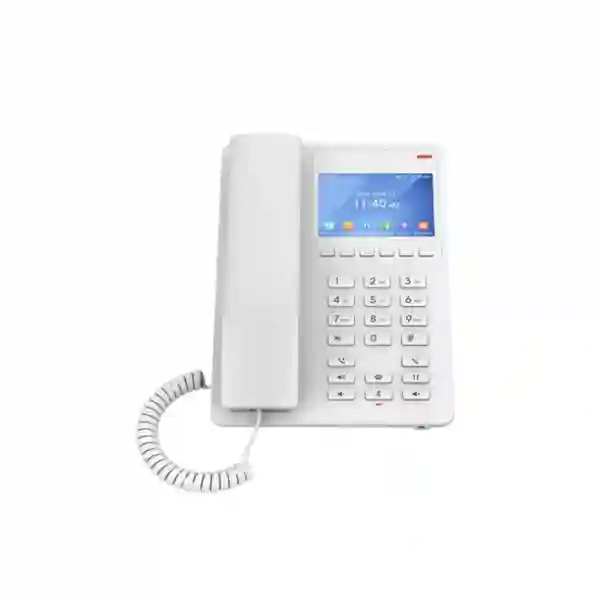
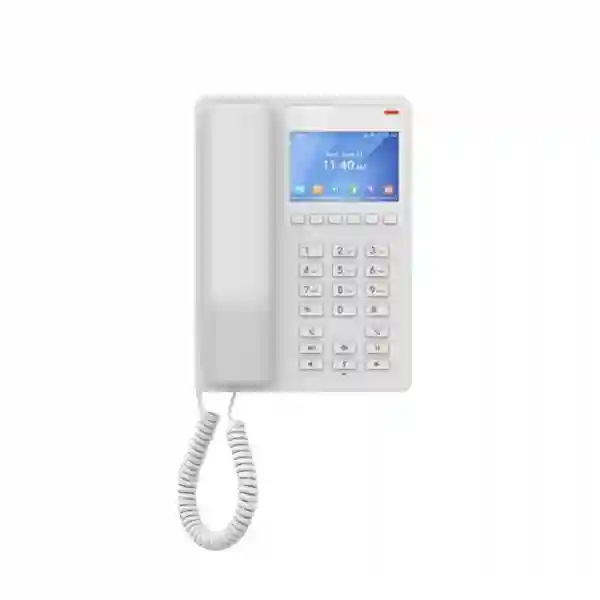
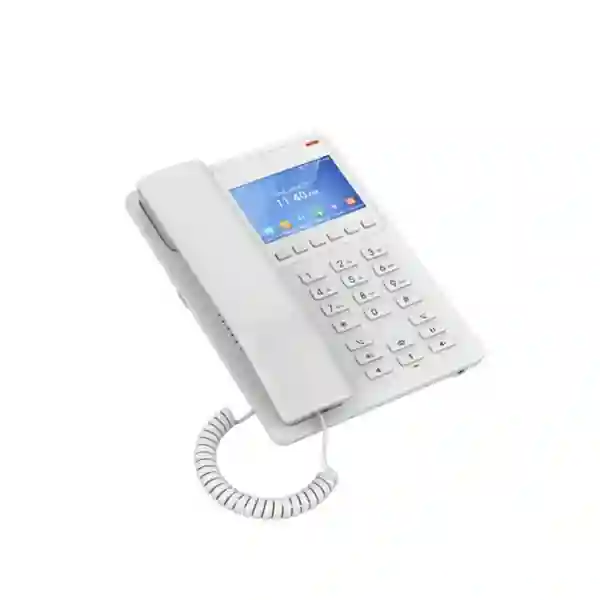
The Grandstream GHP630W is a compact SIP hotel phone built for guest rooms and other spaces where simple calling, programmable service access, centralized administration, and flexible network placement matter more than a conventional office-phone layout. It combines a 3.5-inch high-resolution color display, two SIP accounts and two lines, ten speed-dial positions, six context-sensitive soft keys, wideband and full-band voice support, three-way audio conferencing, and Grandstream Device Management System (GDMS) provisioning. The “W” version adds integrated dual-band 2.4 GHz and 5 GHz 802.11 a/b/g/n/ac/ax Wi‑Fi 6, making it especially useful for properties that want to avoid adding a dedicated Ethernet drop at every phone position.
For buyers evaluating Grandstream GHP630W Dubai deployments, the most important design point is power planning. Grandstream’s current GHP63X/W documentation distinguishes the Wi‑Fi models from the non-W models: GHP630W/GHP631W use the supplied 12V power adapter or USB Type-C power, while PoE is identified for GHP630/GHP631. That makes the GHP630W attractive when wireless data connectivity is desired, but it also means the room design must still provide suitable local power.
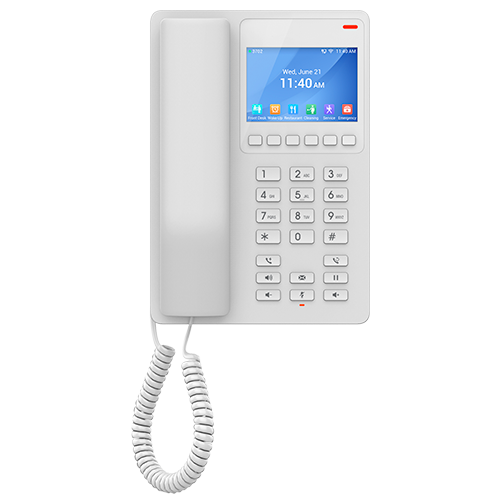
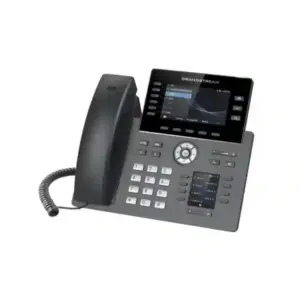
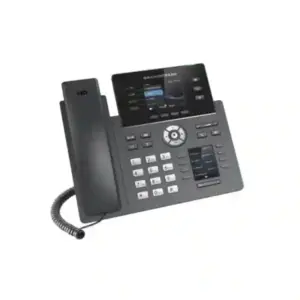
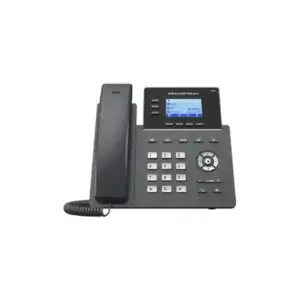
GHP63x family industrial design shown for reference. Confirm regional package and color before ordering.
Direct answer: who is the GHP630W designed for?
The GHP630W is best suited to hotels, serviced apartments, healthcare rooms, dormitories, residences, retail or reception-adjacent spaces where the endpoint needs to remain compact and easy to use while still being centrally manageable. Its Wi‑Fi 6 radio is the main reason to choose this version over a wired-only GHP630. In a renovation, retrofit, heritage property, furnished apartment, temporary facility, or room layout where pulling a new data cable is difficult, Wi‑Fi can reduce the networking work required at the phone position.
It is not intended to replace a feature-heavy executive desk phone with many line appearances, expansion modules, or a large touch display. Its value comes from the opposite approach: a controlled, repeatable room-phone experience with programmable service keys, SIP telephony, manageable security, wall or desktop mounting, and remote administration through GDMS.
Why Wi‑Fi 6 changes the deployment conversation
The GHP630W uses integrated dual-band Wi‑Fi 6 rather than depending only on a wired Ethernet connection. In practical hospitality design, that changes where the phone can be positioned and which rooms can be equipped without additional structured-cabling work. A room phone can be placed near a bedside table, writing desk, wall panel, entrance console, nurse area, or reception surface as long as the selected location has reliable wireless coverage and suitable local power. This can be particularly useful when interior finishes are already complete and opening walls or adding new data outlets would be disruptive.
Wi‑Fi does not remove the need for proper network engineering. Voice quality still depends on coverage, capacity, roaming design, interference control, channel planning, QoS strategy, and stable upstream connectivity. A hotel may have excellent guest Wi‑Fi in public areas but weak signal behind certain room walls, inside service corridors, or near reinforced structures. For that reason, the correct approach is to treat GHP630W deployment as an endpoint component of the wider wireless design rather than as a shortcut around network planning.
For a new-build property where every room already has a managed PoE data outlet at the desired phone position, the non-W GHP630 can be simpler because Grandstream specifies PoE for the wired variant. For a retrofit where the property wants wireless data connectivity, the GHP630W can be more flexible because it supports 2.4 GHz and 5 GHz bands and current 802.11ax operation while still providing a 10/100 Mbps Ethernet interface for scenarios where a wired link is preferred. The correct model therefore depends on the infrastructure already present in the room, the power source available, and the operating team’s preferred management model.
Guest-room usability: simple controls without looking basic
Hospitality endpoints need to be immediately understandable. Guests should not need training to call reception, reach a service department, adjust volume, redial, place a call on hold, access voicemail where configured, or use the speaker. The GHP630W uses a familiar numeric keypad alongside context-sensitive soft keys and dedicated function keys. The color LCD improves visibility for status information, menus, clock display, and administrator-configured functions without turning the phone into a general-purpose touchscreen device.
The ten speed-dial positions are especially relevant in hotel and residential environments. Administrators can map frequently requested destinations such as front desk, concierge, room service, housekeeping, security, transport desk, maintenance, reservations, emergency assistance, or another internal extension. The actual assignments should follow the property’s service model and PBX dial plan. This allows the phone to present a guest-oriented experience even though the underlying telephony remains SIP based.
The phone’s magnetic hook switch and the option for wall or desktop installation help fit different room designs. In a conventional hotel room, desktop placement near the bed or work surface may be appropriate. In a hospital room, corridor phone point, dormitory, staff accommodation, or compact apartment, wall mounting can reduce clutter and keep the handset in a predictable location. The GHP630W is white according to Grandstream’s current product documentation, while the closely related GHP631W is the black variant, allowing a project team to choose the appearance that better matches the room concept.
Service-key planning: turn the phone into part of the guest journey
A hotel phone is most useful when its keys reflect the services guests actually need. Rather than programming every room identically by habit, the property should start with a service map. A business hotel might prioritize reception, concierge, room service, housekeeping, transport, meeting support, and emergency contact. A serviced-apartment operator might prioritize reception, maintenance, security, cleaning, billing, and community facilities. A healthcare environment might use nursing station, reception, patient support, facilities, transport, security, and approved external destinations. The GHP630W’s programmable and speed-dial capabilities can support these patterns when they are mapped consistently to the PBX.
The most effective configuration is usually the simplest. A key labeled “Reception” should always reach the intended destination; the PBX should handle hunt groups, failover destinations, time conditions, or overflow logic behind the scenes. This separates the guest-facing experience from the infrastructure logic. If reception coverage changes after hours, administrators can adjust the PBX route without redesigning the physical room phone layout. Similarly, a chain with multiple properties can standardize a common key plan while still routing each site locally.
Where printed key labeling is used, terminology should be clear and regionally appropriate. Avoid abbreviations that make sense only to internal staff. Emergency-related keys require particular care because emergency-number handling, location identification, and regulatory obligations vary by jurisdiction and PBX architecture. Fourteck can help map the phone configuration to the customer’s required call flows, but the final emergency-service behavior should always be validated against the installed PBX, SIP service, property network, and local operational requirements.
Voice quality, codecs, and resilience for real hotel networks
The GHP630W supports a broad set of voice codecs including G.711, G.722 wideband audio, G.729A/B, G.726, G.723, iLBC, and full-band Opus. This gives PBX administrators options for balancing audio quality, bandwidth, and interoperability. Opus is particularly valuable on IP networks because it is designed to adapt well across varying conditions. Grandstream also documents an advanced jitter-resilience algorithm for the GHP63X/W family and states tolerance of up to 30% packet loss without impacting voice quality under the vendor’s described conditions.
That specification should not be interpreted as permission to run voice over a poorly designed network. High packet loss, unstable latency, congested uplinks, weak Wi‑Fi, or excessive retries can still reduce the user experience and create operational problems. A sound deployment separates what the endpoint can tolerate from what the network should normally deliver. Stable coverage, clean RF design, correct VLAN and QoS decisions, and appropriate WAN/SIP capacity remain important.
The GHP630W also supports standard SIP and real-time transport functions used in VoIP environments, along with SRTP and TLS capabilities for secured signaling and media where the PBX and deployment policy support them. For hospitality projects, this means the phone can participate in a more structured voice network rather than operating as an isolated room appliance. The final codec order, transport method, dial plan, NAT behavior, security settings, and QoS policy should be aligned with the chosen PBX or hosted SIP platform.
Power planning: an important GHP630W buying check
One of the most important differences to confirm before ordering is how the GHP630W is powered. Grandstream’s current GHP63X/W administration documentation specifies the 12V power adapter for GHP630W/GHP631W and identifies PoE use for GHP630/GHP631. The same documentation also describes USB Type-C power capability for the family. Therefore, a project should not assume that choosing the Wi‑Fi version also provides PoE power from a room switch port. For the GHP630W, plan a suitable local power source at the intended installation point.
This distinction matters in both new builds and retrofits. If a hotel has one Ethernet cable and a PoE switch available behind every bedside panel, the wired GHP630 may offer the cleaner architecture because one cable can provide network and power. If the project has electrical power near the phone but no convenient Ethernet drop, the GHP630W can use Wi‑Fi for connectivity and the supplied power adapter for operation. In serviced apartments where furniture may move, the Wi‑Fi model can also reduce dependence on the exact position of a network socket.
The USB Type-C port can charge external devices, with Grandstream documenting a 500 mA maximum for that charging function. This can be a useful guest amenity for smaller devices, but it should not be marketed as a high-power fast-charging station. The property should decide whether the port is exposed for guest use and should set expectations appropriately. When the phone itself is powered through USB Type-C, use a compatible, properly rated power source and follow the vendor’s installation guidance.
Centralized provisioning and GDMS management
Managing one room phone manually is easy; managing dozens or hundreds individually is not. The GHP630W is supported by Grandstream Device Management System (GDMS), which provides centralized provisioning and management for supported Grandstream endpoints. This is one of the strongest reasons to treat the GHP630W as part of an engineered deployment rather than as a collection of standalone handsets.
With an appropriate deployment process, administrators can standardize SIP settings, firmware policy, programmable keys, time zone, language behavior, security options, and other configuration items across groups of phones. For a multi-floor hotel, it is useful to group endpoints by building, floor, room range, property, or operational role. A chain can apply a baseline template, then add site-specific differences where required. This reduces configuration drift and makes it easier to replace a phone without recreating settings manually from memory.
GDMS also supports monitoring and troubleshooting functions that can help an IT team identify device status, firmware versions, configuration differences, or provisioning issues. The value increases as the number of endpoints grows. Before a large rollout, the project team should define who owns GDMS administration, how administrator credentials are protected, which staff are permitted to change templates, how changes are tested before wide deployment, and what rollback process will be followed if a new configuration affects calling.
For organizations that already have a provisioning platform or PBX-specific provisioning workflow, the project should decide which system is authoritative. Avoid creating competing configuration sources that overwrite each other. The goal is a predictable lifecycle from staging to installation, operation, troubleshooting, firmware updates, room refurbishment, and eventual replacement.
Security features that matter in a guest-access environment
Hotel and residential room phones are physically accessible to end users, so endpoint security should be considered during design. Grandstream documents secure boot, random default passwords, a unique security certificate per device, administrator-level passwords, AES-encrypted configuration support, SRTP, TLS, and 802.1X capabilities for the GHP63X/W family. The administration interface also supports controls around web access, certificate validation, keypad configuration, SSH access, password management, and TLS behavior.
The correct security configuration depends on the network and PBX. A practical baseline often includes changing and securely storing administrative credentials, using encrypted provisioning where supported, restricting management access to trusted networks, disabling services that are not required, validating server certificates where operationally appropriate, keeping firmware current after testing, and placing voice endpoints on a network segment designed for managed devices. For Wi‑Fi deployments, the property should also use an enterprise-appropriate wireless security design rather than placing room phones on an unrestricted guest SSID.
Physical accessibility creates additional considerations. Guests should not be able to alter network or SIP settings, factory-reset endpoints without authorization, or access administrative functions that could disrupt service. The phone supports keypad control options that can help limit configuration access. A deployment checklist should verify these restrictions on a sample room phone before mass rollout. Security hardening should be documented so that replacement devices receive the same policy consistently.
Security is not a one-time setup step. Changes to the PBX, certificates, Wi‑Fi authentication, firmware, VLAN design, or management platform can affect endpoint operation months after installation. For larger estates, maintaining an inventory of model, MAC address, room location, firmware version, configuration group, and lifecycle status can significantly simplify future support.
PBX integration and SIP planning
The GHP630W is a standards-based SIP endpoint supporting SIP RFC3261 and common IP-telephony transport and media functions. In a typical deployment, it registers to an on-premises IP PBX, hosted PBX, service-provider platform, or another compatible SIP system. Compatibility should always be confirmed against the specific platform, firmware, authentication model, required features, and provisioning method rather than assumed only because both products use SIP.
For hotel use, the PBX design is often more important than the number of endpoint features. The phone may have only two SIP accounts and two lines, but the PBX can provide ring groups, front-desk routing, hunt groups, time conditions, voicemail, call permissions, wake-up workflows through a hospitality application, room-status integration, call accounting, trunk selection, or property-management-system integration when the wider solution supports those capabilities. The endpoint should therefore be selected together with the PBX architecture, not in isolation.
Before rollout, define the extension numbering pattern, outbound dialing permissions, emergency-call rules, internal service destinations, DTMF method, codec order, transport security, VLAN behavior, DHCP options, NTP source, DNS, firmware source, and whether the second SIP account is required. A controlled pilot with a few rooms can identify issues early and give operations staff a chance to test the user experience before the rest of the property is converted.
Where the Grandstream GHP630W fits best
Hotels and resorts
Use the phone as a repeatable guest-room communication point with direct access to reception, concierge, housekeeping, room service, security, transport, or other services. Wi‑Fi 6 can help retrofit rooms where adding a new data outlet is undesirable.
Serviced apartments
Provide residents with a managed property phone for reception, maintenance, security, billing or facility services. Wireless connectivity can suit flexible furniture layouts and properties where structured cabling is limited.
Healthcare rooms
Deploy a simple room endpoint for approved communication workflows, with wall or desktop placement and centrally managed configuration. Requirements for clinical calling, emergency systems, infection control, and regulatory use should be assessed separately.
Dormitories and staff accommodation
Give residents a controlled SIP phone for reception, security and facility services without installing a large office desk phone. Central templates can help standardize hundreds of rooms.
Retail and service counters
Use a compact endpoint where staff need a small, centrally managed SIP phone for internal calls, support, security, stockroom or facility communication.
Temporary or renovated spaces
Wi‑Fi connectivity can simplify short-term or retrofit deployment when pulling a new network cable is disruptive, provided reliable local power and wireless coverage are available.
Grandstream GHP630W Dubai and UAE deployment considerations
Dubai hospitality projects range from compact city hotels and hotel apartments to large resorts, residences, clinics, education campuses, and mixed-use developments. The GHP630W is particularly relevant where operators want a dedicated SIP handset in the room but do not want the placement of that handset dictated by a single Ethernet outlet. In a refurbishment, this can reduce the need to disturb finished walls, bedside panels, joinery, marble, or decorative surfaces solely to add a data point.
Wireless voice endpoints should be included in the Wi‑Fi survey and capacity plan. Dubai properties often have dense access-point deployments because guest devices, IPTV, building systems, staff mobility, point-of-sale equipment, and IoT services may share the broader RF environment. The phone should be mapped to an appropriate managed SSID and network policy, not simply connected to the open or captive-portal guest network. Captive portals are generally unsuitable for managed SIP endpoints because they are designed around interactive guest authentication rather than unattended infrastructure devices.
For Abu Dhabi, Sharjah, Ajman, Deira, Bur Dubai, JLT, and other UAE locations, the same engineering principle applies: choose the endpoint only after checking room power, RF coverage, PBX compatibility, dial plan, provisioning strategy, mounting method, and operational ownership. A site with excellent Wi‑Fi but no convenient power outlet may still be better served by a wired PoE model. A site with accessible power but no data cable may favor the GHP630W.
Fourteck can assist with requirement mapping, model comparison, PBX planning, endpoint configuration, and deployment design. Product availability, lead time, regional package contents, firmware, and commercial pricing should be confirmed at quotation stage rather than assumed from overseas listings or historical web pages.
GCC and Africa procurement: standardize the model, localize the deployment
Organizations operating across the UAE, Kuwait, Kenya, Uganda, Tanzania, Ghana, Nigeria, and other markets may want one hotel-phone standard across multiple sites. The GHP630W can support that goal because the physical endpoint, SIP architecture, and GDMS management model can be standardized while individual sites retain their own PBX routes, time zones, languages, service numbers, Wi‑Fi credentials, and room labels.
Standardization does not mean every property should use identical settings. A resort may need concierge and room-service keys; a hospital may require a completely different service map; a serviced-apartment operator may prioritize security and maintenance. The benefit of a common model is that IT teams can maintain a shared provisioning baseline, spare-device strategy, training guide, and support process while applying site-specific templates where required.
For cross-border procurement, confirm regulatory approvals, power adapter version, warranty route, logistics, currency, tax treatment, lead time, and support responsibility for each destination. Do not assume that a listing from one country automatically reflects the correct regional package for another. Fourteck’s regional network can help scope suitable communication and infrastructure requirements through Fourteck UAE, Fourteck Uganda, Fourteck Kenya, Fourteck Tanzania, and the wider Fourteck Africa network.
GHP630W vs GHP630 vs GHP631W vs GHP620W
| Model | Wi‑Fi | Display | Power planning | Best-fit reason |
|---|---|---|---|---|
| GHP630W | Dual-band Wi‑Fi 6 | 3.5″ 480×320 color LCD | 12V adapter / USB‑C power per current vendor documentation | Wireless hotel-phone deployment with color display in white finish |
| GHP630 | No integrated Wi‑Fi | 3.5″ 480×320 color LCD | PoE supported on the non-W model | Wired rooms where one PoE Ethernet link is preferred |
| GHP631W | Dual-band Wi‑Fi 6 | 3.5″ 480×320 color LCD | 12V adapter / USB‑C power per current vendor documentation | Similar wireless feature set where black finish is preferred |
| GHP620W | Wireless GHP62x variant; hardware generation should be confirmed | Different GHP platform | Confirm current hardware revision and power requirements | Alternative when the GHP620 family format and requirements better match the project |
The decision should not be made only on model numbering. GHP630W is a strong choice when Wi‑Fi 6 and the color-display GHP63x form factor are required. GHP630 is better when the customer wants the same general design with a wired PoE approach. GHP631W provides a closely related wireless option in black. For GHP62x-family comparisons, verify the exact hardware revision and current vendor documentation because Grandstream has updated capabilities across hardware generations.
Technical specification summary for buyers and integrators
| Product family | Grandstream GHP63X/W compact hotel phone family |
|---|---|
| Model | GHP630W |
| Display | 3.5-inch high-resolution 480×320 color LCD |
| SIP | 2 SIP accounts, 2 lines |
| Wi‑Fi | Integrated dual-band 2.4 GHz and 5 GHz 802.11 a/b/g/n/ac/ax Wi‑Fi 6 |
| Ethernet | One auto-negotiating 10/100 Mbps network interface |
| Keys | 6 context-sensitive soft keys, numeric keypad with speed-dial configuration, and dedicated function/volume controls |
| Conferencing | 3-way audio conferencing |
| Audio | HD handset, wideband G.722 and full-band Opus among supported codecs |
| Management | GDMS-supported centralized provisioning and management; additional standard provisioning methods are documented by Grandstream |
| Security | Secure boot, random default password, per-device certificate, TLS, SRTP, encrypted configuration support and other administrative controls |
| Mounting | Desktop or wall mount |
| USB | USB Type-C port for external-device charging; vendor documentation lists 500 mA maximum |
| Power for W model | Universal 12V/0.5A adapter supplied for GHP630W/GHP631W; USB Type-C power is also documented. Verify project power method before deployment. |
| Color | White |
| Operating environment | 0°C to 40°C operating temperature; 10% to 90% non-condensing humidity |
When should you choose the GHP630W—and when should you choose something else?
Choose GHP630W when you want a compact room phone with Wi‑Fi 6, a color display, SIP telephony, programmable service access, GDMS management, and flexible desktop or wall placement. It makes particular sense when a room has suitable local power but lacks a convenient Ethernet outlet, or when moving the phone position should not require recabling.
Choose GHP630 instead when the room already has a managed Ethernet cable and PoE switch port at the desired phone location and you prefer a single-cable network-and-power architecture. The wired model can remove the need for a local power adapter and avoids dependence on room-level RF conditions.
Choose a GRP or higher-end desk-phone family when the user is a receptionist, contact-centre agent, executive, manager, or office employee who needs more line keys, a richer business-phone interface, headset-focused operation, expansion options, or heavier daily call handling. A hotel-room endpoint and a knowledge-worker desk phone solve different problems.
Choose a cordless or mobility solution when the person needs to move around rather than have a fixed room handset. Wi‑Fi on the GHP630W provides network connectivity to a fixed endpoint; it does not turn the device into a cordless handset.
Deployment checklist for a successful hotel-phone project
- Confirm the room use case. Define whether the endpoint is for guest calls, resident services, patient-room communication, staff accommodation, retail operations, or another function. The service-key layout should follow this purpose.
- Survey Wi‑Fi coverage. Validate both 2.4 GHz and 5 GHz coverage at the actual phone location, not only in the corridor or doorway. Check signal quality under real room conditions.
- Confirm local power. Plan the 12V adapter or an appropriate USB Type-C power method for GHP630W. Do not assume PoE based on specifications for the non-W GHP630.
- Validate PBX compatibility. Confirm registration, authentication, codec, DTMF, transfer, conferencing, voicemail, dial plan, and any hospitality-specific integration required by the project.
- Design VLAN and QoS policy. Decide how voice endpoints will be segmented and prioritized. For Wi‑Fi models, map the phone to a managed SSID suitable for infrastructure devices.
- Build the key map. Define reception, housekeeping, concierge, room service, security, maintenance, transport, emergency assistance, or other destinations appropriate to the property.
- Harden administration. Apply credential policy, management restrictions, certificate behavior, keypad access rules, and firmware strategy before installing the full estate.
- Create the GDMS structure. Group phones by property, floor, room block or function and define a baseline configuration template plus approved site-level overrides.
- Pilot representative rooms. Test rooms with different layouts, access-point distances, wall materials, and usage patterns. Include at least one difficult RF location.
- Document every endpoint. Record model, MAC address, room location, extension, configuration group, firmware baseline, and installation date for support.
- Prepare replacement workflow. Spare units should be capable of receiving the approved template quickly so that a failed room phone can be replaced without lengthy manual configuration.
- Train front desk and IT support. Staff should know which issues are endpoint-related, which belong to the PBX, and which indicate a Wi‑Fi or network problem.
Procurement and quotation guidance
A useful quotation request should include more than the model name. State the required quantity, destination, installation environment, preferred color, room count, PBX platform, Wi‑Fi infrastructure, mounting preference, whether configuration is required, and whether the project needs staging, provisioning, installation, testing, or ongoing support. This allows the supplier or integrator to identify missing infrastructure and avoid comparing only unit prices.
Pricing and availability can vary by region, quantity, distributor channel, shipping method, tax, exchange rate, package version, and timing. Fourteck does not need to invent a web price to help a buyer make a good decision. A project-specific quote is more useful because it can separate endpoint cost from installation, PBX configuration, network changes, accessories, onsite services, and support.
For a mixed estate, include the number of wired and wireless rooms. Some customers discover that only a portion of rooms actually need the Wi‑Fi model. Using GHP630 in PoE-ready rooms and GHP630W where wireless flexibility is required can produce a cleaner infrastructure design than forcing one connection method across every space.
Frequently asked questions about Grandstream GHP630W
What is the Grandstream GHP630W?
The GHP630W is a compact SIP hotel phone with a 3.5-inch color LCD, two SIP accounts and two lines, integrated dual-band Wi‑Fi 6, programmable service keys, speed-dial capability, HD handset audio, three-way audio conferencing, USB Type-C charging, and centralized GDMS management. It is designed for hotels and similar environments such as apartments, dormitories and healthcare rooms.
What is the difference between GHP630W and GHP630?
The main difference is connectivity and power design. GHP630W includes integrated dual-band Wi‑Fi 6. GHP630 is the non-W wired model. Grandstream’s current documentation identifies PoE for GHP630/GHP631, while the W variants use a supplied 12V power adapter or USB Type-C power. Both belong to the same GHP63x family and share the color-display room-phone concept.
Does Grandstream GHP630W support PoE?
Current Grandstream GHP63X/W documentation explicitly lists PoE for the non-W GHP630/GHP631 and specifies a 12V power adapter for GHP630W/GHP631W, with USB Type-C power also documented. Buyers should therefore plan local power for GHP630W and should not assume PoE support from generic family-level listings.
Does the GHP630W support Wi‑Fi 6?
Yes. Grandstream specifies integrated dual-band 2.4 GHz and 5 GHz 802.11 a/b/g/n/ac/ax connectivity for GHP630W and GHP631W. This allows the phone to connect to an appropriately configured wireless network without requiring an Ethernet connection for data.
How many SIP accounts and lines does the GHP630W support?
The phone supports two SIP accounts and two lines. This is appropriate for a room-phone endpoint where the call workflow is controlled mainly through the PBX and programmable service destinations rather than a large number of line appearances.
Can GHP630W be managed with GDMS?
Yes. The GHP series is supported by Grandstream Device Management System. GDMS can be used for centralized provisioning, configuration, monitoring, firmware management and troubleshooting workflows, which is valuable when a property deploys many endpoints.
Can the GHP630W be wall mounted?
Yes. Grandstream documents both desktop and wall mounting for the GHP63X/W family. The preferred method should be selected during room design based on furniture, accessibility, handset reach, cable routing, cleaning needs and the position of the local power source.
Will the GHP630W work with any SIP PBX?
The GHP630W is a standards-based SIP endpoint, but “SIP compatible” does not guarantee every advanced function on every PBX. Confirm registration, codec, DTMF, transfer, conferencing, voicemail, provisioning, TLS/SRTP, dial plan and any hospitality integration with the exact PBX or hosted platform before a large deployment.
Is the GHP630W suitable for Dubai hotels and serviced apartments?
Yes, particularly when a property wants a centrally managed room phone and prefers wireless data connectivity because adding or relocating Ethernet points is difficult. The room still needs suitable local power, and the Wi‑Fi network should be engineered for managed voice endpoints rather than relying on a guest captive-portal network.
What is the difference between GHP630W and GHP631W?
They are closely related Wi‑Fi 6 models in the same family. Grandstream’s current documentation identifies GHP630W in white and GHP631W in black. For a project, confirm the exact regional model, package contents and availability at quotation stage.
Plan your Grandstream GHP630W deployment with Fourteck
For a Grandstream GHP630W Dubai requirement, Fourteck can help evaluate whether the Wi‑Fi model is the right fit, compare it with GHP630 or other Grandstream endpoints, map the room-phone keys to customer services, plan PBX registration, prepare network and security requirements, and structure a controlled rollout. The objective is not simply to supply a handset; it is to make sure the endpoint, wireless network, local power, SIP platform and operational workflow fit together.
Share the number of rooms, property type, existing PBX, Wi‑Fi environment, preferred mounting style and project location to receive a more useful recommendation and quotation.
Technical verification references: Grandstream GHP630(W)/GHP631(W) product information and current GHP63X/W administration documentation. Specifications, firmware behavior, regional packaging and compatibility can change; confirm final requirements before procurement.

Reviews
There are no reviews yet.