Business telephony deployment · Dubai, UAE
Grandstream IP Phone Installation in Dubai
A Grandstream phone installation succeeds when each handset is matched to the right user, connected to a prepared network, registered to the correct PBX or SIP service, and tested against the calls people actually make. Fourteck can help Dubai businesses plan a Grandstream IP phone deployment, review model and compatibility requirements, and discuss installation and configuration scope before a quotation. Start with your extension count, existing phone system, network details and desired go-live date.
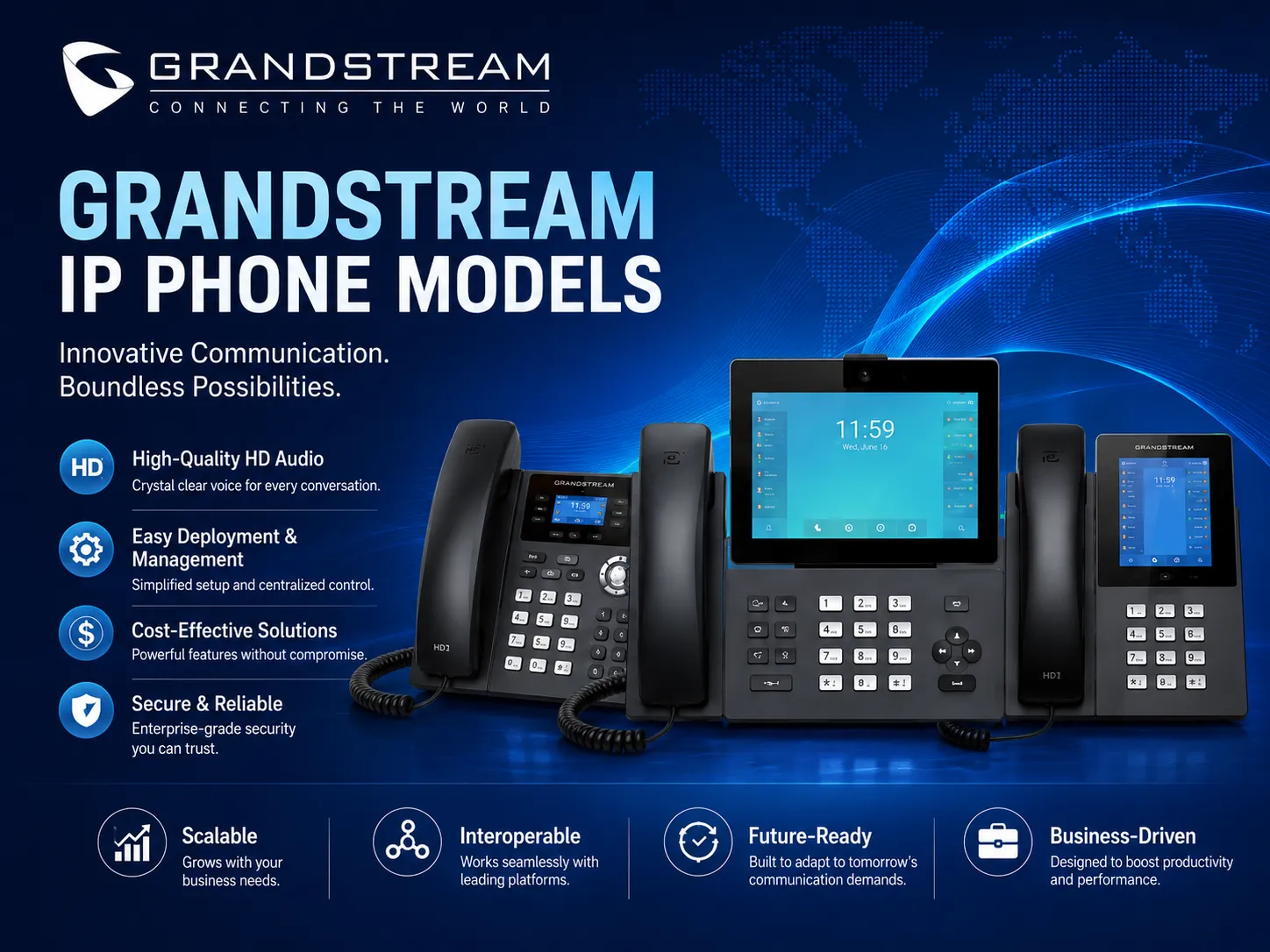
What a well-planned installation should deliver
A desk phone is one endpoint in a voice service. It depends on a working Ethernet or wireless connection, correct power, a PBX or hosted telephony account, an extension and dial plan, and suitable network rules. If any of these are missing, the phone may power on but fail to register, make one-way audio, show the wrong caller identity, or behave differently from what staff expect. A deployment plan ties these pieces together before equipment is placed at desks.
For a Dubai office, the practical goal is to hand users a phone that can place and receive the calls assigned to them, reach colleagues using the intended extension plan, transfer or hold calls where those features are required, and use the agreed headset or speakerphone setup. The IT owner should also know which PBX or service administers each extension, which network switch powers the set, how settings are backed up or reprovisioned, and who owns future changes. This makes an installation easier to troubleshoot and repeat when a new desk or branch is added.
Fourteck’s page is intended for organizations comparing Grandstream IP phone installation in Dubai, Grandstream phone configuration, office SIP phone setup, and PBX integration. The first step is a requirement review. A quote can then distinguish device supply, desk deployment, configuration, PBX changes, cabling or switch work, user guidance and post-installation support. Confirm which items are included before scheduling work; these are separate workstreams in some projects.
Who should consider Grandstream phone installation?
New offices
Plan the desk count, extensions, switch ports, voice network and PBX before teams move in. A short pilot can uncover account, cabling and dial-plan gaps before all phones are deployed.
PBX refreshes
Replace ageing endpoints in stages when the existing PBX remains in service. Confirm supported SIP behavior, extension credentials, transfer keys, caller ID and the change window before disconnecting legacy sets.
Growing teams
Add phones for new staff, a reception desk, a customer-service group or a branch. Make sure the PBX has capacity and the LAN has sufficient ports and PoE budget for the additional devices.
Multi-site companies
Standardize extension naming, phone profiles, firmware approval and support ownership across offices. Centralized provisioning may help, depending on phone model, PBX, GDMS setup and network design.
Installation and configuration scope
A customer may use the phrase “phone installation” for several different tasks. Separating them avoids scope gaps. Endpoint installation covers physical placement, handset and stand assembly, Ethernet or approved Wi-Fi connection, power, labels and desk-side checks. Phone configuration covers local settings, account registration, time, language, feature keys, audio options and any model-specific settings agreed in advance. PBX work covers extension creation, user permissions, inbound and outbound call routing, ring groups, voicemail and other call-control settings. Network work may involve switch ports, VLANs, DHCP, QoS, firewall policy, wireless coverage, patching or structured cabling.
Not every project needs every layer. A company that already has a working PBX and managed network may only need the new phones mapped to existing extensions. A new office may need a broader design review, number and extension planning, a switch readiness check, user profiles, staged provisioning and a formal test plan. A migration may also need a fallback approach so existing users retain service if a change must be rolled back. Agree the exact responsibility for each layer, including who supplies PBX credentials, SIP settings, VLAN information and access to telecom-provider equipment.
When requesting a quote, ask for a scope that names the quantity and model of each phone, the number of user profiles or extension groups, configuration assumptions, site access requirements, test cases, handover documents and exclusions. If headsets, expansion modules, power adapters, patch cords, UPS units or new switch ports are needed, list them explicitly. Confirm whether work is on-site, remote or mixed, and whether a survey is needed. Installation date, delivery, travel, after-hours access and support terms should be agreed directly with Fourteck for the specific Dubai project.
Typical work packages to discuss
- Requirements and model review: identify user roles, phone quantities, desk layouts, line needs, keys, displays, headset use, wired or wireless access and future additions.
- Compatibility and readiness: verify the PBX or service, account method, network path, PoE availability, DHCP behavior, voice VLAN and any firewall or remote-site requirements.
- Configuration and staging: prepare a small number of phones, apply an approved baseline, register test extensions, label devices and confirm that settings can be repeated safely.
- Deployment and commissioning: install the agreed endpoints, test inbound and outbound calls and user features, record exceptions, and hand back the agreed device and extension inventory.
Choose phones by role, not by one-size-fits-all assumptions
A standard office user may need a simple handset, clear audio, a small number of lines and an available Ethernet point. A receptionist may depend on fast access to extensions, call appearance and transfer functions. A sales or support employee may spend many hours on calls and need a tested headset arrangement. A manager may care about screen layout, line handling, Bluetooth or Wi-Fi on a specific variant. A conference room may require a purpose-built conference phone, while a mobile worker in a warehouse or a large site may need cordless coverage rather than another fixed desk set.
Grandstream’s GRP professional phone family is positioned for managed or larger deployments and supports GDMS management on supported models; features still vary across models and hardware revisions. Lower-complexity GRP options may be enough for common desks. More capable desk models can be compared for reception, team leads or other users who need more programmable keys or account capacity. Grandstream video phones, DECT equipment and conference devices serve distinct needs and should not be substituted for a desk phone without checking call flow, network and user requirements.
Use a short device schedule rather than buying identical sets by default: role, proposed phone, extension, PoE or adapter, wired or wireless connection, headset, feature keys and any special test. A mixed bill of materials can reduce overspecification while preserving a consistent platform and support process. For a small number of phones, model simplicity and availability may matter more than centralized tooling. For multiple offices, repeatable configuration, device identification and a controlled change process become more important.
Network readiness: the part customers should check early
Before a phone arrives, confirm there is a live network outlet at the desk and identify which switch port it uses. If a phone will share an Ethernet outlet with a computer through a pass-through port, confirm that the selected model supports the intended network speed and that the computer path will meet the office requirement. Document whether the phone receives an address from DHCP or requires a static address, which DNS and NTP settings it should use, and whether the PBX is local or hosted. A phone that receives an IP address does not necessarily have network reachability to its provisioning server or SIP service.
PoE can simplify desk power where the phone variant supports it and the switch delivers a compatible standard with enough total power budget. Count the phones, access points and other powered devices sharing the switch budget, then allow for the required headroom. A PoE label on a switch alone is not enough: port capabilities, available watts and the phone’s exact model variant matter. If adapters are used, confirm the correct power supply is included or separately quoted, and place outlets so cables do not create trip hazards.
For a voice VLAN, agree how the phone learns the VLAN and whether the connected computer remains on a data VLAN. Network administrators should validate tagging, DHCP scope, routing, DNS, QoS policy and any switch security controls. Quality-of-service markings only help when the end-to-end network trusts and handles them consistently. On Wi-Fi models, verify access-point coverage, authentication, roaming and capacity at the intended phone locations; do not assume a nearby access point guarantees clear conversations in a busy office. A wireless survey or a wired connection may be more appropriate for fixed, call-critical desks.
Firewall rules and NAT behavior depend on the PBX and service provider. Share the supported provisioning and voice requirements with the network owner instead of opening broad inbound access. Keep administrative interfaces protected, change default credentials, limit management access to authorized networks, and plan firmware updates through a controlled process. For hosted PBX or remote sites, verify whether VPN, SBC, a provider-managed edge device or another supported method is required. The deployment design should record who owns these settings after installation.
PBX, SIP and service-provider compatibility
A Grandstream IP phone can register to a compatible SIP platform, but “SIP compatible” does not mean every feature works identically on every PBX. The PBX controls extensions, routing and many call features; the phone provides the endpoint controls and display. The exact combination of model, firmware, provisioning method and PBX determines what can be automated and which keys or directories are available. Verify the behavior you need for the selected platform, whether it is a Grandstream UCM, another on-premises PBX, a hosted service or a provider-managed solution.
Grandstream documents web-based configuration and provisioning-file methods for its SIP devices. Grandstream UCM platforms offer a Zero Config mechanism for supported Grandstream endpoints, while GDMS provides cloud device management for supported devices. These are useful options to evaluate during design, but they do not remove the need to prepare extensions, network access, security settings and a test plan. For a third-party PBX, check whether the desired phone features have a tested template or need manual setup. Feature keys such as busy lamp field (BLF), call pickup, shared line appearance, transfer, directory synchronization, call parking and paging can differ by platform.
Treat the SIP trunk and the phone as related but separate components. The service provider supplies business numbers and call channels or service parameters; the PBX usually manages phone extensions and how calls are routed. Ask the provider and system administrator to confirm the approved trunk handoff, authentication, codecs, number presentation, inbound routing, concurrent-call capacity, emergency call policy and any required edge equipment. In Dubai, voice-service details depend on the customer’s selected provider and plan. The installation team should use provider-approved information, and the business should test its intended call routes before go-live.
Useful reference documents include Grandstream’s SIP Device Provisioning Guide, Zero Config Guide, GRP Series overview and du Business SIP Trunk information. Documentation and service terms can change, so use the current vendor and operator material during project planning.
How configuration and provisioning can be approached
For a few phones, an administrator may configure each device through its web interface or keypad, then verify the account and test calls. This can work when settings are simple and there are only a small number of endpoints, but it requires careful credential handling, model-by-model documentation and a way to repeat changes. Manual configuration should not mean informal setup: record the model, hardware revision if relevant, firmware, extension mapping and settings owner, and make an approved backup where the platform supports it.
For a larger rollout, prepare a tested profile and decide whether provisioning will use a Grandstream UCM, GDMS, a third-party management platform, or a customer-operated provisioning server. Confirm which devices and firmware support the chosen method, how devices securely discover the server, how credentials are protected, how a replacement phone is associated with an extension, and how a future template change is approved. Provisioning can reduce repeated entry and improve consistency, but it also makes access control and change governance more important because one template may affect many phones.
Use a pilot that represents the real user mix. Test one common desk phone, one reception or call-intensive phone if applicable, and any wireless or conference endpoint. Confirm the device gets the intended configuration after reboot, and check what happens if a phone is factory-reset or replaced. If the business needs remote phones, validate the chosen remote-access method rather than exposing phone administration to the public internet. If the company has multiple Dubai sites, test at each distinct network design before treating the configuration as reusable.
A good handover includes the approved configuration approach, responsible administrator, extension and device inventory, provisioning-server or management-platform owner, firmware decision, recovery steps and escalation route. Do not place SIP secrets in an uncontrolled spreadsheet or in an open ticket. Share sensitive values through an agreed secure channel, limit access to staff who need it, and remove temporary credentials when commissioning ends. This information helps the customer keep the system manageable after the installer leaves.
What to send Fourteck for a useful installation quote
A clear enquiry helps the project team identify assumptions early. Include the Dubai location or site area, the number of phones, target date, current PBX or hosted service, number of existing extensions, and whether the project is a new system, a migration or an addition. Mention which users need receptionist keys, headsets, conference calling, video, wireless operation or computer pass-through. If you have a shortlist, give the exact Grandstream model and variant; if not, describe user roles and Fourteck can discuss a model selection.
Attach or summarize network details that are safe to share: switch make and model, available PoE capacity, VLAN policy, wired or Wi-Fi requirement, PBX location and whether the LAN has voice-specific firewall or QoS settings. Do not send passwords in a public enquiry. You can state that a secure handoff will be needed for access credentials. If the PBX or trunk is supplied by a third party, identify the contact who can confirm the approved settings. A floor plan or desk list can also help estimate port, patching and labeling needs.
Ask the quote to state what is included: supply, delivery, onsite installation, remote configuration, PBX programming, trunk coordination, cabling, switch changes, testing, training, documentation and post-installation support. Ask what is excluded and what customer resources are needed on the day. Confirm call testing responsibility, an outage window if replacing existing phones, and how exceptions are handled. Requesting these details does not commit you to a model or a purchase; it creates a practical basis for comparing proposals.
A deployment process built around a safe handover
- Discover the requirement. Confirm users, phone roles, quantities, current PBX, extensions, call flows, site access, deadlines and any dependency on another supplier.
- Validate the design. Match candidate phone variants to user needs; check supported PBX features, switch ports, PoE budget, VLANs, IP addressing, Wi-Fi coverage and provider handoff.
- Agree the work and change window. Record the included supply and installation tasks, required customer contacts, credentials handoff, rollback approach and acceptance tests.
- Stage a representative pilot. Apply the approved configuration to a small group, validate registration and actual calls, confirm labels and correct any discovered issues before scaling.
- Deploy in manageable groups. Install and identify devices by user or location, preserve the extension map, and keep a record of any exceptions from the approved baseline.
- Commission and hand over. Test agreed scenarios, train relevant users or administrators, deliver the agreed inventory and settings notes, and document open items with an owner.
The process can be scaled for a handful of phones or a multi-floor office, but it should not skip discovery and acceptance testing. For an office that cannot tolerate a broad cutover, phase the work by department or floor and keep a clear list of which extensions remain on the old system. Agree who can authorize a call-routing change and how the project team will communicate if the test reveals a PBX, trunk or network issue.
Commissioning checklist for the customer and installer
Agree the acceptance checklist before installation begins. A passing registration indicator is only one signal; it does not prove that every user’s call flow works. Test a representative set of functions that the PBX and service are meant to provide, using approved internal and external test destinations. Record results by extension or user group and identify any feature that is intentionally outside the scope.
- Phone powers from the intended source, obtains the correct network settings and displays the expected date and time.
- Each test extension registers to the right PBX or service account; expected caller ID and display name appear where configured.
- Inbound and outbound routes work for the approved destinations and business policies.
- Hold, attended or blind transfer, conference, voicemail, ring group, call pickup and directory functions are tested only where required and supported.
- Speaker, handset, headset, mute, volume and ringer are checked at the intended desk, with accessories recorded by exact model if needed.
- Voice quality is checked across representative calls; network issues are escalated to the network owner rather than masked by endpoint changes.
- Administration access is protected, temporary credentials are removed, firmware and provisioning decisions are documented, and the customer knows who manages changes.
- Labels, extension list, device-to-desk inventory, known exceptions, escalation contacts and open actions are handed over.
If a test fails, capture the extension, time, device model, firmware, call direction, destination type and any visible error without exposing account secrets. This information helps distinguish a phone setup issue from a PBX, trunk, LAN, firewall or service-provider issue. Re-test after a correction and record the outcome so that the same fault is not rediscovered at the next site.
Compare related Grandstream and alternative options
A phone installation project can involve several endpoint types. The right comparison is about use case, feature fit, network and support ownership, rather than brand names alone. Grandstream GRP desk phones are a natural comparison when the need is a managed, fixed business handset. A video phone, DECT system or conference phone is a different endpoint class. If the business has an established platform from another manufacturer, retaining it may be more practical than changing brands; test interoperability and administration effort before choosing a mixed environment.
| Option to compare | Best fit to investigate | Question before selection |
|---|---|---|
| Grandstream GRP desk phone | Common business desks, power users and reception where model-specific keys and management matter. | Which exact model, hardware variant, firmware and PBX functions are required? |
| Grandstream door phone or access endpoint | Entry communication tied to a reception workflow or supported PBX setup. | How will door access, video, network and building-security responsibilities be handled? |
| Conference phone or wireless DECT system | Meeting rooms, roaming staff, warehouse or service locations where fixed desk phones do not fit. | What coverage, room acoustics, handset count and battery or charging plan are needed? |
| Yealink or Yeastar environment | A buyer comparing another endpoint or PBX ecosystem already used by the organization. | Would changing ecosystem improve user fit enough to justify migration and support effort? |
No comparison should imply that a different endpoint is automatically interchangeable. A desk phone and PBX can register with SIP yet still differ in automatic provisioning, BLF behavior, contacts, soft keys, firmware management or support responsibility. Compare the exact phone and PBX version you intend to use, and validate a sample before ordering for a large group.
Grandstream IP Phone Installation Dubai
Businesses searching for Grandstream IP phone installation in Dubai may be planning a new office, replacing older handsets, opening a second location or adding phones for a growing team. The requirement can range from a few endpoints at a reception and management area to several departments with different call handling needs. A useful first conversation begins with the number of users, current PBX, preferred extension plan, target date and whether phones must be supplied as well as configured. A model and installation quote should be based on those details, because a price for the handset alone does not establish the cost or scope of commissioning.
Dubai offices can have different site constraints even within a single organization: tenant fit-out schedules, restricted access hours, shared IT rooms, multiple floors, a managed building network or a mixture of new and existing cabling. Ask who controls each switch and who can authorize a voice VLAN, DHCP reservation or firewall change. If the phone will connect through a desk Ethernet outlet shared with a computer, confirm the phone’s pass-through capability and speed match the workstation requirement. If PoE is planned, have the network team verify the switch standard and available power budget for all devices on that switch.
The PBX decision is equally important. Grandstream handsets may be used with a Grandstream UCM or a compatible third-party SIP platform, but the exact feature set depends on the device and system. Before an installation, confirm whether the project includes extension creation, call routing, SIP trunk coordination, voicemail, ring groups, BLF keys, directory setup or only endpoint registration. If the business uses a provider-managed voice service, ask the provider for current connection requirements and identify which party owns the SIP trunk and number configuration. The installer should test the intended business call paths with the customer.
For a multi-user office, a pilot can expose wrong extension mappings, missing power, weak wireless coverage, headset incompatibility or a call-flow assumption before the whole floor is moved. Build a device schedule that lists user role, model and exact variant, extension, desk, power method, network port and accessories. Include a staged change or fallback plan when replacing an active system. Fourteck can discuss Grandstream selection, configuration and Dubai installation scope after reviewing the site and project requirements; confirm on-site availability, dates, delivery and included work in the quotation. Businesses comparing regional Grandstream solutions can also visit Fourteck’s Grandstream UAE site or contact Fourteck directly.
Grandstream IP Phone Installation Sharjah
A Sharjah business may search for Grandstream IP phone installation while setting up a new office, reorganizing an administrative floor, adding a warehouse desk or replacing an older telephone system. Trading firms, service companies, education providers and industrial organizations can have different phone roles under one roof. Start by listing where people answer customer calls, where supervisors need to reach extensions quickly, and whether staff move between desks or work areas. This helps separate fixed desk phones from cordless or conference requirements and prevents a single model from being selected for every location without a reason.
For Sharjah premises with a warehouse or workshop alongside office desks, consider the physical environment before choosing endpoint type. A standard desk phone may be appropriate in a clean, fixed administrative space, while a staff member who moves through a larger facility may need a separately designed wireless solution. Check coverage and handoff in the actual working areas before specifying Wi-Fi or DECT. Where phone and computer share a cable path, verify network speed and switch configuration. Where PoE is planned, check the available power per port and the total switch budget rather than assuming each port can power any model.
Existing PBX compatibility should be confirmed before ordering. Give the installer the PBX make, model, software version if known, extension count, SIP account method and a list of required functions such as transfer, pickup, ring groups, paging or receptionist BLF. SIP registration is only the starting point; templates, keys, directories and remote provisioning may require platform-specific settings. If the company has more than one Sharjah site, compare whether the offices share the same PBX, network address plan and provisioning method, or whether each needs an independent test and set of credentials.
A good Sharjah installation plan includes an extension map, port and desk list, a small pilot, staged rollout, agreed call tests and a written handover. Ask for a quote that distinguishes phones, power supplies, cabling, switch work, configuration, PBX programming, training and follow-up support. If a building contractor or local IT provider controls the network, identify that contact early so VLAN, DHCP or access changes do not delay commissioning. Fourteck can review the model and project requirement and confirm whether the requested on-site work is available for the Sharjah address. Contact Fourteck to discuss the site scope before scheduling.
Grandstream IP Phone Installation Deira
Deira buyers often look for practical business telephone installation for a busy office, trading operation, retail team or customer-facing service desk. The challenge may be a new extension, an expansion into adjacent premises, a PBX replacement or a few phones that need to work with an established SIP service. Begin with an inventory of the phones already in use and the extension behavior employees expect. Record the desk, user, phone model if known, caller ID, direct number and special keys. This makes it easier to keep the current call flow understandable while new Grandstream phones are introduced.
In a compact commercial setting, the available network outlet, patch-panel labeling and shared equipment room can influence installation more than the handset itself. Confirm whether the desk has a live Ethernet point, who owns the switch port, whether it belongs to a voice or data VLAN, and if a phone can pass the network connection to a desktop. If the area is noisy or employees take repeated customer calls, include a headset test in the pilot and check the exact accessory connection. Reception users may need visible extension keys, but the number of keys should be based on call handling instead of a generic “reception phone” assumption.
If Deira staff use an existing PBX, ask the system owner to confirm spare extensions, supported registration methods, account credentials, number routing and any provider-managed device restrictions. When replacing old handsets, clarify whether old sets remain available for rollback until the new units pass the call tests. Verify transfer, hold, voicemail, ring group and outbound routing with real test extensions. A phone that registers but cannot complete the intended call path should be treated as an open commissioning issue, not as a finished installation.
Before requesting a Grandstream IP phone installation quote in Deira, share the site address or area, number of devices, access timing, PBX details, network contact and whether supply is required. Ask the quote to show any assumptions for cabling, switch work, PBX configuration and post-installation assistance. Do not assume a supplier has a local office, stock point or same-day service unless the company confirms it for the specific order. Fourteck can discuss the phone and configuration requirement and confirm delivery or on-site arrangements for the proposed Deira project. Use the Fourteck contact page to request a review.
Grandstream IP Phone Installation Ajman
A growing Ajman company may need Grandstream IP phones for a new workspace, a branch, a warehouse office, a reception desk or a customer-service group. The right design depends on whether the business already has a PBX and numbers, how many extensions are active, and whether employees work at fixed desks or move around the site. A small installation can still benefit from a clear plan: assign each user or shared area an extension, choose the phone type, identify the network point and decide who will manage passwords and future changes. This helps avoid confusing last-minute setup when the phones arrive.
For a small office, simplicity may be more valuable than feature density. Common users may need a handset with basic calling and the required SIP account capacity, while the owner or front desk might need a display or programmable keys that make transfer and contact access easier. In a warehouse or service area, check whether the device needs to be fixed, cordless or wireless and whether coverage is adequate at the work location. Confirm the exact Grandstream model suffix, network speed, power supply and accessory requirements; features can vary across versions in the same family.
Network planning should include outlet count, switch port availability, PoE standard and power budget, VLAN and IP address plan. If phones are connected to a hosted PBX, confirm the required DNS, NTP, firewall and remote provisioning settings with the service owner. If the PBX is on-site, confirm how extensions are added and who is authorized to change its call routes. For businesses using a telecom provider for external calls, verify number presentation and inbound/outbound routing with that provider. Any trunk, number or provider change should be included in the project scope rather than assumed to be part of phone installation.
Ask for a quotation that separates endpoint supply from installation, PBX changes, cabling, switch configuration, user orientation and support. A basic pilot can confirm that a staff member can place and receive the expected calls, transfer to a colleague, use a voicemail feature if included and operate the headset or speaker. Keep a record of the phone-to-extension mapping and return any temporary access details to the customer securely. Fourteck can review the Ajman requirements and confirm the delivery and on-site service scope for the address. Send the desired phone count and PBX details through Fourteck’s contact page.
Grandstream IP Phone Installation Abu Dhabi
Organizations in Abu Dhabi may evaluate Grandstream installation for a headquarters floor, a professional office, a multi-department workplace, a customer contact team or a branch network. In larger deployments, procurement should define more than the total quantity: identify user roles, departments, extensions, call groups, phone features, management ownership and any approved model standard. A shared specification can make it easier to order replacements later, but the standard should allow exceptions where reception, executives, shared desks or conference rooms need different endpoint types.
For a multi-floor or multi-site rollout, make the network and PBX dependencies visible in the project plan. Confirm which switch closets serve each floor, the number of active ports, PoE support and budget, VLAN assignment, DHCP scope, routing and the path to the PBX. If a central IT team operates the LAN, schedule network validation before phone staging. If separate contractors maintain cabling, switches and PBX, identify a lead who can coordinate a fault investigation. Otherwise, a registration or call-quality issue can be passed between parties without enough information to locate the actual dependency.
Standardization is most useful when configuration is repeatable. Evaluate whether phones will use a Grandstream UCM, GDMS or a third-party provisioning process, and check exact device support. Create separate profiles for roles that need different keys or call permissions, and pilot each profile. Maintain an approved firmware baseline and test template changes before applying them broadly. If the organization has security requirements, document which devices can reach provisioning and management systems and how administrator access is controlled. A large-scale rollout should include change records and a method to reassign a phone to a replacement user.
The quote and project schedule should clarify site access, after-hours work if required, staging space, batch size, user notification, support contacts and customer acceptance. Test extension registration, internal calls, approved external routes, transfer, voicemail and any department-specific workflow using representative devices. Keep a deployment report showing phone model, serial or asset reference if the customer requires it, location, extension, configuration status and open actions. Fourteck can discuss the project plan and confirm installation coverage for the requested Abu Dhabi location; do not assume that every scope includes PBX, trunk, cabling or ongoing support. Start with a structured project enquiry.
Grandstream IP Phone Installation Bur Dubai
A Bur Dubai office may be upgrading a traditional PBX, adding a few extensions, moving between floors or improving the way reception and sales calls are handled. In a mixed-use commercial building, installation planning should account for access windows, shared risers, existing cabling and the building’s rules for changes to communications equipment. Before choosing phones, map which desks require direct numbers, which calls go through a receptionist, and whether teams share phones or work from individual desks. This local requirement map helps distinguish a simple endpoint replacement from a broader voice-system change.
If staff currently use desk phones, note what must remain familiar: extension numbering, line appearances, transfer method, hold behavior, voicemail access and frequently used speed-dial or BLF keys. Ask the PBX administrator whether the current call flow is documented and whether extensions can accept the selected Grandstream model. If the PBX is older or operated by a third party, request a compatibility check before ordering. SIP credentials alone may not enable every key or directory feature, so confirm the real user workflow with a pilot handset rather than relying on general statements about interoperability.
Check the physical and network conditions at each desk. Older offices can have outlets that are unlabelled, inactive or linked to a different network segment than expected. Confirm whether a network switch port is available and how the phone receives its IP settings. If PoE is used, verify the selected phone variant and switch budget. If adapters are needed, include a power outlet plan. For users who work on continuous customer calls, test the headset they will use and ensure call control functions behave as expected. Reception desks may also need a better view of caller information or extension keys, but choose the phone by task rather than title alone.
A Bur Dubai installation can be staged to reduce disruption: test one phone, confirm the required call flows, then move users in a planned sequence while retaining a rollback option for the old device. Ask Fourteck to identify which tasks are included in its quote, especially PBX changes, provider coordination, cabling, switch work and onsite support. Share the requested access time and any building or tenant procedures early. Fourteck can review the requirement and confirm service arrangements for the specific address. Use the Fourteck services page and contact page to begin a scope discussion.
Grandstream IP Phone Installation UAE
A business searching for Grandstream IP phone installation in the UAE may have one office or a network across Dubai, Sharjah, Ajman, Abu Dhabi and other emirates. The first decision is whether all locations should share one PBX and extension plan or whether a branch will use a separate system. Decide how users should reach colleagues between sites, where public numbers terminate, which team owns the trunk, and how a new phone is approved. These decisions shape endpoint configuration and should be agreed before a company-wide model is ordered.
A consistent device standard can simplify procurement and support, but building conditions and user roles differ. A head office reception desk may need many monitored extensions, while a small branch may need only a few common phones. A remote site might use an approved VPN or SBC path, while another connects to a local PBX. The network design at each location should be confirmed for switch ports, PoE budget, voice VLAN, DHCP, routing, Wi-Fi and quality-of-service policy. Test each distinct network pattern; success at one location does not prove another is ready.
Plan regional projects in waves. Start with a representative site, document the phone model and exact variant, provisioning profile, PBX features and acceptance results, then adjust the baseline before wider rollout. Provide a clear inventory that maps each endpoint to its branch, desk and extension. For stock, delivery, access windows, customs or any after-sales arrangement, confirm details for the order and destination rather than assuming a single shipping or installation commitment applies nationwide. Telecom-provider settings and numbering rules should be supplied by the customer’s selected provider and checked for each applicable service.
For a UAE quotation, share the site list, phone quantities by location, headcount, PBX and trunk details, network contacts, rollout sequence and desired completion window. Ask the scope to distinguish remote configuration from onsite installation and state what happens if a local network or provider dependency is not ready. Fourteck can discuss product selection and confirm the work it can support for each address. Use Fourteck UAE, the Fourteck company site and Fourteck IP phone enquiries as starting points for a project conversation.
Grandstream IP Phone Installation Uganda
Organizations in Uganda may be researching Grandstream phone installation for a Kampala office, a regional branch, a service operation or a growing customer-support team. Start by understanding how calls enter the business and where each team needs to answer them. A head office might use a receptionist and departments, while a smaller branch may use a shared main number and a few extensions. Record the chosen PBX, existing number provider, extension plan, and whether staff need a fixed desk phone, cordless coverage or a conference endpoint. This functional view is more useful than choosing only by handset appearance.
Network readiness should be reviewed at the actual site. Identify available switch ports, power and PoE capacity, LAN addressing, VLAN policy and routing to the PBX or hosted service. If a site depends on an internet link for voice registration, ask the network and service owners about stability, firewall policy, backup connectivity and who investigates call-quality issues. Where phone settings will be provisioned remotely, confirm how a new or replacement device is identified and how credentials are protected. For wireless coverage, evaluate the areas where calls take place rather than relying on a general office Wi-Fi assumption.
For multi-location Ugandan deployments, build a repeatable extension and device schedule that accounts for local differences in network capacity, power continuity and access to onsite technical resources. Test a pilot at the principal office and one representative branch if the environments differ. Agree who manages PBX changes, provider accounts, firmware decisions, spares and user onboarding. A phone installation quotation should specify whether equipment will be shipped, whether configuration is remote or onsite, what customer personnel must prepare, and how delivery, tax, customs and post-installation support are handled for the destination.
Do not assume that a regional web address confirms local stock, an office or an onsite engineer in every city. Confirm availability, delivery timing and service coverage with Fourteck for the exact project. Customers can review Fourteck Uganda and the Grandstream GRP phone range while comparing options. In the enquiry, share the phone count, PBX platform, user roles, site city, network owner and whether a local partner or remote assistance is expected. A written scope will help all parties understand responsibilities before ordering.
Grandstream IP Phone Installation Kenya
A Kenyan business may look for Grandstream IP phone installation when opening a new office, refreshing a PBX, expanding a Nairobi team or connecting branches in other towns. Map users to their call roles first: common desk users, reception, sales, customer service, managers, meeting rooms and staff who work away from a fixed desk. Then confirm the existing PBX or hosted platform, extensions, telephone numbers, call routes and any provider requirements. A buyer should distinguish a quote for handsets from one that covers PBX programming, network work, installation, testing and training.
Check the network and power conditions at each location. Confirm switch availability, PoE support and budget, wiring at desks, voice VLAN, DHCP, DNS, routing, firewall and quality-of-service arrangements. If employees will use Wi-Fi or cordless phones, test coverage where calls will be made, including any warehouse or reception areas that may be separated from the main office. For remote or branch phones, ask the PBX owner to specify the supported access method and whether a VPN, SBC or other managed network path is part of the design. Avoid exposing phone management interfaces directly to the internet.
For branches outside the principal office, decide how central administration will work and who will handle local physical tasks such as mounting, patching, replacement and user orientation. A shared configuration profile can help standardize phones, but each branch should be tested against its own network and call routes. Keep an inventory of model, firmware, extension, location and support owner. If the system uses provider-supplied SIP service, confirm number presentation and call capacity with the service provider; the desk phone model alone does not determine those service characteristics.
Kenyan buyers should confirm quotation currency, taxes, delivery method, customs or import responsibilities, lead time, warranty route and support terms with the seller before approving an order. Fourteck can review the requirement and confirm which delivery and configuration options are available for the site. See Fourteck Kenya, or compare alternatives such as the Yealink T33G business phone if a different handset is under consideration. Include the city, quantity, PBX, network notes and preferred support arrangement in your enquiry.
Grandstream IP Phone Installation Kuwait
Businesses in Kuwait may be comparing Grandstream IP phone installation for a new office, a department expansion or a change from an older PBX. Begin with the existing system and the planned call flow: which numbers serve the company, how many users need individual extensions, which teams receive shared calls, and whether a receptionist or service desk manages transfers. Confirm the local PBX or hosted-service provider and ask which Grandstream models and provisioning methods it supports. If the business already operates more than one brand, check the support impact of mixing endpoints before standardizing on another phone family.
For an office rollout, validate the physical and network prerequisites before shipment. Check desk cabling, available switch ports, supported PoE, power budget, VLAN assignment, IP address plan, firewall rules and reachability to the PBX. A remote branch may require a secure connection to a central system; confirm this architecture with the network owner and service provider. If the team wants wireless mobility, test the selected Wi-Fi or DECT coverage and charging workflow. A wireless handset should be chosen because the work pattern needs mobility, not only to avoid cabling in a fixed desk area.
Organizations with offices in Kuwait and other Gulf markets should plan local provisioning and support responsibilities. Document which party creates extensions, manages SIP trunk settings, applies firmware, holds spares, handles user changes and supports faults. Confirm number presentation, dial plan and provider-specific call behavior through the customer’s contracted provider; do not infer service compatibility from the phone brand. If a deployment includes both on-premises and remote users, test each connection type before moving all staff. For large projects, use a pilot and staged rollout with documented acceptance results.
Before approving a cross-border quotation, confirm currency, taxes, shipping, customs, delivery lead time, warranty process and the scope of any remote or onsite work. A product page or regional website is not by itself confirmation of local inventory or installation coverage. Fourteck can discuss requirements and confirm the arrangements available for the Kuwait destination. Visit Fourteck Kuwait and Fourteck IP Phones for a starting point. Send the city, user count, selected PBX, preferred phone features and local network contact to request a clear project review.
Grandstream IP Phone Installation Ghana
A Ghanaian company may search for Grandstream IP phone installation while improving communication in Accra, Kumasi or a regional branch. Useful planning starts with how customers call the business, how calls move between teams and what happens when the primary line is busy or staff are away. A small professional office may need straightforward extensions and voicemail, while a larger support team may rely on ring groups, queue behavior, monitored extensions or a manager’s reporting process. Document the PBX and the required call features before choosing models or assuming a particular button will work as expected.
Review LAN readiness and power continuity at the proposed site. Confirm which network switch serves the desks, whether the selected phones can use PoE, how many watts remain available, and whether a suitable backup plan exists for voice equipment if the business requires continuity through power interruptions. Identify the voice and data network arrangement, addressing, DNS, NTP, firewall and connection to the PBX. For a hosted service, ask the service provider about supported phone provisioning and remote connectivity. Test network performance at the locations where calls occur, particularly if wireless phones are proposed.
A multi-office deployment should make the support model explicit. Decide who keeps the extension list, manages users and credentials, approves phone firmware, administers the PBX, coordinates provider changes and responds to local hardware faults. If configuration is managed centrally, verify that each model and firmware can use the same approved provisioning approach. If branch technicians will install devices, give them a concise port and phone schedule and a test procedure. Customer-service staff should test the headset and call-control sequence they use every day before the profile is rolled out to others.
Request a proposal that specifies equipment, delivery, installation method, configuration, training, documentation, warranty route, taxes and any customs or local partner responsibility. Confirm whether Fourteck can provide the requested onsite or remote support for the destination before planning a date. You can review Fourteck Ghana and the Grandstream door-phone page if the project also includes an entry communication endpoint. Include the intended cities, extension count, PBX platform and timeline so the quote can reflect the actual project conditions.
Grandstream IP Phone Installation Nigeria
Nigerian organizations may be considering Grandstream phones for an office in Lagos, Abuja, Port Harcourt or another city, either as a new deployment or as part of a PBX upgrade. The project should begin with an extension and user map: common desk users, reception, managers, customer service, branch staff and any meeting-room or mobile requirement. Confirm whether a central PBX serves all sites or whether each office has its own system. Identify the number provider and current dial plan, then decide whether the project is limited to endpoints or includes system migration, trunk coordination or call-routing changes.
Network and power resilience deserve early review. Confirm the condition of Ethernet outlets, switch port capacity, PoE capability and budget, UPS coverage for core network equipment, VLANs, DHCP, routing and firewall policy. If staff require Wi-Fi or DECT mobility, validate coverage, roaming and charging at the actual work areas. A call-intensive team should also test the headset type, mute, answer and transfer behavior against its PBX. Keep administration and provisioning access restricted, and agree how credentials, firmware and replacement devices will be managed so that a new phone can be brought online without exposing configuration secrets.
For a multi-branch company, define which local issues can be solved remotely and which require a technician at the site. Document who can patch devices, reset phones, update extensions, check the switch and escalate trunk or PBX faults. Use a pilot at the main office and another representative branch if connectivity differs. Test internal and approved external calls, transfer, voicemail, ring groups and any team-specific feature. Record the phone model and variant, desk, extension, provisioning method, network contact and open issues. This record becomes useful when users move or hardware needs replacement.
Before ordering across borders, agree the destination, delivery method, quote currency, taxes, customs or import responsibilities, lead time, warranty support and whether any onsite assistance can be arranged. Do not assume a domain name or regional mention means local stock or field coverage. Fourteck can review the project request and confirm what is available for the relevant Nigerian sites. See Fourteck Nigeria and Fourteck company information. Include your site locations, headcount, PBX details, network owner and preferred rollout sequence when requesting a proposal.
Related Fourteck product and system pages
Use these existing Fourteck pages to compare the endpoint or phone-system question beside the installation scope. The first three are device-focused pages. The Yeastar links are system, supplier or solution pages, so they are useful when the buyer is still comparing the PBX platform or sourcing route; they should not be mistaken for additional Grandstream handset models. A page link is a starting point for evaluation, not proof of live inventory, current price or feature compatibility with a particular PBX.
Grandstream GRP Series IP Phones Dubai
Compare the GRP business desk-phone family when you need a fixed handset for common users, managers or reception. The page outlines the family and model-dependent options. Its main difference from the installation page is product selection; review it when you need to shortlist a phone before planning configuration and site work.
Grandstream Door Phones Dubai
Consider this related endpoint if the requirement includes communication at an entrance or reception point. A door phone has a different role from an employee desk handset and may touch building access or security workflows. Compare it when the project includes visitor communication, and confirm integration and access-control responsibilities separately.
Yealink T33G Dubai
Compare this business desk-phone product page when an organization is considering an alternative handset ecosystem. It is a different endpoint brand from Grandstream, so review PBX templates, provisioning, user features and support ownership before mixing or changing models. It may be relevant when a buyer wants a side-by-side handset evaluation.
Yeastar Office Phone System
This page is useful when the scope might include call control as well as handsets. It focuses on an office phone-system path rather than a Grandstream endpoint. Compare the platform and administration requirement if the customer is evaluating whether to retain, replace or expand its existing PBX.
Yeastar Products and Solutions
Review the broader product and solution overview when the requirement is not limited to desk phones. Its difference is platform breadth: compare it if the project needs a wider view of system options, then validate which endpoints and workflows are actually supported for the deployment.
Yeastar Unified Communications Solutions
Use this related solution page if the buyer is comparing broader communications needs with a single-phone installation. It is suited to a discussion about the surrounding system and collaboration scope. Compare it when users need more than a desk endpoint, and define the integration and licensing questions for the chosen platform.
Yeastar Product Availability
This page provides a separate availability enquiry path for Yeastar products. It is not a Grandstream stock statement and does not confirm current inventory for any model. Compare it only if the buyer is weighing product sourcing across system families; confirm live availability and lead time with Fourteck.
Yeastar Dubai
This regional solution page is another reference for buyers comparing a Yeastar path with a Grandstream phone deployment in Dubai. The page concerns a different product ecosystem, so compare the expected PBX, handset and management responsibilities rather than assuming one platform replaces the other without migration planning.
Fourteck’s services page and contact page provide a route to discuss work scope. Confirm exact model availability, pricing, warranty, delivery and installation timing directly for your quotation.
Frequently asked questions
What is included in Grandstream IP phone installation in Dubai?
The scope depends on the project. It may include endpoint placement, phone configuration, extension registration, PBX or network coordination, testing and handover, but supply, cabling, switch changes, trunk work, training and ongoing support can be separate. Ask Fourteck to list included tasks, exclusions, customer dependencies and the test plan in the quotation for your Dubai site.
Will a Grandstream phone work with my existing PBX?
Many Grandstream phones use SIP and can work with compatible PBX platforms, but registration does not guarantee that every feature is available. Confirm the exact phone model, firmware, PBX version, provisioning method and required functions such as BLF, transfer, shared lines or directory sync. Test a representative handset and extension before ordering for a larger deployment.
Do Grandstream IP phones need PoE?
Some models or variants support Power over Ethernet, while others may need a power adapter or have different power options. Check the exact model suffix and the switch’s supported PoE standard and remaining power budget. Include power requirements in the device schedule so the installer can confirm the correct desk connection and any adapter needs.
Can Grandstream phones use a du or e& business voice service?
The phone normally registers to a PBX or telephony platform, while a provider service supplies business numbers and external call connectivity. The PBX and provider determine the trunk handoff and supported settings. Ask the selected UAE provider and PBX administrator to confirm service parameters, number routing, call capacity and approved equipment, then test the intended call paths as part of commissioning.
How long does a Grandstream phone installation take?
Timing depends on phone quantity, site access, network readiness, PBX configuration, cabling, provider dependencies and the number of workflows to test. A small endpoint addition on a prepared system differs from a new office or migration. Share the headcount, site plan and target date so Fourteck can estimate the actual work and identify prerequisites before confirming a schedule.
Can I keep my existing extensions when changing phones?
Often the phone can be mapped to an existing extension if the PBX supports the chosen device and credentials are available, but the call flow and number service must be checked. Create an extension-to-user and phone-to-desk map, confirm whether any PBX changes are required, and test inbound, outbound and internal calls. Keep the old handset available until acceptance if the project needs a rollback option.
Which Grandstream phone should I choose for reception?
Start with the receptionist’s call volume, number of extensions to monitor, transfer and pickup workflow, screen visibility, headset need and PBX feature support. Then compare models and exact variants that meet those needs. A phone with more keys is not automatically better if the system cannot provide the required BLF or call-control behavior. Pilot the model at the actual reception desk before standardizing it.
Can I use Wi-Fi instead of Ethernet for the phones?
Only choose a model variant that supports the required wireless connection, and validate coverage, authentication, roaming and network capacity at the intended desks. A stable wired connection is often simpler for fixed desks and may be preferable for critical call handling. If staff need mobility, compare Wi-Fi and DECT options against the site layout, coverage test, charging arrangements and PBX support.
Can Grandstream phones be provisioned in bulk?
Grandstream documents provisioning-file methods and supports management options such as GDMS for supported devices; compatible Grandstream UCM platforms also provide Zero Config for supported endpoints. The exact method depends on model, firmware, PBX and network. Before deployment, test discovery, credentials, templates, firmware and replacement-phone steps, and define who owns the management platform after the installer hands over the project.
What information should I send for a quotation?
Share the site location, phone quantity, user roles, existing PBX or hosted service, extension count, provider, network contact, PoE and cabling status, headset or Wi-Fi needs and target installation date. Mention whether you need product supply, onsite work, remote configuration, PBX changes, training or ongoing support. Do not send passwords in an open enquiry; arrange a secure credential handoff if access is required.
Can Fourteck install phones outside Dubai?
Fourteck’s ability to provide onsite work, remote configuration, shipping or local partner support depends on the address and requested scope. Do not assume that a regional website confirms an office, local stock or field engineer. Include the city, device count and desired service in your enquiry and ask Fourteck to confirm coverage, delivery, timing, warranty route and customer responsibilities before approving the project.
Plan your Grandstream installation with a clear scope
Whether you are installing a few phones in Dubai or preparing a larger rollout, share the user count, PBX, phone requirements and network readiness before confirming equipment. Fourteck can review the request and clarify which model selection, configuration and installation tasks can be quoted for your site. Ask for a written scope that identifies supply, access, PBX and telecom dependencies, commissioning tests and handover materials.
Technical references for project planning
The page is written around customer requirements and should be checked against the exact device and PBX selected for a project. Useful primary references include Grandstream’s SIP Device Provisioning Guide, Zero Config Guide, GRP user guide, GRP professional IP phone family, and the selected telecom provider’s current business voice documentation. Review vendor documentation for current model, firmware, configuration and security details during procurement.